
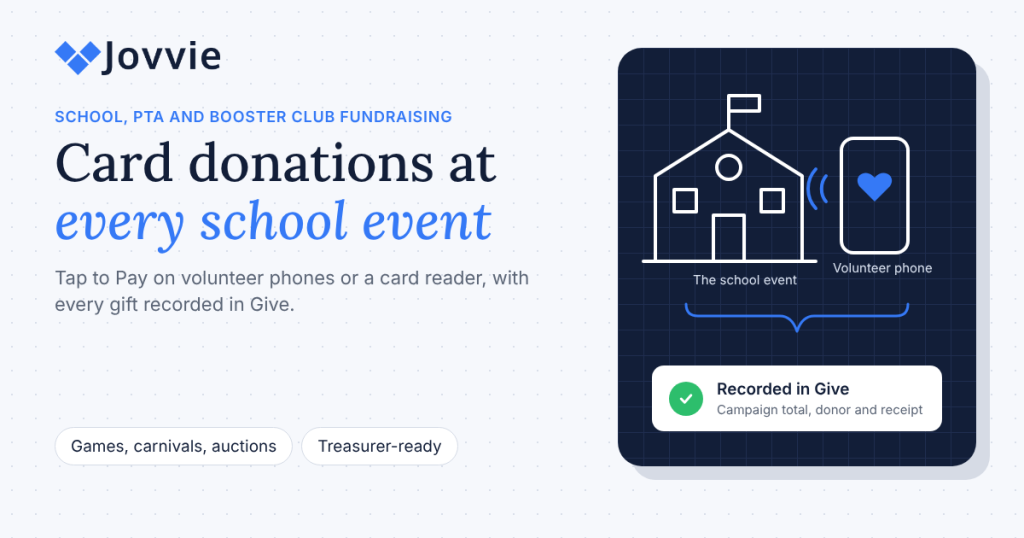
A school PTA or booster club takes card payments at fundraisers with Tap to Pay on a volunteer’s phone or a small card reader. If your PTA’s website runs on Give (formerly GiveWP), Tap To Donate for Give by Jovvie works as a PTA fundraising card reader on the Give forms you already use online: parents tap a card or phone wallet at the game, carnival or auction, and the gift lands in the same Give campaign, donor record and receipt flow as your online donations.
School fundraising runs on volunteers, and volunteers change every year. That’s why the cash box, the borrowed reader and the end-of-night spreadsheet persist: nobody owns the system long enough to fix it. This guide covers which school events suit card donations, Tap to Pay on parent phones versus a shared reader, setting up a campaign per event or team, what your treasurer needs, the rules many state PTAs set for card payments, and when a donation tool isn’t the right fit at all.
Key Takeaways
- A phone is enough for most school events. Tap to Pay on a supported iPhone or Android phone takes contactless cards and phone wallets with no reader.
- Use donation forms for donations, not sales. Give records gifts; concessions, spirit wear and raffle tickets need a payment or point-of-sale tool.
- Give each event or team its own form. Per-form totals answer “how much did the carnival raise?” without a spreadsheet.
- Your treasurer gets one record. In-person gifts appear in Give alongside online donations, with the same donor and reporting tools, and in your Stripe dashboard.
- Check your PTA’s rules first. Many state PTAs require a board vote, district approval and treasurer controls before accepting cards.
- No offline mode. Each gift is authorized live, so plan for gym and field Wi-Fi or mobile data.
How can a school PTA or booster club take card payments at fundraisers?
A school PTA or booster club takes card payments at fundraisers by opening its donation form on a phone or tablet, letting the parent tap a card, insert a chip or use a phone wallet, and recording the gift automatically. With Tap To Donate for Give by Jovvie, that form is your existing Give form, and the payment goes to your organization’s own Stripe account (WordPress.org listing).
At the table, the flow takes under a minute (Jovvie setup documentation):
- The volunteer opens the event’s donation form in the Jovvie app.
- The parent (or volunteer) enters a name, email and amount, and picks a monthly option if your form offers one.
- The volunteer starts the in-person payment.
- The parent taps, inserts or swipes.
- Give records the donation and sends the receipt email, and the form resets for the next family.
Because Jovvie is a payment gateway inside Give rather than a separate giving app, the gift appears in Give with your online donations, and in your Stripe dashboard. The platform owner’s own explainer, How Tap to Donate Technology Works (Liquid Web), describes the same setup from Give’s side.
Which school fundraisers work best with card donations?
Card donations work best at school events where people give a gift rather than buy something: auctions and paddle raises, giving tables at games and concerts, fun runs, and annual-fund drives at back-to-school night. Events that are mostly sales still need a payment tool, just not a donation form.
| Event | Donation or sale? | Best setup |
|---|---|---|
| Fun run or walk-a-thon | Donation (pledges and day-of gifts) | Tap to Pay on volunteer phones; a form per class or team |
| Auction or paddle raise | Donation (paddle raise); winning bids may be purchases | Tap to Pay or a Bluetooth reader at checkout; a dedicated auction form |
| Back-to-school night, annual fund | Donation | A kiosk tablet or countertop reader at the entrance |
| Football, basketball or band concert giving table | Donation | Tap to Pay on a booster’s phone; a form per sport or program |
| GivingTuesday school drive | Donation | Your online form plus Tap to Pay at pickup or an evening event |
| Carnival or festival | Mixed (games and food are sales; a “support the PTA” table is donations) | Donation form for gifts; a payment app for sales |
| Concessions, spirit wear, bake sale | Sale | A payment app or point of sale, not a donation form |
| Event or dance tickets | Sale | Ticketing checkout, not a donation form |
The donation-versus-sale line matters for receipts. A donation receipt tells the parent they gave a gift; a hot dog isn’t one. For concessions and spirit wear, Jovvie Pay takes in-person payments with Tap to Pay or a reader without a POS or website, and for ticketed events Jovvie Checkout for Event Tickets handles the sale. Use Give for the gifts.
Tap to Pay on parent phones or a shared card reader: which is better?
Tap to Pay on volunteer phones is better for most school events, because parents already carry the hardware and contactless cards and phone wallets cover most payments. A shared Bluetooth reader is better when donors use chip-only or PIN cards, when a volunteer’s phone doesn’t support Tap to Pay, or when you want one device the PTA owns and hands from event to event.
| Option | Takes | Needs | Best for | Hardware cost (US) |
|---|---|---|---|---|
| Volunteer phone with Tap to Pay | Contactless cards, Apple Pay, Google Pay, Samsung Pay | iPhone XS or later, or NFC Android 13+, plus the Jovvie app | Games, fun runs, pickup-line drives | $0 with a compatible phone |
| PTA-owned phone or tablet + Stripe Reader M2 | Tap, chip and swipe | Bluetooth pairing in the Jovvie app | A device that stays with the treasurer or event chair | $59 listed by Stripe |
| BBPOS WisePad 3 | Tap, chip and swipe, with a PIN pad | Bluetooth pairing in the Jovvie app | Countries and cards that need PIN entry | Check your Stripe Dashboard |
| Countertop reader (S700) in kiosk mode | Tap, chip and swipe | Wi-Fi or Ethernet | Front office, back-to-school night, auction check-in | $299 listed by Stripe |
Device requirements are from Stripe’s Tap to Pay documentation and prices from Stripe’s pricing page, checked October 2026; both vary by country. Readers are bought from your organization’s own Stripe account, and Stripe Terminal is the in-person payments system underneath. Jovvie also supports the Stripe Reader T600 and Verifone readers (Jovvie for Give).
Parent volunteers using their own phones sign in to the PTA’s Jovvie account in the free Jovvie app; payments go to the PTA’s Stripe account, not to the parent. When the event ends, sign the app out on borrowed phones. Our guide to Tap to Pay donations on iPhone and Android covers phone requirements in detail.
How do you set up card payments for a school fundraiser?
You set up card payments for a school fundraiser by installing Tap To Donate for Give by Jovvie on your PTA’s Give site, connecting Stripe, building a form for the event, and testing every volunteer’s phone in Test Mode. The site setup happens once; each new event takes a few minutes (Jovvie setup documentation).
- Install Tap To Donate for Give by Jovvie and connect Stripe through a free Jovvie account under Give › Settings › Payment Gateways › Jovvie Payments.
- Create a location in Location Management (Stripe requires every reader to belong to one) and start in Test Mode.
- Create a campaign for the school year or the event and add a short donation form inside it: name, email, amount, an optional monthly option and a marketing opt-in. Enable Jovvie Payments on the form.
- Install the Jovvie app on each volunteer’s phone and paste the event form’s URL into the Home URL field.
- Sign in with the PTA’s Jovvie account and choose Tap to Pay, or pair a Bluetooth reader.
- Run a test donation on every device with a Stripe test card. Test donations don’t move real money.
- Switch to Live Mode and run one small real gift before the event starts.
Our step-by-step GiveWP Tap to Donate setup guide has screenshots of each step. Tap To Donate works with the free Give plugin, so a PTA doesn’t need a paid Give plan to start; the monthly option needs Give’s Recurring Donations add-on.
Be ready for GivingTuesday (December 1). A pickup-line or evening GivingTuesday drive is one of the easiest school fundraisers to run. Add in-person giving to the Give forms you already have — free, about five minutes to set up.
How should you organize campaigns for each event or team?
Organize one Give campaign per school year or major drive, and one donation form per event, sport or grade inside it. Each form’s gifts roll up into the campaign total, while Give’s per-form reports show what each event or team raised (Give: Campaigns, Give: Reports).
- PTA annual fund. One campaign for the year with forms for back-to-school night, GivingTuesday, the spring gala and online giving.
- Booster club. One campaign per season, with a form for each sport or program (football, band, robotics), so each team sees its own total.
- Fun run. One campaign with a form per class, which makes a classroom leaderboard simple.
- Goals. Give campaign goals can be set by amount raised, number of donations or number of donors, which suits a “100 families” participation goal.
Name forms the way your volunteers talk (“Fall Carnival giving table”, “Band booster: winter concert”), because the form title is what your treasurer sees in reports and exports.
What does the PTA treasurer need after the event?
The treasurer needs three things after each event: the total by form, the list of gifts with donor names, and the matching Stripe payout. Give provides the first two, and Stripe the third, with in-person gifts already in Give alongside online donations.
- Read the event total in the campaign overview or Give’s reports for the event date.
- Export the gifts with Give’s donation export, filtered by form and date (Give: export donation history). The export includes the payment gateway, so card-present gifts are easy to separate.
- Match the payout in your Stripe dashboard. Stripe pays out on its own schedule, so match by payment date, not by the day the deposit arrives.
- Record cash and checks as offline donations on the same campaign so the total is complete.
- Handle refunds in Stripe. Refunds for in-person donations are issued from the Stripe dashboard, not inside Give; then check the donation’s status in Give.
- File the report your PTA’s procedures require, with the export attached.
Our guide to recording in-person donations in GiveWP covers donor records, receipts, refunds and merging duplicate donors in detail.
What rules should a PTA follow before accepting card payments?
A PTA should follow its state PTA’s financial procedures, its school district’s guidelines and its own bylaws before accepting card payments, and record the board’s approval. Rules vary by state, so check with your state PTA or council before your first event.
As one example, Utah PTA asks units to check with their region director and follow district guidelines, to have at least three check signers (and strongly suggests bonding them), to approve accepting cards by a board motion recorded in the minutes, to open the payment account with a PTA-only email the executive board can access, and to attach payment statements to a funds-received form (Utah PTA: Taking credit cards with your PTA). Those are good habits even where they aren’t required.
Practical controls that make card payments easier to audit:
- Open Stripe in the PTA’s name with the PTA’s EIN and bank account, never a volunteer’s personal account.
- Use a shared PTA email for the Stripe and Jovvie accounts so access survives board turnover.
- Avoid personal payment apps for PTA money; a donation form gives you records, receipts and an audit trail.
- Separate donations from sales so donation receipts only go to real gifts.
- Hand over access each year as part of the officer transition.
Whether a gift is tax-deductible depends on your organization’s status, not on the payment tool. Many PTAs and booster clubs are 501(c)(3) organizations, but not all are; check before your receipts describe gifts as deductible.
When is a different tool a better fit?
A different tool is a better fit when your PTA doesn’t run its website on Give or when most of your fundraising is sales rather than gifts. If your school’s giving already runs on another platform, use that platform’s in-person tools so families stay in one database. If you mostly sell (concessions, spirit wear, tickets), a payment app or point-of-sale system fits better than a donation form. And if a group has no website at all and just needs to take a few payments, a free hosted app may be simpler for now.
For a side-by-side of in-person donation tools, including when Zeffy, Givebutter or Donorbox is the better call, see BizSwoop’s comparison of in-person donation apps.
Frequently asked questions
How can a PTA take credit card payments at a fundraiser?
Open your donation form on a phone or tablet and let parents tap, insert or swipe a card. With Tap To Donate for Give by Jovvie, a volunteer’s phone works as the card reader through Tap to Pay, and each gift is recorded in Give and paid into the PTA’s Stripe account.
What is the best card reader for a PTA or booster club?
For most PTAs, no reader at all: Tap to Pay on a supported volunteer phone takes contactless cards and phone wallets. If you want a PTA-owned device or need chip cards, add a Stripe Reader M2; for a front-office or auction check-in station, a Stripe Reader S700 in kiosk mode works well.
Can parents use their own phones to take donations?
Yes, if the phone supports Tap to Pay (iPhone XS or later, or an NFC Android phone on Android 13 or later). The parent signs in to the PTA’s Jovvie account in the free Jovvie app, and payments go to the PTA’s Stripe account, not theirs.
How much does it cost a PTA to take card donations?
Tap To Donate for Give by Jovvie is free with a free Jovvie account and no monthly fees; a platform fee of 0.5% to 2% applies to in-person donations only, depending on donation volume, in addition to Stripe’s processing rate. In the U.S., Stripe’s in-person rate is 2.7% + 5¢ per card, and Tap to Pay adds $0.10 per authorization.
Can we take card donations without Wi-Fi at the field?
Only with mobile data. Tap To Donate has no offline mode, because Stripe authorizes each payment live, so the phone needs Wi-Fi or a cellular connection. Check signal at the field or gym before game day.
Should a PTA use a donation form for concessions or spirit wear?
No. Donation forms and receipts are for gifts. Use a payment app or point of sale for concessions, spirit wear and tickets, and keep Give for donations so your donation receipts stay accurate.
Do PTA donations get a receipt?
Yes. Give sends its donation receipt email automatically when the donation completes, to the email entered on the form. Have volunteers check the email with the parent before the tap.
Can families start a monthly gift at a school event?
Yes. Jovvie supports monthly, quarterly and annual recurring gifts on in-person transactions. The recurring options come from Give’s Recurring Donations add-on, so turn them on in the event form.
Get your PTA ready for GivingTuesday
GivingTuesday is December 1, and a school drive at pickup or a family evening is one of the simplest ways to take part. If your PTA or booster club already raises money online with Give, volunteer phones can take card and wallet gifts at the table, start monthly gifts, and send every donation into the same campaign your treasurer already reports from. Tap To Donate for Give by Jovvie is free, takes about five minutes to set up, and works on the Give forms you already have. The plugin and Jovvie account are free with no monthly fees; a platform fee of 0.5% to 2% applies to in-person donations only, depending on your donation volume, in addition to Stripe’s processing rate.
Set up two volunteer phones this week, run a test gift on each, and you’ll be ready for the next game, concert or carnival.
Sources and primary documentation: Tap To Donate for Give by Jovvie on WordPress.org, Jovvie for Give, Jovvie setup documentation, How Tap to Donate Technology Works and What It Costs (Liquid Web), Give by Liquid Web, Stripe Terminal documentation, Stripe Tap to Pay documentation, Stripe pricing, Give: Campaigns, Give: Reports, Give: export donation history, Utah PTA: Taking credit cards with your PTA.
