
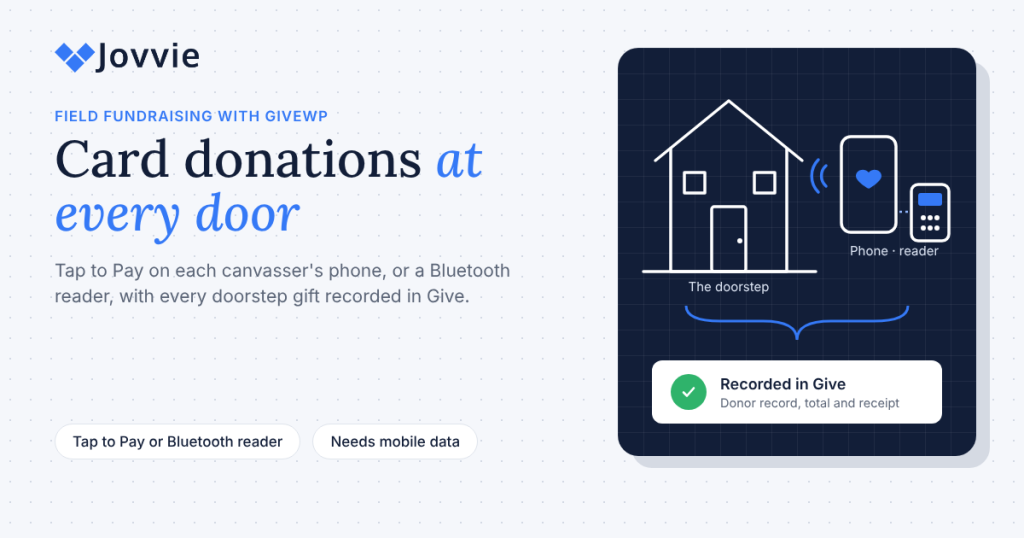
Fundraisers take card donations door to door with Tap to Pay on their own phone, or a small Bluetooth card reader paired to it. For organizations whose online giving runs on Give (formerly GiveWP), Tap To Donate for Give by Jovvie turns each canvasser’s phone into a door to door fundraising card reader: the donor taps a card or phone wallet, and the gift is recorded in the same Give campaign, donor record and receipt flow as your online donations. The phone needs mobile data, because card payments are authorized live.
Field fundraising has always run on clipboards, cash envelopes and pledge cards that someone has to type up later. That’s slow, it loses donors, and it puts cash in volunteers’ pockets on dark streets. This guide covers what canvassers should carry, how to set up each phone, what to do when the signal drops, how to start a monthly gift at the door, how donors can tell your canvasser is legitimate, and how peer-to-peer teams fit in.
Key Takeaways
- The canvasser’s phone is the terminal. Tap to Pay on a supported iPhone or Android phone takes contactless cards and wallets with no extra hardware.
- Add a Bluetooth reader for chip cards. A Stripe Reader M2 or BBPOS WisePad 3 pairs with the phone for donors whose cards need inserting.
- Every doorstep gift lands in Give. In-person gifts appear alongside online donations, with the same donor and reporting tools, and in your Stripe dashboard.
- There is no offline mode. Each gift is authorized live, so canvassers need Wi-Fi or mobile data at the door.
- Monthly gifts work at the door. Donors can start monthly, quarterly or annual gifts in person if your Give form offers recurring options.
- Make the request easy to verify. Show your organization’s name and the amount on screen before the tap, and let the emailed receipt confirm the gift.
How do fundraisers take card donations door to door?
Fundraisers take card donations door to door by opening the organization’s donation form on a phone, entering the donor’s details and amount, and having the donor tap a card or phone wallet on the back of the phone (Tap to Pay) or on a small Bluetooth reader. The payment is authorized over mobile data and the donor gets an emailed receipt.
With Tap To Donate for Give by Jovvie, that form is your existing Give form. The flow at the door looks like this (Jovvie setup documentation):
- The canvasser opens the field form in the Jovvie app on their phone.
- The donor (or canvasser) enters a name, email, amount and, if offered, a monthly option.
- The canvasser chooses the in-person payment option and starts the payment.
- The donor taps, inserts or swipes, depending on the device.
- The form returns to Give’s confirmation, the receipt email goes out, and the app resets for the next door.
Because Jovvie is a gateway inside Give rather than a separate giving app, doorstep gifts appear in Give alongside online donations and in your Stripe dashboard (WordPress.org listing). The platform owner’s own explainer, How Tap to Donate Technology Works (Liquid Web), walks through the same form, processor and bridge setup.
Tap to Pay or a Bluetooth reader: what should canvassers carry?
Most canvassers should carry only their phone with Tap to Pay, plus a power bank. Add a Bluetooth reader when donors in your area often use chip-only or PIN-only cards, or when a canvasser’s phone doesn’t support Tap to Pay.
| What to carry | Takes | Needs | Best for | Hardware cost (US) |
|---|---|---|---|---|
| Phone with Tap to Pay | Contactless cards, Apple Pay, Google Pay, Samsung Pay | iPhone XS or later, or NFC Android 13+, plus the Jovvie app | Most canvassers; fast setup; nothing to lose | $0 with a compatible phone |
| Phone + Stripe Reader M2 | Tap, chip and swipe | Bluetooth pairing in the Jovvie app | Areas where chip cards are common; older phones | $59 listed by Stripe |
| Phone + BBPOS WisePad 3 | Tap, chip and swipe, with a PIN pad | Bluetooth pairing in the Jovvie app | Countries and cards that need PIN entry on a reader | Check your Stripe Dashboard |
| Wi-Fi countertop reader (S700, WisePOS E) | Tap, chip and swipe | Wi-Fi or Ethernet | Not for the field; use at a base table or office | $299 listed by Stripe for the S700 |
Device requirements are from Stripe’s Tap to Pay documentation and prices from Stripe’s pricing page, checked October 2026; both vary by country. Readers are bought from your organization’s own Stripe account. Jovvie also supports newer readers such as the Stripe Reader T600 and Verifone devices (Jovvie for Give), but those are countertop and smart devices better suited to a base station than a doorstep. For a full comparison, see BizSwoop’s guide to the best card readers for nonprofit donations.
In some countries, including Canada and Finland, many cards are PIN-only and must be inserted, which a phone can’t do. Our guide to Tap to Pay donations on iPhone and Android covers those exceptions and the full phone requirements.
How do you set up a phone for each canvasser?
You set up each canvasser’s phone by installing the free Jovvie app, pointing it at your field donation form, signing in to your organization’s Jovvie account and choosing Tap to Pay or a Bluetooth reader. The site-side setup is done once; each phone then takes a few minutes (Jovvie setup documentation).
Once, on your WordPress site:
- Install Tap To Donate for Give by Jovvie and connect Stripe through a free Jovvie account under Give › Settings › Payment Gateways › Jovvie Payments.
- Create a location in Location Management (Stripe requires every reader to belong to one) and start in Test Mode. Copy the Stripe Location ID.
- Build a short field form inside your campaign: name, email, amount, an optional monthly option and a marketing opt-in. Enable Jovvie Payments on it.
On each canvasser’s phone:
- Install the Jovvie app from the App Store or Google Play.
- Paste the field form’s URL into the app’s Home URL field.
- Sign in under Payment Server › Link Payment Accounts with your organization’s Jovvie account.
- Add a credit card gateway and choose Tap to Pay, or Bluetooth for an M2 or WisePad 3, then paste the Stripe Location ID.
- Run a test donation with a Stripe test card. Test donations don’t move real money.
When every phone has passed a test, switch the location to Live Mode and run one small real gift. A one-hour kickoff before the first shift is enough to set up and train a team of ten. Our step-by-step GiveWP Tap to Donate setup guide has screenshots of each step.
What happens with weak signal or no mobile data?
With no signal, a canvasser can’t take a card gift: Tap To Donate has no offline mode, because Stripe has to authorize each payment live over Wi-Fi or mobile data (WordPress.org listing). Plan for gaps rather than discovering them at the door.
- Walk the route first. Check signal on each street, especially in rural areas, valleys and apartment blocks.
- Carry a QR code card. A printed card linking to your online Give form lets a donor give on their own phone, on their own connection. It’s an online donation through your usual gateway, but the gift still lands in Give.
- Use pledge cards as a last resort. Take the donor’s name and email and send a donation link that evening.
- Carry a power bank. Tap to Pay and Bluetooth use battery; a dead phone ends the shift early.
- Check the data plan. If canvassers use their own phones, agree how mobile data is covered, or provide a shared hotspot for a team working one block.
How do you start a monthly gift at the door?
You start a monthly gift at the door by offering monthly as an option on your field form, so the donor picks it before tapping; Jovvie supports monthly, quarterly and annual recurring gifts on in-person transactions (WordPress.org listing). The recurring options themselves come from Give’s Recurring Donations add-on, included in Give’s paid plans.
Monthly giving is where canvassing earns its keep: a donor who says yes to $15 a month at the door is worth far more over a year than a one-time $20. A simple doorstep script:
“Hi, I’m Sam with Riverside Food Bank. We’re signing up neighbors to help stock the pantry through winter. Most people give $15 a month — that feeds a family for a week. Would you like to join them?”
If the answer is yes:
“Great. Could you pop in your name and the email you use for receipts? Here’s the amount and our name on the screen — just tap your card on the back of the phone when you’re ready.”
And if monthly isn’t right for them:
“No problem at all. Would a one-time gift today work instead?”
Two habits protect monthly donors’ records: get the email right (it’s how Give identifies the donor and sends receipts), and make sure the screen shows “monthly” clearly before the tap. Our guide to recurring donations in person covers form settings and follow-up.
Be ready for GivingTuesday (December 1). A neighborhood “giving day” canvass is one of the easiest GivingTuesday events to run. Add in-person giving to the Give forms you already have — free, about five minutes to set up.
How can donors tell a doorstep request is legitimate?
Donors can tell a doorstep request is legitimate when the canvasser carries visible identification, the screen shows the organization’s real name and the exact amount before the tap, and an emailed receipt arrives from the organization right after. Make all three easy.
That matters more than ever. In August 2026, Fortune reported on scammers posing as charities who change the amount on tap-to-pay devices, turning a $20 gift into a $2,000 charge, and advised donors to check the final amount before they approve (Fortune). Your canvassers can use the same advice to build trust:
- Say the amount out loud and show the screen. “That’s $15 a month to Riverside Food Bank. Does that look right?”
- Wear ID and carry a leave-behind card with your logo, website and phone number.
- Use your real organization name on the form, so it matches the receipt and your website.
- Point to the receipt. Give sends its receipt email automatically when the donation completes, so the donor has proof within a minute.
- Never pressure. Offer the QR code card to anyone who’d rather give later on your website.
- Check local rules. Many towns require a solicitation permit for door-to-door fundraising; carry it if yours does.
Can you track gifts by canvasser or team?
Yes, by giving each canvasser or team its own Give donation form inside the campaign. Every doorstep gift is recorded on the form the canvasser used, so Give’s per-form reports and donation export show what each team raised, while the campaign total adds them all up (Give: Reports, Give: export donation history).
| Approach | How it works | Best for |
|---|---|---|
| One form per team | Duplicate the field form for each team; each team’s app points at its own form URL | Teams of 3–10 canvassers; weekly leaderboards |
| One form per canvasser | A form for each person, all in the same campaign | Paid canvassing teams, or competitions between individuals |
| One shared form plus a team field | One form with a team-name dropdown the canvasser selects (a custom field, for example from Give’s Form Field Manager add-on), which appears in the donation export | Large volunteer days where creating many forms is too much admin |
| Separate Stripe locations | A location per area to organize readers and phones | Organizing devices across neighborhoods; not a substitute for per-form tracking |
Campaign goals in Give can be set by amount raised, number of donations or number of donors, and with the Recurring Donations add-on by subscriptions, which suits a canvass focused on monthly sign-ups (Give: Campaigns).
Peer-to-peer fundraisers taking gifts in person: what changes?
For peer-to-peer fundraisers collecting in person, the main change is credit: the gift is recorded on the Give form used at the door, so give each fundraiser or team a form if you want their in-person gifts counted separately. Everything else, from the phone setup to receipts, is the same as canvassing.
Give’s Peer-to-Peer add-on organizes online fundraising into campaigns, teams and individual fundraisers, each with a profile page, and all funds raised funnel into the main campaign goal (Give: setting up peer-to-peer fundraising). Those pages are built for supporters sharing a link online. When the same fundraisers knock on doors or work a booth, they’re taking gifts in person on behalf of the campaign:
- Online, supporters give on the fundraiser’s page as usual.
- In person, the fundraiser takes the gift on a Give form with Jovvie. Use a form for each team if you want table and doorstep gifts credited to them, and add the in-person total to their leaderboard.
- Both count toward the campaign, because both are Give donations in the same campaign.
What does field fundraising cost per gift?
Field gifts cost Stripe’s card-present rate plus Jovvie’s platform fee, with no monthly fee. The plugin and Jovvie account are free, with no monthly fees or contracts; a platform fee of 0.5% to 2% applies to in-person donations only, depending on your donation volume, in addition to Stripe’s processing rate (WordPress.org listing).
In the U.S., Stripe’s in-person rate is 2.7% + 5¢ per successful domestic card transaction, and Tap to Pay adds $0.10 per authorization (Stripe pricing). On a $20 doorstep gift by Tap to Pay, that’s $0.69 to Stripe plus a platform fee of $0.10 to $0.40, depending on your volume tier. Your online donations through Give’s other gateways are unaffected. For a side-by-side of nonprofit fees, see the BizSwoop guide to nonprofit payment processing fees.
When is a different approach a better fit?
A different approach is a better fit if your organization doesn’t run its giving on a Give website. If your donors already live in Zeffy, Givebutter or Donorbox, use that platform’s mobile tools so doorstep gifts stay in the same database. And a professional street-fundraising agency with its own monthly-giving system may make more sense for very large canvassing programs. Jovvie fits best when your website runs on Give and you want field gifts on the same donor records as everything else.
Frequently asked questions
How do fundraisers take card donations door to door?
They use Tap to Pay on their phone, or a Bluetooth card reader paired to it, with the organization’s donation form open in an app. The donor taps a card or phone wallet, the payment is authorized over mobile data, and a receipt is emailed. With Jovvie, each gift lands in Give.
Which card reader is best for door-to-door fundraising?
For most canvassers, no reader at all: Tap to Pay on a supported phone takes contactless cards and wallets. Where chip or PIN-only cards are common, add a Stripe Reader M2 or BBPOS WisePad 3, which pair with the phone over Bluetooth.
Can canvassers use their own phones?
Yes, if the phone meets Stripe’s Tap to Pay requirements (iPhone XS or later, or an NFC Android phone on Android 13 or later with recent security updates). Each canvasser installs the free Jovvie app and signs in to your organization’s Jovvie account; payments go to your Stripe account, not theirs.
Can you take card donations without internet?
No. Tap To Donate has no offline mode, because Stripe authorizes each payment live, so the phone needs Wi-Fi or mobile data. Carry a QR code card to your online form for dead zones.
How do you accept donations for a fundraiser in person?
Add in-person payments to the donation form you already use online, then take gifts on a phone or reader at the event or door. With Give, Tap To Donate for Give by Jovvie does this for free, and gifts appear alongside your online donations.
How do you get people to donate at the door?
Lead with one specific need and one suggested amount, offer a monthly option, show the amount and your organization’s name on the screen before the tap, and thank them by name. A short, honest ask and a fast, visible payment do more than a long pitch.
Can donors start a monthly gift at the door?
Yes. Jovvie supports monthly, quarterly and annual recurring gifts on in-person transactions. The recurring options come from Give’s Recurring Donations add-on, so turn them on in the field form.
What is the 80/20 rule in fundraising?
It’s the observation that a large share of funds, often around 80%, tends to come from a small share of donors, often around 20%. For door-to-door programs it’s a reminder that the goal is finding future monthly and major donors, so capture every donor’s email, not just the gift.
Turn every doorstep into a donor record before GivingTuesday
GivingTuesday is December 1, and a neighborhood canvass is one of the simplest ways to take part. If your campaign already runs in Give, your canvassers’ phones can take card and wallet gifts at the door, start monthly gifts on the spot, and send every gift into the same campaign and donor records as your online giving. Tap To Donate for Give by Jovvie is free, takes about five minutes to set up, and works on the Give forms you already have. The plugin and Jovvie account are free with no monthly fees; a platform fee of 0.5% to 2% applies to in-person donations only, depending on your donation volume, in addition to Stripe’s processing rate.
Set up two phones this week, walk one street in Test Mode, and you’ll know exactly how your canvass will run on December 1.
Sources and primary documentation: Tap To Donate for Give by Jovvie on WordPress.org, Jovvie for Give, Jovvie setup documentation, How Tap to Donate Technology Works and What It Costs (Liquid Web), Give by Liquid Web, Stripe Tap to Pay documentation, Stripe pricing, Give: setting up peer-to-peer fundraising, Give: Campaigns, Give: Reports, Give: export donation history, Fortune: scammers hijacking tap-to-pay donations.
