
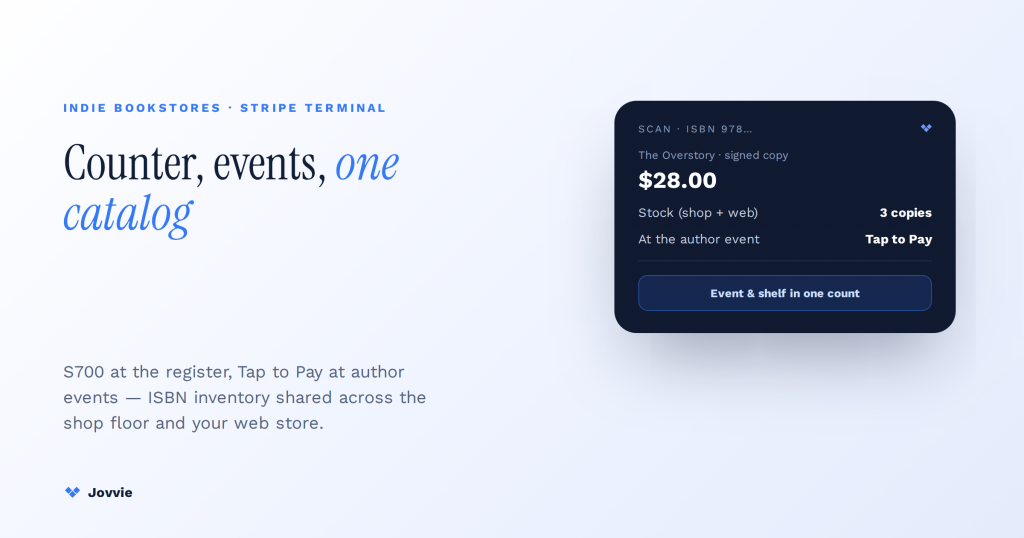
Indie bookstores use Stripe Terminal to take card-present payments everywhere they sell. That means a Stripe Reader S700 at the front counter, and Tap to Pay on iPhone or the cellular S710 at author events, signing tables, and sidewalk sales — backed by a WooCommerce catalog through a POS layer like Jovvie so one system tracks ISBN/barcode inventory across the shop floor and the online store. The reader authorizes the card; the WooCommerce-plus-Jovvie layer handles the bookseller-specific parts — ISBN and barcode lookup, real-time stock across in-person and online sales, consignment and local-author titles, and special orders. That combination lets a bookshop run its counter, its off-site event table, and its web store on a single catalog without buying a dedicated book-industry POS. It’s the setup no “best bookstore POS” roundup describes, because they’re all steering you toward a purpose-built system instead.
Key Takeaways
- A reader authorizes; the catalog does the bookselling. ISBN/barcode lookup, real-time stock, consignment, and special orders live in WooCommerce, not the Stripe reader.
- One catalog across counter, events, and web. A Jovvie register and your website share one ISBN-keyed stock count — sell the last copy anywhere and it’s gone everywhere.
- ISBN-13 as the SKU/barcode. Scan a barcode at the counter or a phone camera at an event and the right title, price, and stock pull up.
- Author events beat a fixed POS. Take the same catalog and payments off-counter with Tap to Pay or a cellular S710 — event copies stay in one count.
- Consignment and used books are WooCommerce conventions. Vendor attributes and variable products handle local authors, consignors, and trade-in credit; Terminal just charges the net.
- A dedicated book POS wins only at high volume. Deep ABA/Edelweiss title feeds, automated restocking, and heavy consignment accounting justify one; otherwise Terminal + Jovvie.
We build WooCommerce-native POS on Stripe Terminal for a living. Jovvie has eight years of WooCommerce POS behind it, official Stripe Partner status, and our own Stripe Connect platform at payments.bizswoop.app. We’re not a book-POS vendor with a product to defend, so we’ll draw the honest line: for most independent bookshops, a used-and-new corner store, a museum or gift-shop book section, or a pop-up at a literary festival, Stripe Terminal plus a WooCommerce POS is a genuinely strong, low-overhead setup — and for a high-volume store that lives on deep ABA/Edelweiss title data, automated publisher restocking, and heavy consignment accounting, a dedicated system like Booklog or Basil still earns its keep. This is a cluster piece under the Stripe Terminal industry use-case pillar, a close cousin of our boutique retail guide and pop-up shop quick-deploy kit, and it builds on our legacy bookstore POS overview and Stripe Terminal for WooCommerce guide.
Indie bookselling is proof this works, not theory. When Bookshop.org built the platform that now sends money to hundreds of independent bookstores, it ran payments and payouts on Stripe Connect — real indie booksellers, real card-present and online sales, on the same rails described here (Bookshop.org + Stripe).
What POS system do independent bookstores use?
Independent bookstores use one of three things: a dedicated book-industry POS (Booklog, Basil, Bookmanager), a general retail POS (Square, Lightspeed, Shopify POS), or — increasingly — a WooCommerce catalog paired with Stripe Terminal through a POS plugin like Jovvie. The right choice depends on how much book-specific data automation you need versus how much you value one unified catalog across your counter, your events, and your website.
The dedicated systems win on deep bibliographic data: they pull title metadata, connect to publisher and wholesaler catalogs, and automate restocking against ABA data feeds. That’s real value for a store turning thousands of titles a month. But they carry monthly software cost, they’re their own island, and their web-store integration is usually an afterthought. The WooCommerce-plus-Stripe-Terminal path inverts that: your website is your catalog, in-person sales draw down the same stock, and the payment hardware is off-the-shelf Stripe gear you can add or move for the price of a reader. For a shop where the online store matters as much as the counter — which is most indie bookstores now — that unification is the whole point.
How do indie bookstores use Stripe Terminal, step by step?
A bookstore runs Stripe Terminal by scoping a reader to its Stripe account, connecting that reader to a WooCommerce POS, and ringing up sales that draw down a shared ISBN-keyed catalog. Here’s the practical sequence.
- Pick your readers by selling spot. An S700 (Wi-Fi) or countertop reader at the front register, and either Tap to Pay on iPhone/Android or a cellular S710 for anywhere off-counter (author tables, festivals, sidewalk carts). See the hardware table below.
- Connect the reader to your POS. Jovvie registers the Stripe Terminal reader to your store and mints the connection token, so the reader and your WooCommerce catalog talk to each other. Stripe’s Terminal documentation covers the underlying reader registration and connection-token model.
- Load your catalog with ISBN/barcode data. Each title is a WooCommerce product with the ISBN stored as the SKU/barcode, so a scan at the counter pulls up the right book, price, and stock.
- Ring the sale at the reader. The bookseller scans the barcode, the total goes to the reader, the customer taps, inserts, or swipes, and Stripe authorizes the card-present charge at the in-person rate of 2.7% + $0.05 (Stripe Terminal).
- Stock and receipt update automatically. The sale decrements inventory on the shared catalog — the same stock number your website reads — and FlowNotify or your receipt flow sends the confirmation.
The card-present rate of 2.7% + $0.05 and the reader lineup are documented directly by Stripe (Stripe Terminal, Stripe Reader S700/S710). Confirm live pricing on Stripe’s pages, since regional pricing varies.
Bookstore hardware: M2 vs S700 vs S710 vs Tap to Pay
Match the reader to the selling spot — an S700 or countertop at the register, the cellular S710 or Tap to Pay for author events and sidewalk sales, and an inexpensive M2 or WisePad 3 as a paired backup. Here’s the breakdown.
| Reader / method | Cost | Best bookstore scenario | Connectivity | Standalone |
|---|---|---|---|---|
| Tap to Pay on iPhone/Android | $0 hardware | Author-event table, signing line, sidewalk cart, line-buster | Needs live internet | Runs on a phone |
| Stripe Reader S700 (Wi-Fi) | ~$299 | Front counter with store Wi-Fi | Wi-Fi | Yes — smart reader with screen |
| Stripe Reader S710 (cellular) | ~$299 | Off-site author events, book fairs, pop-ups with no Wi-Fi | Built-in cellular + Wi-Fi | Yes — smart reader with screen |
| Stripe Reader M2 | ~$59 | Cheap handheld till paired to a tablet | Bluetooth to host device | No — needs a paired device |
| BBPOS WisePad 3 | ~$59 | Inexpensive backup or PIN-entry needs | Bluetooth to host device | No — needs a paired device |
| Countertop reader | ~$249–$299 | Fixed second register at a busy counter | Wired / Wi-Fi | Yes |
(Hardware and rate figures per Stripe Terminal and the Stripe Reader S700 page; the in-person rate is 2.7% + $0.05. Confirm live pricing on Stripe’s pages, since regional pricing varies. For reader registration and device management, see Stripe’s Terminal documentation.)
A common, cost-effective indie-bookshop kit is one S700 at the front counter, Tap to Pay on a couple of staff phones for the signing table and peak-Saturday line-busting, and a single S710 for off-site book fairs and festivals where there’s no Wi-Fi. A very small shop can start with just Tap to Pay and a ~$59 M2 paired to a tablet at the counter, then add an S700 when volume justifies it. Because Tap to Pay and the S710’s cellular exist, the classic off-counter problem — taking a card where there’s no register and no Wi-Fi — stops being a blocker.
Can you use Stripe Terminal for a retail store?
Yes. Stripe Terminal is built for card-present retail — chip, swipe, and contactless at a fixed counter or on a mobile reader — and a bookstore is a retail business with a barcode-driven catalog. Stripe Terminal handles the payment; the POS layer on top handles the catalog, inventory, and receipts.
The only thing a raw Stripe Terminal reader doesn’t do on its own is act as a cash register — it authorizes cards but doesn’t know what a book costs or how many you have left. That’s what the WooCommerce-plus-Jovvie layer supplies. Pair the two and you have a full retail checkout: barcode scan, price lookup, tax, tender (card or cash), receipt, and a stock decrement that’s visible to your website in real time.
Running your catalog and ISBN/barcode inventory with WooCommerce and Jovvie
The bookseller-specific work — ISBN lookup, barcode scanning, and one stock number shared between the shop floor and the website — lives in the WooCommerce catalog, not in the Stripe reader. Jovvie is the POS layer that puts that catalog behind the Terminal reader.
Store each title as a WooCommerce product with the ISBN-13 as the SKU/barcode. A USB or Bluetooth barcode scanner at the counter (or a phone camera at an event) reads the ISBN, Jovvie pulls the matching product, and the sale rings against it. Because WooCommerce is one catalog, an in-person sale and an online order both draw from the same stock count — sell the last copy of a title at the register and your website shows it out of stock immediately, which kills the classic indie-bookshop oversell where a book sold online is already gone off the shelf. See our inventory sync patterns for how the shared-stock model works in practice.
Practical bookseller touches worth setting up: variable products for new-vs-used copies of the same ISBN, a “special order / not in stock” product path for customer orders you’ll fulfill from a wholesaler, and product categories that mirror your sections (fiction, kids, local authors, staff picks) so reporting tells you what actually sells. None of this needs a book-specific POS — it’s standard WooCommerce catalog structure with the ISBN doing the work a dedicated bibliographic database would otherwise do.
Selling at the counter, at events, and online?
Jovvie puts your WooCommerce catalog behind the Stripe reader, so a signing-table sale on Tap to Pay draws down the same ISBN stock as the shop floor and the website — one count, one payout.
Start your free trial →Selling at author events and signing tables
Author events, signing tables, off-site book fairs, and sidewalk sales are exactly where Stripe Terminal beats a fixed bookstore POS — you take the same catalog and payments off-counter with Tap to Pay on a phone or a cellular S710, no register required. This is the scenario every bookstore-POS roundup skips.
The signing-table flow: a staff member runs Jovvie on a phone or tablet, scans (or taps in) the featured title, adds a signed-copy price if it differs, and takes the card on the same device with Tap to Pay on iPhone/Android — no extra hardware, and the sale still draws down your shared catalog so the event copies and the shop-floor copies stay in one count (Stripe Tap to Pay). For a book fair or a festival booth where cell signal is thin or you want a proper reader with a screen, bring the S710, which carries its own cellular connection and works with no venue Wi-Fi (Stripe Reader S700/S710). Either way, the event isn’t a separate spreadsheet you reconcile later — it’s the same store, the same catalog, the same payout. Our pop-up shop guide covers the mobile-till pattern in more depth.
Consignment, local authors, and trade-ins
Consignment titles, local-author stock, and used-book trade-ins are handled in the WooCommerce catalog with vendor/attribution fields and simple product conventions — Stripe Terminal just processes the sale like any other. This is a real bookstore need that no Stripe-Terminal content addresses, so here’s the honest version.
For consignment and local authors, tag each consigned title with the author/vendor as a product attribute or use a category so a sale is attributable at payout time. A monthly report filtered by that attribute tells you what to pay each consignor. For heavy consignment volume — dozens of active consignors with per-title splits — a dedicated book POS or a consignment-specific add-on does this accounting natively and will save you time; that’s a fair reason to spend the money, and we’ll say so plainly. For a shop with a shelf or two of local authors, WooCommerce attributes plus a filtered report are enough.
For used books and trade-ins, create used copies as variable-product variations or separate SKUs at their own price, and handle trade-in credit as a store-credit or gift-card balance (our WooCommerce gift cards with Stripe Terminal piece covers issuing and redeeming credit in person). The card-present side never changes — Stripe Terminal charges the net amount owed after credit is applied.
Do I need a dedicated bookstore POS, or is Stripe Terminal enough?
Use this decision table to place your shop honestly. Stripe Terminal plus Jovvie wins on unified catalog, event mobility, and low cost; a dedicated book POS wins on deep bibliographic automation and heavy consignment accounting.
| Capability | Raw Stripe Terminal | Stripe Terminal + Jovvie (WooCommerce) | Dedicated book POS (Booklog / Lightspeed) |
|---|---|---|---|
| Card-present payments | Yes | Yes | Yes |
| ISBN/barcode inventory | No (payments only) | Yes — ISBN as SKU/barcode | Yes — native bibliographic data |
| Online store on the same stock | No | Yes — WooCommerce is the catalog | Sometimes (add-on/integration) |
| Author-event / mobile checkout | Tap to Pay only, no catalog | Yes — Tap to Pay or S710 with full catalog | Usually counter-bound |
| Publisher/wholesaler catalog feeds | No | Manual / import | Yes — automated |
| Heavy consignment accounting | No | Attributes + reports (manual) | Yes — native |
| In-person rate | 2.7% + $0.05 | 2.7% + $0.05 | Varies by processor |
| Monthly software cost | $0 | Low (POS plugin) | Monthly SaaS fee |
The honest fit boundary: if your bookshop turns high volume on deep title data with automated publisher restocking and complex consignment splits, a dedicated book POS is worth its cost. If you’re an independent shop, a used-and-new store, a specialty or museum bookseller, or anyone who sells as much at events and online as at the counter, Stripe Terminal plus Jovvie gives you one catalog, off-counter mobility, and off-the-shelf hardware — for a fraction of the overhead.
Frequently asked questions
What POS system do independent bookstores use?
Independent bookstores use dedicated book-industry systems (Booklog, Basil, Bookmanager), general retail POS (Square, Lightspeed, Shopify POS), or a WooCommerce catalog paired with Stripe Terminal through a POS plugin like Jovvie. The WooCommerce-plus-Terminal path is increasingly popular with shops that want one catalog across their counter, their events, and their website.
Can you use Stripe Terminal for a retail store?
Yes. Stripe Terminal is designed for card-present retail — chip, swipe, and contactless at a counter or on a mobile reader. Pair it with a POS layer like Jovvie on WooCommerce and it becomes a full retail checkout with barcode lookup, inventory, tax, and receipts.
Does Stripe Terminal work with WooCommerce?
Yes. Stripe Terminal connects to WooCommerce through a POS plugin such as Jovvie, which registers the reader, takes the card-present payment, and rings it against your WooCommerce catalog so in-person and online sales share one stock count. See our Stripe Terminal for WooCommerce guide.
How do bookstores track inventory by ISBN or barcode?
Store each title as a WooCommerce product with its ISBN-13 as the SKU/barcode. A barcode scanner at the counter (or a phone camera at an event) reads the ISBN, the POS pulls the matching product, and the sale decrements the shared stock count that your website also reads.
How much does a Stripe Terminal card reader cost?
Stripe readers range from about $59 for a Stripe Reader M2 or BBPOS WisePad 3, to roughly $299 for a Stripe Reader S700 (Wi-Fi) and about $299 for the cellular S710; countertop readers run roughly $249–$299. Tap to Pay on iPhone or Android needs no hardware. The in-person processing rate is 2.7% + $0.05 (Stripe Terminal). Confirm live pricing on Stripe’s pages.
Setting up Stripe Terminal for your bookstore
If your online store and your shop floor should share one catalog — and for most indie bookstores they should — Stripe Terminal plus Jovvie on WooCommerce is the setup that gets you there: a reader at the counter, Tap to Pay or an S710 at author events, and ISBN inventory that never oversells. We’ve built this for booksellers and specialty retailers, and we’re happy to look at your specific mix of counter, events, and online sales before you buy anything.
Talk to us about your bookstore setup and we’ll map the right readers and catalog structure for your shop — counter, author events, and online on one ISBN catalog that never oversells. Start free, or book a retail consult with our team.
