
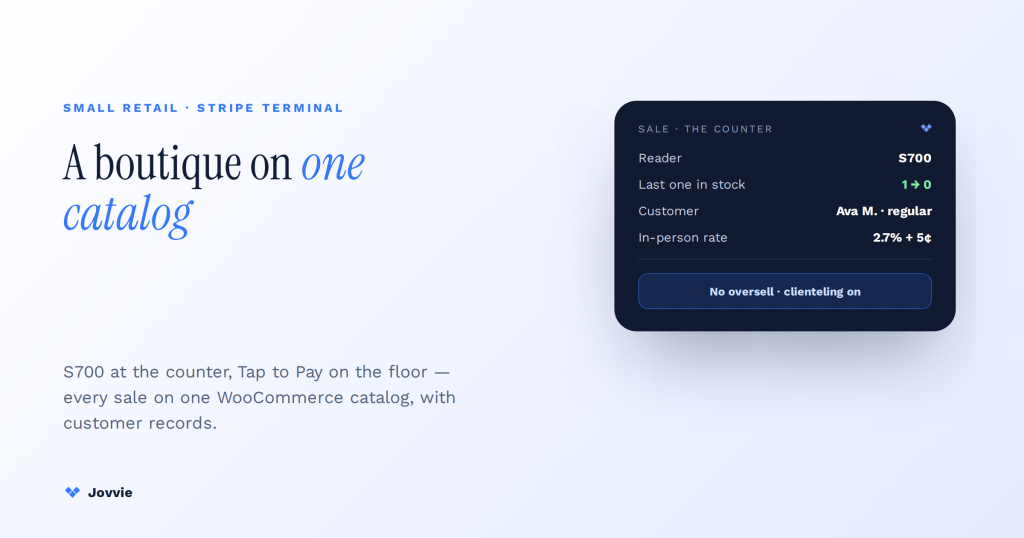
The best Stripe Terminal setup for a boutique is a smart reader or tablet till at the counter plus Tap to Pay on iPhone for the floor. Use the Wi-Fi Stripe Reader S700, or a ~$59 M2 paired to a tablet, at the counter, and Tap to Pay for clienteling on the floor and trunk shows — all backed by a WooCommerce catalog through a POS layer like Jovvie so your products, inventory, and customer records live in one place. That last part is the whole game for boutique retail, and it’s the part every “best card reader for small business” roundup skips. Those articles benchmark the hardware and then default to Square or Shopify “because Stripe has no POS software.” That’s outdated. Stripe Terminal supplies the readers and the low in-person rate; a WooCommerce-native POS supplies the catalog, real-time inventory sync, and customer history — so a boutique gets the same all-in-one experience without giving up Stripe’s per-transaction advantage.
Key Takeaways
- A boutique is a software problem, not a hardware one. Choosing a reader takes ten minutes; keeping one catalog, never overselling a unique piece, and knowing your regulars is the real work.
- Counter reader + floor Tap to Pay. An S700 (or a ~$59 M2 on a tablet) at the counter, Tap to Pay on iPhone for clienteling and trunk shows.
- One WooCommerce catalog is the win. A Jovvie register reads your existing products and decrements the same stock online or in store — a one-of-a-kind piece can’t sell twice.
- Clienteling needs the customer record. In-store purchases attach to the same WooCommerce customer as online orders — history, loyalty, and consent follow the shopper.
- Stripe is cheaper on small tickets. 2.7% + 5¢ in person vs Square’s 2.6% + 10¢; Square’s lower percentage only catches up on large tickets.
- You don’t switch rails to get software. Add Jovvie to Stripe Terminal on the WooCommerce store you own — the “just use Square” default no longer holds.
We build WooCommerce-native POS on Stripe Terminal for a living. Jovvie has eight years of WooCommerce POS behind it, official Stripe Partner status, and our own Stripe Connect platform at payments.bizswoop.app. So when the affiliate roundups tell a boutique owner to reach for Square by default, we can say from experience where that advice is right (Square bundles software out of the box) and where it’s wrong (you don’t need to switch payment rails to get that software if your store is already on WooCommerce). This is a cluster piece under the Stripe Terminal industry use-case pillar, and the retail sibling to our pop-up shop quick-deploy kit and our Stripe Terminal for WooCommerce implementation guide.
What’s the best Stripe Terminal setup for a boutique?
The best setup is a counter reader for checkout, a phone-based Tap to Pay option for the sales floor, and a WooCommerce-native POS that already holds your catalog, inventory, and customer records — so every sale, online or in-store, updates one source of truth.
Here’s the reasoning the roundups miss. A boutique is not a hardware-shopping problem; it’s a software-layer problem. Choosing a card reader takes ten minutes. The real work of running a small shop is keeping one accurate catalog, never overselling a one-of-a-kind piece, and remembering who your regulars are and what they bought. The listicles rank “best card reader for small retail” on connectivity and reader price — the easy 5% — and then quietly assume you’ll adopt whatever inventory and customer software the reader vendor bundles. For a boutique already selling online through WooCommerce, that assumption means running a second catalog and a second customer database. That’s the expensive part, and it’s the part a WooCommerce-native POS removes.
So “best setup” has three answers stacked together: the right reader for the counter, a mobile option for the floor, and the POS layer that unifies catalog, inventory, and customers. The reader is a quick pick. The software layer is where a WooCommerce boutique wins — and it’s exactly what the “just use Square” advice assumes you can’t have on Stripe.
Boutique hardware: M2 vs S700 vs Tap to Pay on iPhone
For a boutique, match the reader to where the sale happens: the S700 as a countertop smart reader, a ~$59 M2 as a cheap tablet-paired till, and Tap to Pay on iPhone for floor sales and pop-ups with no hardware at all. Here’s how they compare.
| Reader / method | Cost | Best for a boutique when… | Connectivity | Screen / standalone |
|---|---|---|---|---|
| Tap to Pay on iPhone | $0 hardware | Clienteling on the floor, trunk shows, a mobile line-buster | Needs live internet | Runs on your phone |
| Stripe Reader M2 | ~$59 | A cheap handheld till paired to a tablet at the counter | Bluetooth to host device | No — needs a paired device |
| Stripe Reader S700 (Wi-Fi) | ~$299 | A dedicated all-in-one counter register with a screen | Wi-Fi | Yes — standalone Android smart reader |
| Stripe Reader S710 (cellular) | ~$299 | A second location, sidewalk sale, or shaky Wi-Fi | Built-in cellular + Wi-Fi | Yes — standalone smart reader |
| BBPOS WisePad 3 | ~$59 | A pocketable backup or PIN-entry needs | Bluetooth to host device | No — needs a paired device |
(Hardware and rate figures per Stripe Terminal devices, the Stripe Reader M2 page, and the Stripe Reader S700 page; confirm live pricing on Stripe’s pages, since regional pricing varies. For picking a reader and integration path, Stripe’s choosing a reader guide is the primary source.)
For most single-location boutiques, the sweet spot is a Stripe Reader S700 at the counter — it’s a standalone smart reader with its own screen, so the checkout station looks and behaves like a proper till — paired with Tap to Pay on iPhone for staff to close a sale wherever a customer is standing, whether that’s at the fitting rooms or a weekend trunk show. If budget is the priority, a ~$59 M2 paired to a tablet does the counter job for a fraction of the S700’s cost. Reserve the cellular S710 for a second location or an outdoor sidewalk sale where Wi-Fi can’t be trusted, and keep a WisePad 3 around as an inexpensive backup. Stripe’s countertop-terminal resource, which explicitly names boutique retail as a fit, is a useful primary-source framing here.
Running your catalog and inventory: Stripe Terminal + WooCommerce with Jovvie
The boutique win is a single catalog: a Jovvie POS register reads your existing WooCommerce products, prices, variants, and tax rules directly, and decrements the same inventory whether the sale happened online or at the counter — so a one-of-a-kind piece can never be sold twice.
This is the answer to the objection every roundup raises. The reason those articles default to Square or Shopify is that Stripe Terminal, on its own, is a payments product — readers and an API, not a catalog or an inventory system. That’s true, and we won’t pretend otherwise. But it’s only half the picture. A boutique already running WooCommerce doesn’t need to adopt a new inventory system at all; it needs a register that reads the store it already has. That’s what Jovvie is. The WooCommerce store is the catalog. Your counter till shows the same items your website sells, priced the same way, with the same variants (size, colorway) and modifiers, because it’s reading one source of truth.
The stakes are higher for a boutique than for a big-box retailer precisely because boutique inventory is thin and unique. Sell the last of a limited run in the shop, and a unified system marks it unavailable online in real time — no oversell, no awkward “we actually sold that yesterday” email to an online customer. Run a standalone reader app instead and you’re maintaining two catalogs by hand and reconciling two sets of sales at close. That manual sync is the hidden tax the “best card reader” comparisons never price in. For the full mechanics of the WooCommerce-to-Terminal connection, see our Stripe Terminal for WooCommerce implementation guide and Jovvie’s WooCommerce POS hardware overview.
Customer records and clienteling at the register
A boutique’s edge is knowing its customers, and a WooCommerce-native POS keeps in-store purchases attached to the same customer record as online orders — so purchase history, loyalty, and email consent follow the shopper across both channels.
This is where the software layer pays off beyond inventory. When a regular buys at the counter, the sale attaches to their existing WooCommerce customer profile rather than vanishing into an anonymous card transaction. Staff can look up what someone bought last season before recommending a pairing; loyalty points and store credit accrue across online and in-store spend; and marketing consent captured at the register flows into the same list you already email. On a Stripe-only setup with a standalone reader, none of that happens — the reader authorizes a card and moves on, with no idea who tapped it. Clienteling is the whole reason a boutique beats a big-box store, and it only works when the register knows the customer. This is also the layer FlowNotify extends with branded receipts and post-sale follow-ups, the same way we cover it for pop-up shops.
Already selling on WooCommerce?
Add Jovvie to Stripe Terminal and your counter reads the same catalog, inventory, and customer records as your website — no second system, no switching payment rails.
Start your free trial →Stripe Terminal vs Square for a small boutique — the honest fee and software comparison
For a low-ticket, high-volume boutique, Stripe Terminal is usually cheaper per swipe (2.7% + $0.05 in person vs Square’s 2.6% + $0.10), and once you add a WooCommerce-native POS it matches Square’s catalog, inventory, and customer features — so the “Square because it bundles software” default no longer holds for a WooCommerce store.
The fee math favors Stripe on exactly the transaction profile a boutique has: lots of smaller tickets. Stripe’s in-person rate is 2.7% + $0.05 (Stripe Terminal), while Square’s standard in-person rate is 2.6% + $0.10. On a $25 sale, Stripe costs about $0.73 and Square about $0.75; on a $40 accessory, Stripe is about $1.13 versus Square’s $1.14. The per-transaction nickel-vs-dime gap compounds across a busy Saturday of small purchases. On a large single ticket, Square’s lower percentage eventually wins, so a high-average-ticket shop should run its own numbers — that’s the platform-neutral truth. But the volume-of-small-tickets boutique is squarely Stripe’s territory.
Here’s the decision table the roundups don’t provide — raw Stripe Terminal, Stripe Terminal + Jovvie, and Square/Shopify POS, by capability:
| Capability | Raw Stripe Terminal | Stripe Terminal + Jovvie (WooCommerce) | Square / Shopify POS |
|---|---|---|---|
| Card-present hardware | ✅ S700, M2, Tap to Pay | ✅ Same Stripe hardware | ✅ Own hardware |
| In-person rate | 2.7% + $0.05 | 2.7% + $0.05 | Square 2.6% + $0.10 |
| Product catalog / variants | ❌ Not included (API only) | ✅ Reads your WooCommerce catalog | ✅ Bundled |
| Real-time inventory sync (online + in-store) | ❌ Build it yourself | ✅ One WooCommerce store, both channels | ✅ Within their ecosystem |
| Customer records / clienteling | ❌ None | ✅ Unified WooCommerce customer profiles | ✅ Bundled |
| Own your store / data | ✅ | ✅ WooCommerce (self-hosted) | ⚠️ Locked to their platform |
| Monthly software cost | $0 (no software) | Jovvie licence on your existing WooCommerce | Included; upgrades gated behind tiers |
The takeaway: raw Stripe Terminal gives you great hardware and rates but no shopkeeping software; Square/Shopify give you the software but on a rate that’s worse for low tickets and a platform you don’t own. Stripe Terminal + Jovvie gives you Stripe’s hardware and rate and the catalog/inventory/customer layer, on the WooCommerce store you already control. If you want the head-to-head on the readers themselves, see our Stripe Terminal vs Square Terminal comparison.
Do I need a full POS, or is Stripe Terminal enough?
Raw Stripe Terminal is enough only if you truly sell a handful of untracked items and don’t care about inventory or customer history; any boutique that stocks variants, restocks, or wants repeat-customer data needs a POS layer on top — which for a WooCommerce store is Jovvie, not a switch to Square.
Be honest about the fit boundary, because that’s where trust comes from. If you’re a market stall selling one flat-priced item, a bare reader and the Stripe Dashboard might genuinely be all you need. The moment you carry sized or colored variants, reorder stock, run promotions, or want to know who your best customers are, you need catalog and inventory software — and the only real question is whether that software is a WooCommerce-native POS on top of Stripe, or an all-in-one like Square that replaces your stack. For a boutique already invested in WooCommerce, adding Jovvie is far less disruptive than migrating a catalog, customer list, and online store onto someone else’s platform. If you’re starting from nothing with no online store, an all-in-one is a legitimate choice worth weighing — we’d rather tell you that than oversell.
Frequently asked questions
What is the best card reader for a small boutique?
For a single-location boutique, a Stripe Reader S700 at the counter (a standalone smart reader with its own screen) plus Tap to Pay on iPhone for floor sales is the best all-round setup. On a tight budget, a ~$59 Stripe Reader M2 paired to a tablet does the counter job. Pair any of them with a WooCommerce-native POS so the reader is backed by a real catalog and inventory system.
Can I use Stripe Terminal without a full POS system?
Technically yes — you can take card-present payments with a Stripe reader and the Stripe Dashboard alone. But you’ll have no product catalog, inventory tracking, or customer records. For anything beyond flat-priced, untracked sales, add a POS layer. For a WooCommerce store, Jovvie provides that layer without changing payment rails.
Does Stripe Terminal work with WooCommerce?
Yes. Stripe Terminal is a payments product, and a WooCommerce-native POS like Jovvie connects Terminal readers to your WooCommerce store so in-store sales read the same catalog, decrement the same inventory, and attach to the same customer records as your online orders. See our WooCommerce implementation guide.
How much does a Stripe Terminal reader cost?
As of 2026, the Stripe Reader M2 is about $59, the WisePad 3 about $59, the Wi-Fi S700 about $299, and the cellular S710 about $299. Tap to Pay on iPhone or Android needs no hardware. Confirm current figures on the Stripe Terminal devices page, since pricing varies by region.
Stripe Terminal vs Square for a small retail store — which is cheaper?
For low-ticket, high-volume boutiques, Stripe is usually cheaper per sale: 2.7% + $0.05 in person versus Square’s 2.6% + $0.10. Square’s lower percentage catches up on large single tickets, so a high-average-ticket shop should run its own numbers. On software, a WooCommerce store gets Square-equivalent catalog and customer features by adding Jovvie to Stripe Terminal, without switching platforms.
Set up Stripe Terminal for your boutique
Jovvie sets up Stripe Terminal for small retail on your existing WooCommerce store — counter reader, Tap to Pay on the floor, unified catalog, inventory, and customer records, no rebuild. Start free, or book a retail consult and we’ll map the right reader mix and POS setup for your shop.
