
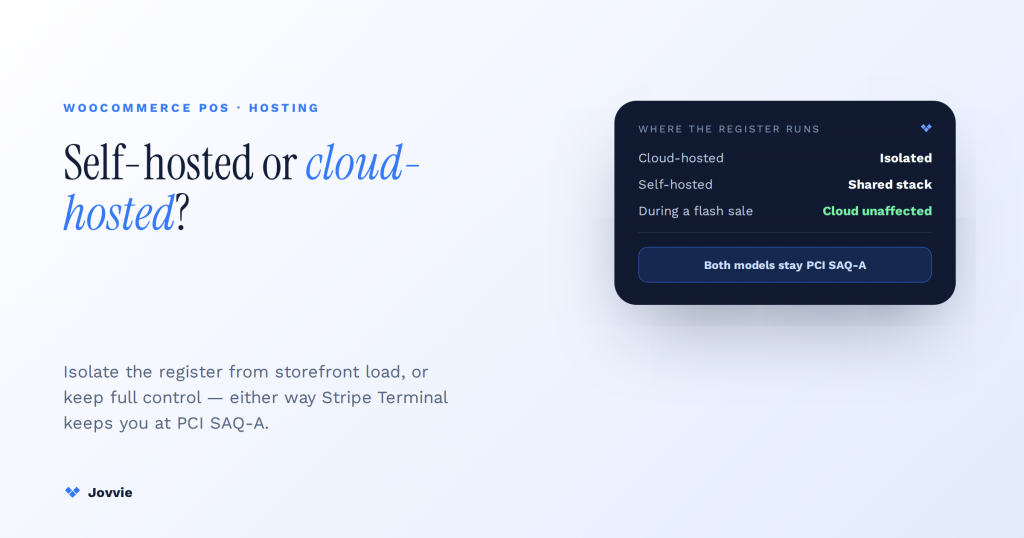
Cloud-host your WooCommerce POS to isolate the register from storefront load; self-host it for full control. Cloud-hosting keeps the register ringing even while your storefront is under load, with the lightest maintenance; self-hosting gives full data control if you have the ops capacity to keep it fast and patched. Either way, with Stripe Terminal your PCI scope stays at SAQ-A, because card data enters Stripe’s hosted flow and never touches your server. That is the whole decision — and it is the one almost every “cloud vs self-hosted” article gets wrong, because they compare ecommerce platforms in the abstract when you are asking about a register that has to take a card in front of a waiting customer. This guide answers the question you actually have.
Key Takeaways
- Cloud isolates the register; self-host shares the stack. Cloud runs the register off your server; self-hosted shares PHP workers and the database with your storefront.
- The deciding row is uptime coupling. On a shared stack a storefront flash sale can queue the sale your cashier is running; a cloud register is unaffected.
- PCI scope is the same either way. With Stripe Terminal card data goes reader → Stripe, so both models stay at PCI SAQ-A — compliance is not the tiebreaker.
- Self-host’s real cost is headroom plus ops. Add server headroom and patching/monitoring time to the licence — the lines operators underestimate.
- The reader path never changes. Readers connect to Stripe directly in both models; hosting changes where the app runs, not how the reader talks to Stripe.
- Rule of thumb: must the register survive your busiest hour? If yes, cloud. If you can provision for that peak yourself, self-hosting is on the table.
We build WooCommerce point-of-sale for a living. Jovvie has shipped in-person payment flows on Stripe Terminal for eight years across retail, hospitality, pop-ups, and multi-location operators in 30+ countries, and BizSwoop runs its own Stripe Connect platform at payments.bizswoop.app. So when a generic hosting guide tells you “self-hosted is cheaper at scale,” we can tell you from experience what that abstraction leaves out: whether your register shares PHP workers with your storefront, and therefore whether a Tuesday-morning flash sale can queue the transaction your cashier is trying to run right now. This is a cluster piece in our WooCommerce Stripe Terminal library. It consolidates and goes deeper than our long-standing Cloud vs Self-Hosted Point of Sale overview, and it leans on our WooCommerce PCI compliance guide for the compliance section.
Should I self-host or cloud-host my WooCommerce POS?
Cloud-host if uptime and low maintenance matter more than control; self-host if control and data residency matter more than convenience — and note that neither choice changes your PCI scope when you pay with Stripe Terminal.
Here is the fast verdict, before the detail:
Verdict. Choose a cloud-hosted WooCommerce POS when you want your register to keep ringing sales even while your storefront is under load, when you don’t have an ops person to patch and tune a server, or when you run multiple locations that need to be up independently. Choose a self-hosted WooCommerce POS plugin when you already run WooCommerce on capable hosting, you have the technical capacity to keep it fast and patched, and you want every byte of order and customer data living inside your own database. Most single-site operators without a dedicated ops resource are better served by cloud; operators with real infrastructure and a control requirement are well served by self-hosting. With Stripe Terminal, both models are PCI SAQ-A — the lightest scope — so compliance is not the tiebreaker.
The rest of this guide is the reasoning behind that verdict, scoped to a POS rather than to generic ecommerce.
Self-hosted vs cloud-hosted WooCommerce POS: the decision matrix
The two models differ across five axes, and no single axis decides it — the matrix below is the summary that generic explainers never scope to a register.
| Decision axis | Self-hosted WooCommerce POS | Cloud-hosted WooCommerce POS |
|---|---|---|
| Where the register app runs | On your WordPress server, sharing PHP workers and the same MySQL database as your storefront | On the vendor’s infrastructure, isolated from your storefront’s server load |
| Performance under load | Register competes with storefront traffic; a flash sale or a heavy plugin can queue or slow transactions | Register throughput is unaffected by storefront traffic spikes |
| Uptime coupling | Register goes down when the site goes down (shared fate) | Register can keep taking payments even if the storefront is slow or offline |
| Cost shape | Plugin licence + you provide the hosting headroom (and the ops time to run it) | Subscription that includes register compute; less hosting headroom needed |
| Data control / residency | All order and customer data in your own database; full control | Register data lives with the vendor (usually synced back to your store) |
| Maintenance burden | You patch WordPress, PHP, plugins, and tune the server | Vendor manages updates, scaling, and uptime |
| PCI scope with Stripe Terminal | SAQ-A — card data never touches your server | SAQ-A — card data never touches the vendor’s app either |
| Reader-to-Stripe connectivity | Unchanged — readers connect to Stripe directly | Unchanged — readers connect to Stripe directly |
| Best fit | WooCommerce store with capable hosting + ops capacity + a control requirement | Operators wanting register isolation, low maintenance, or multi-location independence |
Read the matrix as a whole. Cloud wins isolation, uptime, and maintenance; self-hosting wins control and (sometimes) marginal cost at scale. The two rows that generic guides omit entirely — uptime coupling and PCI scope with Terminal — are the ones that actually decide it for most operators.
What is the difference between self-hosted and cloud-hosted WooCommerce POS?
A self-hosted WooCommerce POS runs as a plugin inside your own WordPress install; a cloud-hosted WooCommerce POS runs the register on the vendor’s servers and syncs data back to your store.
With a self-hosted POS, the register is another set of PHP requests hitting the same WordPress application, the same PHP-FPM worker pool, and the same MySQL database that serve your online storefront. There is one system, and the register is part of it. You own the server, the data, and the responsibility for keeping it healthy.
With a cloud-hosted POS, the register application lives on infrastructure the vendor operates. Your catalog, orders, and customers still live in (or sync to) your WooCommerce store, but the act of ringing up a sale executes off your server. There are effectively two systems that stay in sync, and the register’s performance is decoupled from your storefront’s.
The distinction sounds academic until a busy sale day, which is exactly why it belongs at the top of this decision and not buried in a footnote.
Architecture: where the register runs, and why it matters for POS
The single most important difference is where the code that processes a sale executes — on your shared WordPress stack, or on isolated infrastructure.
In a self-hosted deployment, imagine your WooCommerce site as one restaurant kitchen. Online orders and in-person register orders are all tickets going to the same line cooks (your PHP workers) pulling from the same pantry (your MySQL database). When the kitchen is calm, everything is fast. When a promotion drives a rush of online traffic, the same cooks and the same pantry now serve both the website and the cash register — and the register waits in the same queue as everyone else.
In a cloud-hosted deployment, the register has its own kitchen. Your storefront can get slammed and the register keeps firing tickets, because it is not sharing workers or database connections with the website. The two kitchens still coordinate on inventory and orders (the sync layer), but a rush in one does not starve the other.
Neither architecture is “better” in the abstract. If your storefront traffic is modest and steady, sharing one kitchen is simpler and perfectly fine. If your storefront has spiky traffic — a newsletter drop, a viral product, a seasonal sale — the isolation of a separate register kitchen is worth real money, because a stalled register is a customer standing at your counter with a card in their hand.
Performance under load: PHP workers, DB connections, and keeping the register up during a rush
A self-hosted WooCommerce POS shares PHP workers and database connections with your storefront, so heavy storefront traffic can slow or queue register transactions; a cloud-hosted POS does not.
This is the section no competitor writes, and it is the one that matters most for a POS. In 2026, serious WooCommerce hosting is sized not by a vague “uptime SLA percentage” but by PHP worker count — the number of simultaneous PHP requests the server can process. Every online page view, AJAX call, and background job consumes a worker for its duration. So does every register action on a self-hosted POS.
Is a cloud POS faster than a self-hosted WooCommerce POS plugin?
Not inherently on a quiet day, but yes under load, because the cloud register isn’t competing for your storefront’s PHP workers.
On an idle server, a well-built self-hosted POS plugin is snappy — arguably snappier, since there is no round trip to a separate service. The gap opens under concurrency. If your host gives you, say, 8 PHP workers and a flash sale pushes 20 simultaneous online requests, those requests queue for workers. A register action submitted in that moment joins the same queue. The cashier sees a spinner. On a cloud POS, that register action executes on the vendor’s isolated infrastructure and is unaffected by your storefront’s worker contention.
Does a self-hosted WooCommerce POS affect my site’s checkout uptime?
It can, in both directions: a register under load can consume workers the storefront needs, and a storefront under load can slow the register — because they share fate on one stack.
The coupling runs both ways. A poorly optimized plugin conflict, a runaway background job, or a database lock on your self-hosted stack can take down the register and the storefront together, because they are the same application. A cloud POS breaks that shared fate: if your WordPress site has a bad afternoon, the register on isolated infrastructure keeps taking payments, and vice versa. For an operator whose in-person revenue cannot pause, that decoupling is often the deciding factor — more than cost, more than data control.
The practical guidance: if you self-host, size your hosting for peak concurrent load plus register headroom, not average traffic, and keep a close eye on PHP worker saturation. If you can’t reliably provision that headroom, the register isolation of a cloud model is doing real work for you.
Not sure your register can take a flash sale?
Jovvie runs the Stripe Terminal register on isolated infrastructure, so a storefront traffic spike never queues the sale your cashier is ringing up.
Start your free trial →Cost over time: plugin licence + hosting headroom vs a cloud POS subscription
Self-hosting trades a lower software cost for the cost of the server headroom and ops time to run the register safely; cloud-hosting bundles register compute into a subscription.
Generic guides say “self-hosted is cheaper at scale” and stop. For a POS, the honest cost picture has more moving parts:
- Self-hosted total cost = plugin licence (often one-time or annual) + the incremental hosting headroom you must provision so the register never contends with storefront traffic + the ops time to patch, tune, monitor worker saturation, and troubleshoot. The licence is the visible cost; the headroom and the ops time are the ones operators underestimate.
- Cloud-hosted total cost = a subscription that already includes the register’s compute and the vendor’s maintenance. You can often run on lighter WordPress hosting because the register load is offloaded. The subscription is the visible cost; the saving is the hosting headroom and ops time you don’t have to buy.
The crossover depends on your situation. A single, low-traffic store with an in-house developer who already manages the server may find self-hosting genuinely cheaper. A multi-location operator, or one without dedicated ops, usually finds the cloud subscription cheaper once the real cost of headroom and maintenance is counted — the number that never appears in the plugin’s price. If your model reaches platform scale (you resell POS to sub-merchants), the economics shift again toward Stripe Connect application-fee models; that is a different calculation, covered in our Stripe Connect platform economics guide.
Compliance: does hosting choice change your PCI scope?
No. With Stripe Terminal, card data enters Stripe’s hosted flow and never touches your server or the POS app, so you stay at PCI SAQ-A — the lightest scope — whether you self-host or cloud-host.
This is the compliance fact that muddled elsewhere and clean here: the register does not inflate your PCI scope, regardless of hosting model. When a customer taps or inserts a card on a Stripe-certified reader (or Tap to Pay), the cardholder data flows directly from the reader to Stripe. It does not pass through your WordPress database, your PHP application, the cloud vendor’s app, or the browser. That is the entire point of using Stripe Terminal for card-present payments.
The practical consequence: your PCI obligation is SAQ-A, the self-assessment questionnaire for merchants who fully outsource cardholder data handling — described by WooCommerce itself as how the large majority of Stripe-integrated stores operate (WooCommerce PCI-DSS documentation). Self-hosting does not push you into a heavier SAQ, and cloud-hosting does not let you off a lighter one, because in both cases the sensitive data path is identical: reader → Stripe. For the full WooCommerce compliance picture, see our WooCommerce PCI compliance guide.
What hosting choice does affect is the security of everything around the payment — your admin logins, your database of order metadata, your server patching. Those are real responsibilities, and they are heavier when you self-host. But they are ordinary web-security and operational hygiene concerns, not PCI cardholder-data scope. Do not let a vendor conflate the two to sell you a hosting tier.
Reader connectivity: what hosting does — and doesn’t — change
Your hosting model changes where the POS app runs, but it changes nothing about how a Stripe Terminal reader connects to Stripe — readers connect to Stripe directly in both cases.
This is a nuance no generic hosting piece covers, and it removes a common source of anxiety. A Stripe Terminal reader — a WisePOS E, an S700/S710, or a phone running Tap to Pay — establishes its own connection to Stripe to take a payment. It authenticates through a short-lived connection token that your integration mints, and from there the reader talks to Stripe, not to your WordPress server (Stripe Terminal reader setup). Whether the POS application that initiates the payment is running on your server (self-hosted) or the vendor’s (cloud), the reader-to-Stripe path is the same.
What hosting does influence is where the connection-token endpoint lives and how the register app behaves during sync or brief connectivity gaps — an implementation detail your POS vendor handles, not a reason to pick one hosting model over another. In short: choose your hosting for the app’s sake (isolation, uptime, maintenance), not out of worry about the reader. The reader is fine either way.
Recommendation: which model fits which business
Match the model to your traffic pattern, your ops capacity, and your data-control needs — not to a generic “cloud is always better” or “self-hosted is always cheaper” claim.
Concrete guidance by situation:
- Single store, spiky storefront traffic, no dedicated ops → Cloud. The register isolation protects your in-person revenue during online rushes, and you avoid buying PHP-worker headroom you’d only need for peaks.
- Established store on strong managed hosting, with an in-house developer → Self-hosted is viable. You already have the headroom and the ops capacity; self-hosting keeps data in your database and can be marginally cheaper.
- Multi-location operator → Cloud, almost always. Locations need to stay up independently, and one site’s bad day shouldn’t take every register down.
- Strict data-residency or data-control requirement → Self-hosted, provided you can also meet the performance and patching demands that come with it.
- You resell POS to sub-merchants (platform model) → different decision entirely; the economics run through Stripe Connect application fees. Start with the Stripe Connect platform economics guide.
If you’re unsure, default to the question that actually predicts regret: “When my storefront has its busiest hour of the year, do I need the register to be completely unaffected?” If yes, cloud. If you can confidently provision for that peak yourself, self-hosting is on the table.
Frequently asked questions
What is the difference between self-hosted and cloud-hosted WooCommerce POS?
A self-hosted WooCommerce POS runs as a plugin inside your own WordPress install, sharing PHP workers and the database with your storefront. A cloud-hosted WooCommerce POS runs the register on the vendor’s isolated infrastructure and syncs data back to your store, so register performance is decoupled from storefront load.
Is a cloud POS faster than a self-hosted WooCommerce POS plugin?
On a quiet server, a self-hosted plugin can be just as fast or faster because there’s no external round trip. Under load, a cloud POS is faster and more reliable because it isn’t competing for your storefront’s PHP workers and database connections during traffic spikes.
Does a self-hosted WooCommerce POS affect my site’s checkout uptime?
It can, in both directions. Because a self-hosted POS shares one application stack with your storefront, heavy register or storefront load, a plugin conflict, or a database lock can slow or take down both together. A cloud POS breaks that shared fate by running the register on separate infrastructure.
Is WooCommerce PCI compliant, and does hosting choice change my PCI scope?
WooCommerce with Stripe Terminal operates at PCI SAQ-A, the lightest scope, because card data flows directly from the reader to Stripe and never touches your server, the POS app, or the browser. Hosting choice does not change this — self-hosted and cloud-hosted are both SAQ-A (WooCommerce PCI-DSS documentation).
Which is cheaper long-term, self-hosted or cloud POS?
It depends on hidden costs. Self-hosting has a lower software price but adds the cost of extra hosting headroom and ops time to keep the register fast and patched. Cloud bundles register compute and maintenance into a subscription and lets you run lighter hosting. For most single-ops or multi-location operators, cloud is cheaper once headroom and maintenance are counted; for stores with existing infrastructure and in-house developers, self-hosting can win.
Can I switch from a self-hosted to a cloud-hosted WooCommerce POS later?
Yes. Because your catalog, orders, and customers live in (or sync to) WooCommerce in both models, migrating is primarily a matter of connecting the cloud register to the same store and re-pairing your Stripe Terminal readers. Your Stripe account, readers, and PCI SAQ-A scope carry over unchanged. Plan a low-traffic window to reconcile in-flight orders during the cutover.
Get the hosting decision right the first time
The hosting model you pick shapes your register’s reliability for years, and undoing the wrong call mid-season is painful. If you want a second opinion scoped to your actual traffic, ops capacity, and location count, start free or talk to our team — we’ve deployed both models across hundreds of stores on Stripe Terminal and will tell you honestly which one fits, including when self-hosting is the right answer and Jovvie’s cloud POS is not.
Primary sources: WooCommerce PCI-DSS documentation, Stripe Terminal reader setup, and our own Cloud vs Self-Hosted POS and WooCommerce PCI compliance deployment references.
