
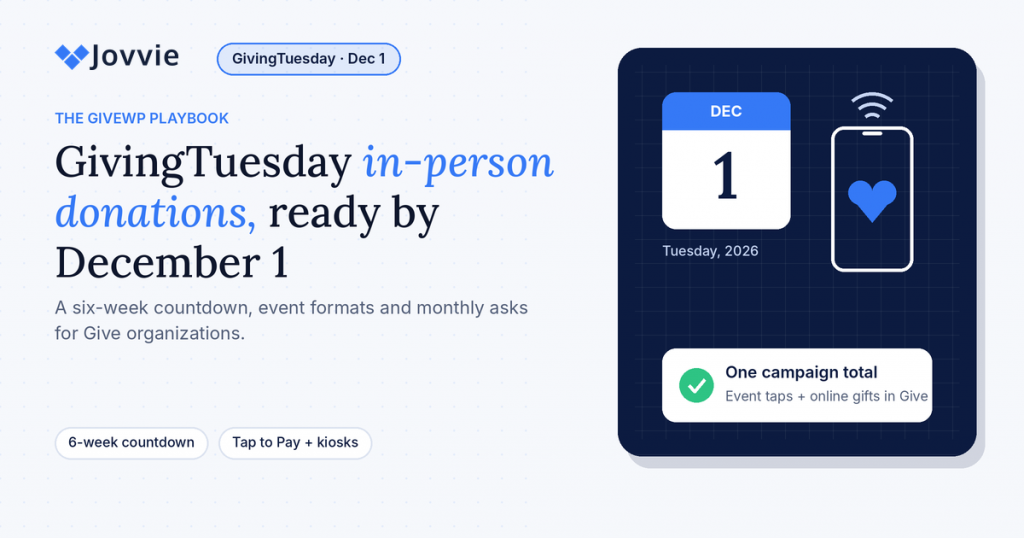
Your nonprofit takes GivingTuesday in-person donations by running the campaign in Give and adding tap points — phones, card readers or a lobby kiosk — so every gift at your event, office or community pop-up lands in the same campaign total as your online donations. GivingTuesday 2026 is Tuesday, December 1. With Tap To Donate for Give by Jovvie, a free add-on for Give (formerly GiveWP), setup takes about five minutes and works on the Give forms you already have.
GivingTuesday is mostly talked about as an online day: emails, social posts, a donation page and a match. That’s where most of the money moves. But the moments that make people want to give are often in person: the open house where a supporter meets the people they help, the watch party where the match counter ticks up, the volunteer at the grocery store entrance with a story and a phone. If those moments end with “you can give on our website later,” a share of those gifts never happens.
This playbook is for organizations that already raise money with Give on WordPress. It covers why in-person giving matters on a mostly online day, a six-week countdown to December 1, five GivingTuesday event formats and the device setup for each, how to turn day-of donors into monthly givers, what it costs, and what to do in the week after. If you haven’t seen how in-person giving with Give works yet, our complete guide to accepting in-person donations with GiveWP covers the basics.
Key Takeaways
- GivingTuesday 2026 is Tuesday, December 1. Organizations that install, test and brief volunteers in October and November are the ones whose in-person giving works on the day.
- In-person gifts and online gifts belong in one campaign. With Jovvie, a tap at your event table is recorded in Give next to website donations, so your GivingTuesday total is complete in real time.
- You can start with no hardware. Tap to Pay turns a supported iPhone or Android phone into a contactless reader; add a Stripe reader or a kiosk only where it helps.
- The best GivingTuesday ask in person is a monthly one. Recurring gifts (monthly, quarterly or annual) are supported on in-person donations, so a donor can start one at the table.
- Costs are predictable. The plugin and Jovvie account are free with no monthly fees; a platform fee of 0.5% to 2% applies to in-person donations only, depending on volume, plus Stripe’s processing rate.
- Plan for signal. There is no offline mode, so every donation device needs Wi-Fi or mobile data on the day.
When is GivingTuesday 2026, and why plan in-person giving now?
GivingTuesday 2026 falls on Tuesday, December 1 — the Tuesday after U.S. Thanksgiving, as confirmed by GivingTuesday’s official site. Planning now matters because the work that makes in-person giving succeed (testing devices, building a short form, briefing volunteers) needs a few calm weeks, not the night before.
The day itself keeps growing. GivingTuesday reports that U.S. giving on GivingTuesday 2025 reached $4.0 billion, up 13% on 2024, with 38.1 million people taking part and 11.1 million volunteering. That’s a lot of people looking for a way to show up for causes they care about, and many of them will be in a room with you.
Two dates to keep in mind:
- Thanksgiving is Thursday, November 26, 2026. The week before GivingTuesday is short. Plan your dry run for the week of November 16 so you aren’t troubleshooting over the holiday.
- GivingTuesday 2027 is Tuesday, November 30, 2027. Everything you set up this year — forms, devices, volunteer cards — carries over.
Why does in-person giving matter on a mostly online day?
In-person giving matters on GivingTuesday because the strongest giving moments happen face to face, and a donation device turns that moment into a gift before the feeling fades. An online campaign drives reach; in-person tap points capture the people who are already in front of you.
Here’s where in-person giving tends to make the biggest difference on GivingTuesday:
- Events built around the day. Open houses, breakfasts, watch parties and volunteer days bring your most engaged supporters into one place. A donor who can tap a card right after hearing a story gives more often than one who is handed a flyer with a URL.
- Match moments. “Every gift in the next hour is doubled” is a powerful ask in a room. It works best when giving takes ten seconds, not a trip to a website on a phone with three bars of signal.
- Your front desk and lobby. Clients, families, congregants and visitors pass through on GivingTuesday anyway. A kiosk or countertop reader gives them a way to join in.
- Community pop-ups. A table at a coffee shop, a school pickup line or a grocery store entrance meets people who don’t follow you online yet.
- Donors who don’t like typing card numbers. Tapping a card, phone or watch is faster than filling out payment fields on a small screen, and many people simply prefer it.
The other reason is data. If your in-person gifts run through a separate app, your GivingTuesday total is wrong until someone merges spreadsheets, and your new donors never reach your Give donor list. When the tap happens on your Give form, the donation, the donor record and the campaign total update together.
How do in-person donations work with GiveWP on GivingTuesday?
In-person donations with GiveWP work through Tap To Donate for Give by Jovvie, which adds an in-person payment option to your existing Give donation forms. A volunteer opens the form on a phone, tablet or kiosk, the donor taps or inserts a card (or uses Apple Pay or Google Pay), Stripe authorizes the payment, and Give records the gift under your GivingTuesday campaign.
The pieces you need, from the official WordPress.org listing:
- Give, installed and active, with the form or campaign you’re using for GivingTuesday.
- Tap To Donate for Give by Jovvie, free from WordPress.org.
- A free Jovvie account, which securely links your site to Stripe.
- Your own Stripe account. In-person gifts settle to the same Stripe account and bank as your online gifts.
- A donation device with internet. A supported phone (Tap to Pay), a Stripe Terminal reader (Stripe Reader M2, BBPOS WisePad 3, Stripe Reader S700 or BBPOS WisePOS E), or a tablet in kiosk mode.
Jovvie runs on Stripe Terminal, the same card-present stack it uses for WooCommerce and Gravity Forms; if you want the technical background, see how Stripe Terminal works as a point-of-sale system. The Liquid Web partner post on how tap to donate works describes the same setup from Give’s side: a form, a payment processor and the bridge software in between.
What is the six-week GivingTuesday countdown?
The six-week countdown is a simple schedule that gets in-person giving installed, tested and staffed before December 1: install and test in week 6, choose devices in week 5, build your form and plan events in week 4, brief volunteers in week 3, run a dry run in week 2, and confirm everything in week 1.
Here it is with 2026 dates. If you’re starting later, compress weeks 6 to 4 into a single afternoon — setup itself takes about five minutes.
- Week 6 (week of October 19): install and test. Install Tap To Donate from WordPress.org, open Give › Settings › Payment Gateways › Jovvie Payments, create your free Jovvie account and connect Stripe. Add a location in Test Mode and run a test donation with a Stripe test card. The Jovvie setup documentation walks through each screen, and our step-by-step GiveWP Tap to Donate setup guide covers it in detail.
- Week 5 (week of October 26): choose your devices. Decide which volunteers will use Tap to Pay on their own phones and whether you need readers. If you do, order them from your own Stripe Dashboard now so shipping isn’t a worry. Check that each volunteer’s phone meets Stripe’s Tap to Pay requirements (see the FAQ below).
- Week 4 (week of November 2): build your GivingTuesday form and plan your events. Create (or duplicate) a short Give form for in-person use: preset amounts, an email field, the recurring option, and your GivingTuesday campaign. Pick your event formats from the table in the next section.
- Week 3 (week of November 9): brief volunteers. Install the Jovvie app on volunteer phones, set the form as the app’s home page, and do a two-minute walkthrough with each person. Print a one-page volunteer card (there’s a template below).
- Week 2 (week of November 16): run a dry run. Rehearse at the actual venue if you can. Check Wi-Fi and mobile signal where the tables will be, test a hotspot, and run several test donations on every device. Fix anything that’s awkward now, before the holiday week.
- Week 1 (week of November 23): confirm and go live. Switch your location to Live Mode, run one small real donation on each device and refund it from your Stripe Dashboard if you like, charge everything, and send volunteers a reminder with the plan for the day.
- Day of (Tuesday, December 1): give, thank, repeat. Assign a device lead, keep power banks at every table, and share the live campaign total in the room.
- Follow-up (December 2 onward): thank donors and roll into year-end. Covered in the “after GivingTuesday” section below.
Which tasks matter most if you’re short on time?
If you only have a week, do three things: install and run a test donation, put the Jovvie app on the phones of the two or three people who will be at your event, and switch to Live Mode the day before. Tap to Pay needs no hardware order, so nothing else is on the critical path.
Be ready for GivingTuesday (December 1). Add in-person giving to the Give forms you already have — free, about five minutes to set up, and test donations work today.
Which GivingTuesday event formats work best for in-person donations?
The GivingTuesday formats that work best for in-person giving are the ones where supporters are already gathered and emotionally engaged: an open house, a live-stream watch party, a lobby kiosk, a community pop-up and a “match hour.” Each needs a slightly different device setup.
| Event format | What it looks like | Recommended setup | Staffed? | Tip |
|---|---|---|---|---|
| Open house or breakfast | Supporters tour your space, meet staff and hear a short program | Tap to Pay on two or three staff phones; one Stripe Reader M2 for chip cards | Yes | Make the ask right after the program, while people are still seated |
| Live-stream watch party | Supporters gather to watch your GivingTuesday stream or match reveal | Tap to Pay on volunteer phones moving through the room; campaign total on screen | Yes | Pause the program for a “tap now” moment when the match is announced |
| Lobby or front-desk kiosk | A tablet on a stand runs your form all day for visitors | Kiosk mode on a tablet, with Tap to Pay or a Stripe Reader S700 / BBPOS WisePOS E | No | Use a secure stand, a short form and clear signage with the match message |
| Community pop-up | A table at a café, market, school pickup or store entrance | Tap to Pay on mobile data; a hotspot as backup | Yes | Test signal at the exact spot the week before |
| Match hour | A donor or sponsor doubles every gift for a set window | Every available device live, plus the online form on a QR code | Yes | Announce the start and end loudly; show the total climbing |
A few notes on choosing:
- Start with phones. Tap to Pay is the fastest way to get several tap points running with no purchase. Most of the formats above work with phones alone.
- Add an M2 where chip cards matter. Stripe lists the Stripe Reader M2 at $59 in the US. It pairs to a phone or tablet over Bluetooth in the Jovvie app and handles chip insertion and PIN-heavy cards.
- Use a countertop reader or kiosk for anything fixed. A lobby station that runs all day is more reliable on a Wi-Fi reader such as the Stripe Reader S700 ($299 US list price) or BBPOS WisePOS E, which register to your account with a one-time code.
- Keep kiosks simple. Jovvie’s kiosk mode is built for unattended use and resets the form after each donation; your job is a good location, a secure stand and a short form. Our Stripe Terminal hardware guide compares the readers in more depth.
Planning a larger GivingTuesday event — a gala, auction or walk? Our event fundraising guide for GiveWP goes deeper on staffing and devices, and our GiveWP donation kiosk guide covers unattended stations.
How do you set up your donation form for GivingTuesday?
Set up a dedicated, short Give form for in-person GivingTuesday gifts: assign it to your GivingTuesday campaign, use three or four preset amounts, ask for an email address, show the recurring option, and enable the Jovvie gateway. Short forms keep the line moving; the email field makes receipts and follow-up possible.
A good in-person form usually has:
- Preset amounts that match your story (“$25 provides…”, “$50 provides…”), plus a custom amount.
- First name, last name and email. The donor details captured are whatever your form asks for, so include email if you want to send receipts and thank-yous. Keep everything else optional or off.
- The recurring option, visible. If your Give form offers recurring giving, make monthly easy to choose (more on this below).
- Your GivingTuesday campaign or designation, so the in-person total and the online total roll up together.
- The Jovvie gateway enabled, so volunteers can choose “Donate with Swipe, Insert, or Tap.”
In the Jovvie app, paste this form’s URL into the app’s Home URL setting so volunteers land on it every time they tap Home, as described in the Jovvie setup documentation. Bookmark it on any tablet you use as a kiosk.
How do you turn GivingTuesday donors into monthly givers?
You turn GivingTuesday donors into monthly givers by making the monthly option the natural next step at the table: show it on your in-person form, give volunteers one sentence to ask with, and thank new monthly donors separately afterward. Tap To Donate supports monthly, quarterly and annual recurring donations on in-person transactions, according to the WordPress.org listing.
This is the biggest opportunity in in-person GivingTuesday giving. A one-time gift is a moment; a monthly gift is a relationship that funds you all year. People in a room with your team on GivingTuesday are among the most connected supporters you’ll meet all year, which makes it the right time to ask.
What works:
- One sentence, not a pitch. “Would you like to make that monthly? It helps us plan the whole year.” Then stop talking.
- A sensible default. If $25 is your most common one-time gift, a $10 or $15 monthly option feels comfortable to many donors.
- Tie it to the match. If your match covers new monthly donors’ first gift, say so on signage and at the table.
- Make the commitment feel noticed. Send new monthly donors a separate, personal thank-you within a few days, not just the automated receipt.
- Track it. Because in-person gifts land in Give, you can see how many recurring donors started at events versus online, and plan next year around it.
Our guide to recurring donations in person goes deeper on scripts, defaults and follow-up.
How much does it cost to take in-person donations on GivingTuesday?
Taking in-person donations with Jovvie costs nothing up front: the plugin, the Jovvie account and the Stripe account are free, with no monthly fees or contracts. The platform fee is a small percentage on in-person donations only — 0.5% to 2% depending on your donation volume — in addition to Stripe’s processing rate. Your online Give donations are unaffected. The WordPress.org listing is the source of truth for fees.
| Cost | Amount | Notes |
|---|---|---|
| Tap To Donate plugin | Free | From WordPress.org |
| Jovvie account | Free | No monthly fees, contracts or per-reader charges |
| Jovvie platform fee | 0.5% to 2% of in-person donations | Depends on donation volume; online Give donations are unaffected |
| Stripe processing | 2.7% + 5¢ per in-person US domestic card transaction | From Stripe’s pricing page; varies by country |
| Hardware | $0 with Tap to Pay | Optional: Stripe Reader M2 $59, Stripe Reader S700 $299 (US list prices, bought from your Stripe account) |
A worked example. At US rates, a $50 in-person gift costs $1.40 in Stripe processing (2.7% + 5¢) and $0.25 to $1.00 in Jovvie platform fees, depending on your volume. That’s roughly $1.65 to $2.40 on a $50 gift, with nothing to pay before or after the day. If your GivingTuesday in-person total is modest, there’s no monthly bill eating into it.
If you already ask online donors to cover processing fees on your Give forms, decide whether you want the same ask on your short in-person form, or whether you’d rather keep that form as quick as possible.
What should volunteers know on GivingTuesday?
Volunteers need to know three things: how to open the form, how to hand the device to the donor, and what to do if a card doesn’t go through. One practice donation and a printed card are usually enough.
A one-page volunteer card for GivingTuesday:
- Open the Jovvie app and tap Home to load the GivingTuesday form.
- Enter or confirm the amount, ask “Would you like to make that monthly?”, and choose “Donate with Swipe, Insert, or Tap.”
- Hold the phone out or hand over the reader. The donor taps a card, phone or watch. Some cards may ask for a PIN.
- Wait for the confirmation screen. Thank the donor by name; the form resets for the next person.
- If a card is declined, ask for another card or a digital wallet, or share the online form’s QR code. Never write card details down.
- If anything else goes wrong, find the device lead.
Three habits that prevent most day-of problems:
- Name a device lead who knows the setup and has the Stripe Dashboard on their phone.
- Bring power banks. A dead phone is the most common in-person “payment failure,” and it has nothing to do with payments.
- Check signal before people arrive. There’s no offline mode, so a quiet corner with no bars is a problem. Move the table or switch to Wi-Fi.
How do you keep your GivingTuesday total accurate?
You keep your GivingTuesday total accurate by running every gift — online and in person — through Give under the same campaign. Because Jovvie records in-person donations in Give and in Stripe next to your online donations, with donor records intact, your campaign total updates as each tap is confirmed.
That gives you three things on the day:
- A real number to share in the room. “We just passed $10,000!” lands better when it’s true right now, not after midnight reconciliation.
- Clean match tracking. If a sponsor is matching gifts within a window, you can see what came in during that window across every channel.
- No double entry. Nobody has to key in “offline donations” from a separate app after the event.
If you need to refund a gift (a duplicate tap, for example), the WordPress.org listing’s FAQ says to issue it from your Stripe Dashboard rather than inside Give. Our guide to refunds via Stripe Terminal explains how card-present refunds work.
What should you do after GivingTuesday?
After GivingTuesday, thank every in-person donor within 48 hours, give new monthly donors a separate welcome, and fold the day’s momentum into your year-end appeal before December 31. Your in-person donors are already in Give, so they’re in the same lists and reports as everyone else.
A simple post-GivingTuesday checklist:
- December 2: thank donors. Receipts follow your Give settings for anyone whose email was captured. Add a personal thank-you from your executive director or a program lead, ideally with a photo from the event.
- December 2–4: welcome monthly donors. A short, separate note that tells them what their monthly gift will do over the next year.
- This week: share results. Post the final total and thank volunteers and your match sponsor publicly.
- Before mid-December: segment for year-end. Your GivingTuesday in-person donors are warm prospects for a year-end appeal. Thank them first, then invite them to give again before December 31.
- Before you forget: write down what worked. Which formats raised the most, which devices had trouble, how many monthly gifts started at events. Next year’s planning starts here.
- Keep the devices running. The same setup works for holiday events, year-end services and any in-person gathering through December.
When is a different tool a better fit for GivingTuesday?
A different tool is a better fit if your organization doesn’t run Give on WordPress. Tap To Donate is built for Give sites; without one, an all-in-one giving platform such as Zeffy or Givebutter may be simpler to start with for a single day.
- No website or not on WordPress: an all-in-one platform with its own donation pages and tap-to-pay app may be the fastest route.
- Already all-in on Square: if your organization runs every sale and donation through Square, its hardware may fit your existing workflow better.
- Cash-heavy crowds: Jovvie handles cards and digital wallets. Keep a donation box for supporters who prefer cash.
For an organization already running its GivingTuesday campaign in Give, the reason to choose Jovvie is simple: your in-person donors, totals and receipts stay in the system you already use, instead of a second platform with its own donor list and its own fee model. Our nonprofit in-person payments strategy guide on BizSwoop walks through the trade-offs in more depth for finance and operations leads.
Frequently asked questions
When is GivingTuesday 2026?
GivingTuesday 2026 is Tuesday, December 1, 2026 — the Tuesday after U.S. Thanksgiving. GivingTuesday 2027 is Tuesday, November 30, 2027.
Can my nonprofit take in-person donations on GivingTuesday with GiveWP?
Yes. Tap To Donate for Give by Jovvie, a free add-on, lets your existing Give forms take in-person card, Apple Pay and Google Pay donations through Tap to Pay on a phone, a Stripe Terminal reader or a kiosk. Gifts are recorded in Give next to your online GivingTuesday donations.
Do I need to buy a card reader for GivingTuesday?
No. Tap to Pay on a supported iPhone or Android phone works without any hardware. Stripe’s requirements are an iPhone XS or later on a current, non-beta iOS version, or an NFC-equipped Android phone running Android 13 or later with a recent security update and Google Play services (Stripe Tap to Pay docs). Add a reader if you want chip insertion or a fixed station.
How long does setup take?
About five minutes to install the plugin, connect Stripe through a free Jovvie account, add a location and register a device. Allow extra time for a test donation, building a short GivingTuesday form and briefing volunteers.
What does it cost?
The plugin and Jovvie account are free, with no monthly fees or contracts. A platform fee of 0.5% to 2% applies to in-person donations only, depending on donation volume, in addition to Stripe’s processing rate. Online Give donations are unaffected.
Can donors start a monthly gift in person on GivingTuesday?
Yes. Monthly, quarterly and annual recurring donations are supported on in-person transactions, using the recurring options on your Give form.
What happens if the Wi-Fi goes down at our event?
There’s no offline mode, so the donation device needs Wi-Fi or mobile data for Stripe to authorize each gift. Test signal at the venue the week before, bring a hotspot, and keep the online form’s QR code handy as a backup.
Can I test everything before December 1?
Yes. Set up a location in Test Mode and run donations with Stripe test cards; test donations don’t move real money. Switch to Live Mode the day before GivingTuesday.
Be ready for GivingTuesday with in-person giving in Give
GivingTuesday is December 1. If your campaign already runs in Give, in-person giving shouldn’t mean a second platform, a second donor list or a second monthly bill. Tap To Donate for Give by Jovvie adds Tap to Pay, card readers and kiosk mode to the forms you already have — free, about five minutes to set up — so every gift at your open house, watch party or pop-up lands in the same campaign total as your online donations.
Install it this week, run a test donation, and you’ll be ready well before December 1. Planning devices for a larger event? Talk to a Jovvie advisor.
Sources and primary documentation: Tap To Donate for Give by Jovvie on WordPress.org, Jovvie for Give, Jovvie setup documentation, How Tap to Donate Technology Works and What It Costs (Liquid Web), GivingTuesday, GivingTuesday 2025 results, Stripe Tap to Pay documentation, Stripe pricing.
