
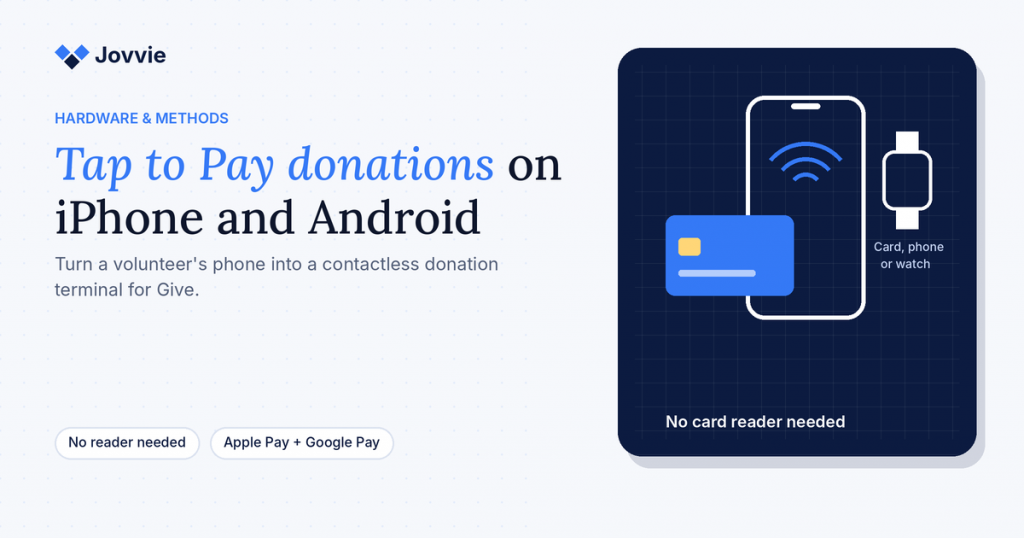
Yes, you can accept donations on your phone without a card reader. Tap to Pay turns a supported iPhone or Android phone into a contactless terminal, so donors tap a card, phone or watch against your phone and the gift goes through — no hardware to buy. For organizations using Give (formerly GiveWP), Tap To Donate for Give by Jovvie connects Tap to Pay donations to the Give forms you already have, so each gift is recorded in Give next to your online donations.
That makes Tap to Pay the quickest way to start taking card donations in person. A volunteer with a compatible phone and the free Jovvie app can take gifts at a gala table, a church lobby, a 5K finish line or a doorstep the same day you set it up. This guide covers which phones work, what donors can tap, how to set it up with Give, what it costs, when a dedicated card reader is the better choice, and how to equip volunteers for GivingTuesday on Tuesday, December 1, 2026.
If you want the full picture of in-person giving with Give first — readers, kiosks, reporting and costs — start with our complete guide to accepting in-person donations with GiveWP.
Key Takeaways
- Your phone can be the card reader. Tap to Pay on iPhone and Android accepts contactless cards and digital wallets with no extra hardware.
- Most recent phones qualify. Stripe requires an iPhone XS or later on a current, non-beta iOS, or an NFC-equipped Android phone on Android 13 or later with a recent security update.
- Donors can tap cards, phones and watches. Contactless Visa, Mastercard, American Express and Discover cards work, as do NFC wallets like Apple Pay and Google Pay.
- With Give, every tap is a real Give donation. Jovvie records Tap to Pay gifts in Give and in Stripe next to your online donations, with donor records intact.
- There’s no monthly fee. The plugin and Jovvie account are free; a platform fee of 0.5% to 2% applies to in-person donations only, depending on volume, plus Stripe’s processing rate.
- A reader is still worth adding sometimes. For chip insertion, PIN-only cards (common in Canada and Finland) or a busy fixed station, add a Stripe reader alongside phones.
What is Tap to Pay for donations?
Tap to Pay for donations is a way to accept contactless card and digital-wallet gifts directly on a smartphone, using the phone’s built-in NFC chip instead of a separate card reader. The donor holds their card, phone or watch near the back of your phone, and the payment is authorized the same way it would be on a countertop terminal.
For nonprofits, the appeal is simple: almost every volunteer already carries a phone. Instead of buying and charging a reader for every table, you install an app, sign in, and the phone becomes a donation terminal.
Tap to Pay on its own is just a way to take a payment. What matters for a Give organization is where that payment goes. With Tap To Donate for Give by Jovvie, the tap happens on your Give donation form, so the gift lands in your Give campaign with the donor’s details — not in a separate app’s database. The Liquid Web partner post on how tap to donate works describes the three parts involved: a donation form, a payment processor (Stripe) and the bridge software (Jovvie) that connects them to WordPress.
Can you really accept donations on a phone without a card reader?
Yes. Tap to Pay on iPhone and Tap to Pay on Android are built into Stripe Terminal, and Jovvie uses them so a supported phone can take in-person donations with no card reader at all. The official WordPress.org listing for Tap To Donate answers “Do I need a card reader?” with a clear no: Tap to Pay works on phones you already own.
What you need:
- A supported iPhone or Android phone (requirements below).
- The free Jovvie app from the App Store or Google Play.
- Give, with Tap To Donate for Give by Jovvie installed on your WordPress site.
- A free Jovvie account linked to your own Stripe account.
- An internet connection on the phone — Wi-Fi or mobile data. There’s no offline mode.
Which phones support Tap to Pay donations?
Tap to Pay works on an iPhone XS or later running a current, non-beta version of iOS, and on NFC-equipped Android phones running Android 13 or later with a security update from the past 12 months. Those are Stripe’s requirements, from the Stripe Tap to Pay documentation, checked in October 2026.
| Requirement | iPhone | Android |
|---|---|---|
| Model | iPhone XS or later | Any phone with a working, built-in NFC sensor and an ARM processor |
| Operating system | A recent iOS version; Tap to Pay won’t work on iOS betas | Android 13 or later |
| Security updates | Keep iOS up to date (Stripe recommends the latest version) | A security update installed in the past 12 months |
| Google services | — | Google Mobile Services and the Google Play Store installed |
| Device integrity | — | Not rooted; bootloader locked; unmodified manufacturer OS; Developer options turned off |
| PIN entry | Supported on iOS 16.4 or later | Supported |
| Internet | Wi-Fi or mobile data | A stable Wi-Fi or mobile data connection |
Stripe publishes a long list of tested Android phones, including recent Google Pixel, Samsung Galaxy S and A series, Motorola, OnePlus and Xiaomi models. If a volunteer’s phone is borderline, the easiest test is to install the Jovvie app and try connecting Tap to Pay in Test Mode before your event.
Requirements change. Apple, Google and Stripe update these rules as security standards evolve, so re-check the Stripe page a week or two before any big event, and ask volunteers to install pending updates the night before.
Is Tap to Pay available in my country?
Tap to Pay is available in many Stripe Terminal countries, including the US, UK, Canada, Australia, New Zealand, Singapore and much of Europe, with more in public preview. Availability differs slightly between iPhone and Android, so check the country lists on Stripe’s Tap to Pay page. Tap To Donate itself is available in 25 Stripe Terminal countries, according to the WordPress.org listing.
What can donors tap to give?
Donors can tap contactless Visa, Mastercard, American Express and Discover cards, and NFC mobile wallets such as Apple Pay, Google Pay and Samsung Pay — on a phone or a smartwatch. In some countries, local networks are supported too: Interac in Canada, eftpos in Australia and Cartes Bancaires in France, per Stripe’s documentation.
| What the donor uses | Works with Tap to Pay? | Notes |
|---|---|---|
| Contactless credit or debit card | Yes | Look for the contactless symbol on the card |
| Apple Pay (iPhone or Apple Watch) | Yes | Wallet payments usually don’t need a PIN |
| Google Pay or Samsung Pay | Yes | Same as above |
| Card without contactless | No | Use a Stripe reader for chip insertion or swipe |
| PIN-only card (common in Canada and Finland) | Often no | These cards need to be inserted for the PIN; use a reader |
| Cash or check | No | Keep a donation box, or record checks in Give |
Will donors be asked for a PIN?
Sometimes. Contactless transactions above a regional limit may ask the donor to enter a PIN on your phone’s screen, which Tap to Pay supports. Stripe lists the regional contactless limits. Wallet payments (Apple Pay, Google Pay) usually skip the PIN because the donor has already authenticated on their own device.
There are two exceptions to plan for. In Canada and Finland, many cards are “offline PIN only,” which means the PIN can only be entered by inserting the card into a reader — something a phone can’t do. In the UK, some issuers may also require card insertion. In those cases, ask the donor to use a different card or a wallet, or keep a Stripe reader nearby as a backup.
How do you set up Tap to Pay donations with GiveWP?
You set up Tap to Pay donations with GiveWP in about five minutes: install Tap To Donate for Give by Jovvie, connect Stripe through a free Jovvie account, add a location, then install the Jovvie app on the phone and choose Tap to Pay as the connection type. The Jovvie setup documentation covers every screen.
On your WordPress site:
- Install and activate Tap To Donate for Give by Jovvie from WordPress.org.
- Open Give › Settings › Payment Gateways › Jovvie Payments and connect with Jovvie Payments.
- Create your free Jovvie account and link your Stripe account.
- Add a location with the address where you’ll take donations, and start in Test Mode. Copy the Stripe Location ID — you’ll paste it into the app.
- Enable the Jovvie gateway on the Give form you’ll use in person.
On each volunteer’s phone:
- Install the Jovvie app from the App Store or Google Play.
- Open settings with the Jovvie icon in the upper-right corner and paste your donation form’s URL into Home URL.
- Go to Payment Server › Link Payment Accounts and sign in to Jovvie.
- In Credit Card Gateways, choose Tap to Pay as the connection type and paste your Stripe Location ID.
- Tap Home to load the form, then run a test donation.
Taking a donation: open the form with Home, enter or confirm the amount, select the Jovvie option and choose Process Payment. The donor taps their card, phone or watch; after the confirmation, the form resets for the next person.
Our step-by-step GiveWP Tap to Donate setup guide walks through the same flow with more detail and troubleshooting. For Stripe’s side of Tap to Pay on iPhone specifically, see BizSwoop’s Tap to Pay on iPhone with Stripe setup guide.
Be ready for GivingTuesday (December 1). Turn your volunteers’ phones into donation terminals on the Give forms you already have — free, about five minutes to set up.
Can you test Tap to Pay before an event?
Yes. Create your location in Test Mode, connect the phone, and run donations with Stripe test cards; test donations don’t move real money. When you’re ready, switch the location to Live Mode and run one small real gift to confirm everything works end to end.
How much do Tap to Pay donations cost?
Tap to Pay donations through Jovvie have no hardware cost and no monthly fee. The plugin and Jovvie account are free, with no monthly fees or contracts; the platform fee is a small percentage on in-person donations only — 0.5% to 2% depending on your donation volume — in addition to Stripe’s processing rate. Online Give donations are unaffected. See the WordPress.org listing for the official fee terms.
| Cost | Tap to Pay on a phone | Adding a Stripe reader |
|---|---|---|
| Hardware | $0 (a phone you already own) | Stripe Reader M2 $59; Stripe Reader S700 $299 (US list prices) |
| Plugin and Jovvie account | Free | Free |
| Monthly fee | None | None |
| Jovvie platform fee | 0.5%–2% of in-person donations, by volume | Same |
| Stripe processing (US) | 2.7% + 5¢ per domestic card transaction | Same |
US Stripe rates and reader prices are from Stripe’s pricing page in October 2026 and vary by country. Readers are bought from your own Stripe account if you decide you need one.
As a worked example, a $25 tap at US rates costs about $0.73 in Stripe processing (2.7% + 5¢) plus $0.13 to $0.50 in Jovvie platform fees, depending on your volume — roughly $0.86 to $1.23 in total, with nothing to buy first.
When is a dedicated card reader better than Tap to Pay?
A dedicated card reader is better than Tap to Pay when donors need to insert a chip card, when many cards in your region are PIN-only, or when you run a busy fixed station all day. For most mobile, volunteer-staffed giving, phones alone are enough.
| Situation | Tap to Pay on a phone | Add a reader |
|---|---|---|
| First event, or testing in-person giving | ✔ Best choice | — |
| Volunteers moving around a gala, walk or festival | ✔ Works well | Stripe Reader M2 for chip cards |
| Door-to-door or street fundraising | ✔ Works well | Optional M2 backup |
| Canada or Finland, or donors with PIN-only cards | Limited | ✔ M2 or BBPOS WisePad 3 for PIN by insertion |
| Donors without contactless cards | Can’t accept | ✔ Any reader with chip/swipe |
| Fixed front desk, welcome table or gift-shop counter | Possible | ✔ Stripe Reader S700 or BBPOS WisePOS E on Wi-Fi |
| Unattended lobby station | Possible in kiosk mode | ✔ Kiosk mode with a reader for a sturdier setup |
Bluetooth readers (Stripe Reader M2, BBPOS WisePad 3) pair to a phone or tablet in the Jovvie app; Wi-Fi readers (Stripe Reader S700, BBPOS WisePOS E) register with a one-time code. Stripe notes that a phone can hold only one active reader connection at a time, so plan one phone per reader. BizSwoop’s Stripe Terminal hardware guide compares every reader in detail, and our upcoming nonprofit card reader guide maps them to donation scenarios.
How do you use volunteer phones on GivingTuesday?
Use volunteer phones on GivingTuesday by checking compatibility early, installing and connecting the Jovvie app at a short training session, and running one test donation per phone before December 1. Tap to Pay is the fastest way to add several donation points to an open house, watch party or community pop-up with nothing to order.
A simple plan:
- Three weeks out: check phones. Ask each volunteer for their phone model and OS version, and compare against the requirements above.
- Two weeks out: set up together. Install the Jovvie app, paste the form URL, sign in, choose Tap to Pay and run a test donation — all in one 20-minute session.
- The week before: update and test again. Ask everyone to install OS updates, then run one more test.
- The day before: switch to Live Mode. Run one small real gift on a single phone to confirm the live connection.
- On the day: name a device lead, bring power banks, and keep the online form’s QR code at every table for anyone whose card won’t tap.
Before you hand a personal phone to a donor, consider turning on a guided access or screen-pinning mode so the donor only sees the donation screen. For anything unattended, use kiosk mode on a tablet instead of a personal phone.
Our GivingTuesday in-person donations playbook has the full six-week countdown, event formats and follow-up plan.
Is it safe to accept donations on a phone?
Yes. Tap to Pay payments are encrypted and tokenized, so your organization never sees or stores the donor’s full card number, and the card data goes to Stripe through its certified Tap to Pay software rather than through WordPress. Stripe also enforces device integrity checks — for example, Tap to Pay on Android won’t run on a rooted phone or one with Developer options turned on.
Good habits on top of that:
- Show the donor the amount and your organization’s name before they tap.
- Collect an email address on the form so the donor gets a receipt from Give.
- Make volunteers easy to verify. A name badge, your logo on the table sign and a QR code to your official donation form reassure donors who’ve seen news of tap-to-pay scams.
- Never write down card numbers. If a card won’t tap, try another card or wallet, or share the online form.
- Refund from Stripe if needed. The WordPress.org listing’s FAQ says in-person refunds are issued from your Stripe Dashboard; our guide to refunds via Stripe Terminal explains how card-present refunds work.
When is another tap-to-give app a better fit?
Another tap-to-give app is a better fit if your organization doesn’t use Give on WordPress. Platforms such as Zeffy and Givebutter offer their own tap-to-pay apps tied to their own donation pages, and if you don’t have a website yet, starting there can be simpler.
If you do run Give, the trade-off is where your donors end up. A separate app keeps its own donor list and its own reports, so your GivingTuesday total and donor history are split across two systems. With Jovvie, Tap to Pay gifts land in the Give campaigns and donor records you already use, with a clearly stated fee on in-person gifts only and no tip prompt for donors.
Frequently asked questions
Can I accept donations on my phone without a card reader?
Yes. Tap to Pay turns a supported iPhone or Android phone into a contactless terminal. With Tap To Donate for Give by Jovvie and the free Jovvie app, a phone can take card, Apple Pay and Google Pay donations on your Give forms with no reader.
Which iPhones support Tap to Pay donations?
iPhone XS or later, running a current, non-beta version of iOS. PIN entry needs iOS 16.4 or later. Check Stripe’s Tap to Pay requirements before an event, as they change over time.
Which Android phones support Tap to Pay?
Android phones with a working NFC sensor, Android 13 or later, a security update from the past 12 months, Google Mobile Services and the Play Store, an unmodified and unrooted OS, and Developer options turned off.
Can donors use Apple Pay or Google Pay?
Yes. NFC wallets including Apple Pay, Google Pay and Samsung Pay work with Tap to Pay, on a phone or smartwatch, along with contactless Visa, Mastercard, American Express and Discover cards.
How much does Tap to Pay cost for donations?
There’s no hardware cost and no monthly fee. The plugin and Jovvie account are free; a platform fee of 0.5% to 2% applies to in-person donations only, depending on donation volume, in addition to Stripe’s processing rate (2.7% + 5¢ for US card-present transactions).
Does Tap to Pay work without internet?
No. The phone needs Wi-Fi or mobile data so Stripe can authorize each donation. For outdoor events, check signal beforehand and bring a hotspot.
Can donors set up a monthly gift with Tap to Pay?
Yes. Monthly, quarterly and annual recurring donations are supported on in-person transactions, using the recurring options on your Give form.
Where do Tap to Pay donations show up?
In Give and in Stripe, next to your online donations, with the donor record intact. Campaign totals and receipts include them automatically.
How can donors tell a tap-to-donate request is legitimate?
Ask donors to check that your organization’s name and the exact amount appear on the screen before they tap, and send an emailed receipt from your organization straight away through Give. Volunteers should wear a name badge, and your table sign should show your logo and a QR code to your official donation form, so a cautious donor can give on their own phone instead.
Start taking Tap to Pay donations in Give
If your organization raises money online with Give, your volunteers’ phones can take in-person gifts today. Tap To Donate for Give by Jovvie adds Tap to Pay — plus card readers and kiosk mode when you need them — to the forms you already have, so every tap lands in the same campaign and donor records as your online gifts. GivingTuesday is December 1; set it up now and run a test donation this week.
Sources and primary documentation: Tap To Donate for Give by Jovvie on WordPress.org, Jovvie for Give, Jovvie setup documentation, How Tap to Donate Technology Works and What It Costs (Liquid Web), Stripe Tap to Pay documentation, Stripe regional contactless limits, Stripe pricing.
