
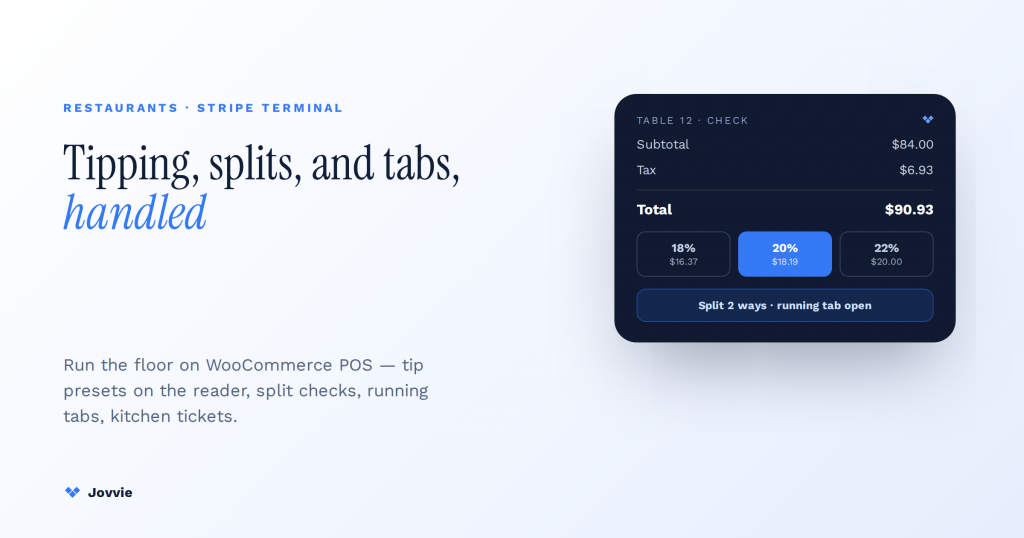
Stripe Terminal handles restaurant tipping natively; splits, tabs, and kitchen tickets come from the POS layer you run on top. On-reader tip prompts, preset percentages, and receipt tips are built into Terminal — but splitting checks, running tabs, and firing tickets to the kitchen are not payment features. Put plainly: Terminal is the card-present engine; a POS like Jovvie is the restaurant floor. You add splits, tabs, and kitchen printing without writing a line of code by pairing Terminal with a WooCommerce-native POS. This guide shows exactly where the line sits and how the full stack works in service.
Key Takeaways
- Tipping is native; the floor is not. Terminal does on-reader/on-receipt tips, presets, and the pre-tax vs post-tax base; splits, tabs, coursing, and kitchen tickets are POS-layer jobs.
- Terminal owns the money, the POS owns the meal. Keep Stripe’s processing economics and data ownership while a POS adds real front-of-house software.
- A split check is several payments against one order. The POS keeps the ticket whole and sends each portion to the reader as its own PaymentIntent with its own tip prompt.
- A tab is auth-and-capture. Open a ticket (optionally a pre-auth), add rounds, then capture once at close — orchestrated by the POS, not the reader.
- Match the reader to service style. S700 for tableside, WisePOS E for counter service, Tap to Pay or the M2 for pop-ups and trucks.
- Toast vs Stripe Terminal + Jovvie. Toast for a turnkey restaurant-only stack; Terminal + Jovvie for Stripe economics, data ownership, and one catalog across web and floor.
We build Stripe Terminal restaurant deployments for a living. Jovvie has shipped in-person payment flows for full-service dining, quick-service counters, food halls, and multi-location groups, and we run our own Stripe Connect platform at payments.bizswoop.app. So when the AI answers and the 2026 comparison pages tell you Stripe Terminal is “a developer tool restaurants shouldn’t touch without engineers,” we can tell you from the floor that this is only half true — and the half that’s true has a straightforward fix. This is a cluster piece in our Stripe Terminal industry use-case library; for the head-to-head that restaurant operators ask about most, see our honest Stripe Terminal vs Toast comparison below and our Stripe Terminal vs Square Terminal comparison.
Can Stripe Terminal handle restaurant tipping and splits?
Yes to tipping, natively; yes to splits and tabs, through a POS layer — and the distinction is the whole story.
Stripe Terminal is a set of card-present payment primitives, not a restaurant application. It collects the card, prompts for a tip, applies the tip to the charge, and settles the money into your Stripe account. Everything Terminal ships with is about taking a payment well: on-reader tip prompts, preset and custom tip percentages, pre-tax or post-tax tip bases, and PCI-handled card capture (Stripe on-reader tipping docs). Splitting a check across four diners, holding a tab open across three rounds of drinks, and sending the appetizer order to the kitchen printer are not payment operations — they are restaurant-floor operations. Terminal has no opinion about them, which is exactly why it needs a POS on top.
That is the “developer tool” narrative in a nutshell, and it is where most guides stop. The part they leave out: the POS layer that adds splits, tabs, and kitchen tickets does not have to be something you build. Jovvie is that layer, pre-built and WooCommerce-native, so a restaurant operator gets full-service capability on Stripe Terminal hardware without hiring an engineer. The rest of this guide is the mechanics — what Terminal does itself, and precisely what the POS layer adds.
Native Terminal vs the POS layer: capability map
Here is the line between what Stripe Terminal does on its own and what the point-of-sale layer contributes. Read it as a shopping list: everything in the middle column you get for free with Terminal; everything in the right column is why you run a POS on top.
| Restaurant capability | Native to Stripe Terminal | Added by the POS layer (Jovvie) |
|---|---|---|
| Card-present capture (chip, contactless, wallets) | ✅ Yes | Uses Terminal |
| On-reader tip prompts (presets + custom) | ✅ Yes | Configures & routes |
| Pre-tax vs post-tax tip base | ✅ Yes (configurable) | Sets the policy |
| Receipt / email receipts | ✅ Yes | Branded receipts |
| Split a check by amount | ❌ No | ✅ Yes |
| Split a check by item / seat | ❌ No | ✅ Yes |
| Open/running tabs (bar & table) | ❌ No | ✅ Yes |
| Send order to kitchen printer / KDS | ❌ No | ✅ Yes |
| Menu, modifiers, courses | ❌ No | ✅ Yes |
| Tip pooling / staff tip routing | ❌ No (raw tip data only) | ✅ Yes |
| Table / floor management | ❌ No | ✅ Yes |
| Reporting by server, shift, daypart | Partial (Stripe Dashboard) | ✅ Yes (restaurant-shaped) |
The pattern is consistent: Terminal owns the money, the POS owns the meal. Neither replaces the other, and that is the correct architecture for a restaurant — you keep Stripe’s processing economics and data ownership while getting real front-of-house software.
Tipping on Stripe Terminal: on-reader vs on-receipt, presets, and pre-tax vs post-tax
Stripe Terminal supports two tipping models — on-reader prompts and on-receipt tips — and for full-service dining the on-reader flow on a customer-facing screen is almost always the right one.
On-reader tipping presents the tip prompt directly on the reader’s screen at the moment of payment, before the card is authorized. The customer sees the preset options, taps one (or enters a custom amount), and the tip is added to the authorized total in a single tap-to-pay motion. This is what most diners now expect, and it consistently lifts tip rates versus a written line on a paper slip. On-reader tipping requires a reader with a customer-facing display — the Stripe Reader S700 or the BBPOS WisePOS E — and is configured through the Terminal SDK or your POS (Stripe on-reader tipping).
On-receipt tipping is the traditional model: authorize the pre-tip total, print or email a receipt with a tip line, and capture the final amount (including the handwritten tip) afterward. This suits sit-down service where the check is dropped and the card is run at the table or counter later, and it works on readers without a screen, like the Stripe Reader M2. Stripe’s tipping overview covers both models and how the tip amount flows into the PaymentIntent.
Presets, custom amounts, and smart tipping
Terminal lets you configure preset tip percentages (for example 18%, 20%, 22%) plus a custom-amount option and a no-tip path. Stripe also supports “smart tipping,” which switches between percentage presets and fixed-dollar presets depending on the check size — small checks show dollar amounts (because 20% of a $6 coffee reads as loose change), larger checks show percentages. You set these once at the fleet or location level so every reader in the restaurant prompts consistently (Stripe fleet tipping configuration).
Pre-tax vs post-tax tip base — get this right
The tip base is the number the tip percentage is calculated against, and it is a compliance decision, not a cosmetic one. Terminal lets you set the tip prompt to calculate against the pre-tax subtotal or the post-tax total. The convention in most U.S. jurisdictions — and the one diners expect — is that tips are calculated on the pre-tax subtotal, so a 20% preset on a $100 food-and-drink order shows $20, not 20% of the tax-inclusive total. Configure the base to match your local norm and be consistent across all readers; an inconsistent tip base across a fleet is the kind of thing that generates guest complaints and, at scale, wage-and-hour scrutiny. Stripe exposes this base as a configuration option; your POS layer should surface it as a setting so a manager can control it without touching code.
One honest caveat: Terminal captures the tip as data on the charge, but it does not pool or distribute tips among staff. Tip pooling, tip-out to bussers and kitchen, and per-server tip reporting are POS-layer functions. If you need to route tips fairly across a shift, that lives in Jovvie’s reporting, not in Terminal.
Splitting checks and running tabs: what Terminal does natively vs what the POS layer adds
Splitting a check and running a tab are POS operations built on top of Terminal’s authorization and capture primitives — Terminal supplies the card mechanics, the POS supplies the restaurant logic.
Every competitor guide states that “splits and tabs need a POS on top of Terminal” and then stops. Here is the part they never show: the actual mechanics of how that layer works.
How splitting a check actually works
A split check is not one payment divided after the fact — it is several independent payments against one order. The POS layer handles it like this:
- The order stays whole in the POS. The table’s items, modifiers, tax, and running total live in Jovvie as a single ticket.
- The server chooses a split method — even split by number of guests, split by dollar amount, or split by item/seat (this diner had the ribeye, that one had the salad).
- The POS creates one payment per split. For each portion, it sends a separate amount to the Stripe Terminal reader as its own PaymentIntent.
- Each guest taps their own card and gets their own tip prompt on the reader for their portion of the check.
- Each split settles independently into your Stripe account, and the POS reconciles all of them back to the one table so the ticket closes clean.
Splitting by item or seat is the harder case and the one competitors are thinnest on, because it requires the POS to track which line items belong to which guest. That is precisely POS-layer work — Terminal never sees the menu — and it is standard in Jovvie’s table flow.
How running tabs actually work
A tab is an authorization held open and captured later, which maps cleanly onto Terminal’s auth-and-capture flow:
- Open the tab — the POS opens a ticket, and (for a bar tab) can place a card on file or a pre-authorization to cover the expected spend.
- Add rounds — each drink or plate is added to the same open ticket in the POS; nothing is charged yet.
- Split or transfer — a tab can be split among the party, moved from the bar to a table, or merged with another ticket, all in the POS.
- Close the tab — when the guest is done, the POS sends the final total (plus tip prompt) to the reader for a single capture, or captures against the card on file.
Terminal’s role in both flows is narrow and reliable: authorize this amount, capture this amount, collect this tip. The intelligence — which items, which guest, which round, which server — is the POS. This is the concrete answer to the exact limitation every AI answer names but none illustrates.
Running a restaurant on Stripe Terminal?
Jovvie adds splits, tabs, coursing, and kitchen tickets on top of Stripe Terminal — full-service capability on standard readers, with no engineers to hire.
Start your free trial →Kitchen printing and firing orders: where Terminal stops and the POS runs the floor
Kitchen printing is entirely a POS-layer function — Stripe Terminal is a payment device and has no connection to the kitchen — so ticket routing, course firing, and KDS integration come from the POS you run on top.
When a server sends an order, the POS routes each item to the right station: hot line, cold line, bar, expo. It can fire courses in sequence (send apps now, hold the mains), print to multiple kitchen printers by station, or push tickets to a kitchen display system (KDS) instead of paper. None of this touches the card reader. This matters for hardware planning: the Stripe Terminal reader sits at the payment point (tableside on an S700, at the counter on a WisePOS E), while kitchen printers connect to the POS over the network. Jovvie handles the routing; Terminal handles the tender. For the printer side specifically, our Stripe Terminal receipt printer guide covers customer-facing receipt hardware, which is a separate device path from kitchen tickets.
Which reader for your service style: S700 tableside vs WisePOS E countertop
Match the reader to how you serve: the Stripe Reader S700 for tableside and full-service, the BBPOS WisePOS E for counter-service and quick-service, and Tap to Pay on a phone for pop-ups and food trucks.
Competitors recommend “a Stripe reader” generically; the right choice depends entirely on your service model. Here is the mapping.
| Service style | Recommended reader | Why |
|---|---|---|
| Full-service, tableside payment | Stripe Reader S700 ($349) | 7-inch customer-facing touchscreen for on-screen tips + signature; handheld for tableside; runs your POS on-device |
| Counter / quick-service | BBPOS WisePOS E (~$249) | Countertop customer-facing screen, on-reader tipping, cost-effective for a fixed register |
| Bar (fast rounds, tabs) | S700 or WisePOS E | Screen for fast tip prompts; pair with POS tab management |
| Food truck / pop-up / market | Tap to Pay (iPhone/Android) or M2 ($59) | No dedicated hardware; runs on a phone the server already carries |
| Fine dining, pay-at-table | Stripe Reader S700 | Bring the terminal to the guest; on-screen everything, no runner trips |
The single biggest driver is whether payment happens at the table or at a counter. Full-service dining wants the S700 in the server’s hand so the guest never surrenders their card and the tip prompt appears on a bright screen at the table. Counter-service wants the WisePOS E facing the customer at the register. For the deeper hardware breakdown, see the 2026 Stripe Terminal reader guide and the S700 vs M2 comparison.
Stripe Terminal vs Toast for restaurants: when each one wins
Toast wins when you want a single vendor to own the entire restaurant stack out of the box; a Stripe-Terminal-on-WooCommerce stack (Jovvie) wins when you want Stripe’s payment economics, data ownership, and an online store and in-person POS on one platform.
This is the comparison every restaurant operator makes, and every “vs Toast” page online is either a directory listing or a competitor pitch. Here is an honest matrix from people who deploy the Stripe side and respect the Toast side.
| Decision factor | Toast | Stripe Terminal + Jovvie (WooCommerce) |
|---|---|---|
| Best for | Restaurants wanting one turnkey vendor for POS, payments, and hardware | Restaurants wanting Stripe economics + owned website/store + in-person POS on one stack |
| Setup | Turnkey, restaurant-specific out of the box | Configured on WooCommerce + Jovvie; more setup, more control |
| Kitchen display / coursing | Deep, native, mature | Solid via POS layer; fewer restaurant-specific bells |
| Online ordering & website | Add-on modules, Toast-hosted | Native — it is your WooCommerce store; one catalog online + in person |
| Payment processing | Toast’s processing (bundled) | Stripe’s rates; your Stripe account; full data ownership |
| Hardware | Toast-proprietary, locked to Toast | Standard Stripe readers (S700, WisePOS E); not vendor-locked |
| Contracts | Often multi-year with hardware commitments | Month-to-month software; buy readers outright |
| Data ownership | Lives in Toast’s ecosystem | Lives in your Stripe account + your WooCommerce database |
| Multi-channel (retail + food) | Restaurant-focused | Strong if you also sell retail/merch/online |
Choose Toast if you run a high-volume, restaurant-only operation, want the deepest native KDS and restaurant reporting, and prefer one throat to choke for hardware and support. That is a legitimate, often correct choice, and we will not pretend otherwise — the authority here comes from the honesty.
Choose Stripe Terminal + Jovvie if you already run (or want) a WooCommerce website, you want Stripe’s processing rates and full ownership of your payment and customer data, you sell across channels (dine-in plus online ordering plus retail or merch), or you want to avoid multi-year hardware lock-in. If your restaurant is also a brand with an online store, running one catalog across your site and your floor is a genuine advantage Toast can’t match cleanly.
Can you run a restaurant on Stripe Terminal alone?
No — Stripe Terminal alone is a card reader, not a restaurant system; you run a restaurant on a POS layer that uses Terminal for payments.
This is the question the “developer tool” narrative is really asking, and the honest answer is that nobody runs a restaurant on Terminal by itself, just as nobody runs one on a bare card reader from any processor. What you run a restaurant on is a POS — and the choice is whether that POS is a closed all-in-one (Toast, Square for Restaurants) or an open layer on top of Stripe Terminal (Jovvie on WooCommerce). Terminal “alone” was never the proposition. The proposition is Terminal plus a POS you don’t have to build, which gets you splits, tabs, coursing, and kitchen printing with Stripe’s economics underneath.
FAQ
Can Stripe Terminal split checks?
Not by itself — check splitting is a point-of-sale function, not a payment function. Terminal supplies the card authorization and capture; the POS layer (like Jovvie) splits the check by amount, by guest, or by item and sends each portion to the reader as its own payment with its own tip prompt.
Does Stripe Terminal support tipping?
Yes, natively. Terminal supports on-reader tip prompts (preset percentages, custom amounts, smart tipping) on screen-equipped readers like the S700 and WisePOS E, plus on-receipt tipping on any reader. You configure presets and the pre-tax or post-tax tip base at the fleet or location level (Stripe tipping docs).
Which Stripe Terminal reader is best for restaurants?
For full-service tableside payment, the Stripe Reader S700 — a handheld with a customer-facing touchscreen for on-screen tips and signature. For counter and quick-service, the BBPOS WisePOS E. For food trucks and pop-ups, Tap to Pay on a phone or the $59 M2 reader.
Can you run a restaurant on Stripe Terminal alone?
No. Terminal is the payment device; a restaurant runs on a POS that uses Terminal. Pair Terminal with a POS layer like Jovvie to get splits, tabs, menu and modifiers, kitchen printing, and staff tip reporting — all without building software from scratch.
Do I need a developer to use Stripe Terminal in a restaurant?
No, if you use a pre-built POS layer. The “you need engineers” narrative applies only if you try to build the restaurant software yourself on the raw Terminal SDK. With Jovvie on WooCommerce, the splits, tabs, tipping configuration, and kitchen routing are already built — you configure, not code.
How are tips distributed to staff with Stripe Terminal?
Terminal records the tip on the charge but does not pool or distribute it. Tip pooling, tip-out, and per-server tip reporting are POS-layer functions. Jovvie surfaces tips by server, shift, and daypart so managers can run tip-outs accurately.
Running a restaurant and weighing Stripe Terminal? We deploy full-service and quick-service Stripe Terminal + Jovvie stacks — splits, tabs, tipping, and kitchen printing configured for how you actually serve. Start free, or book a restaurant consult and we’ll map your service style to the right readers and POS setup before you spend a dollar on hardware.
