
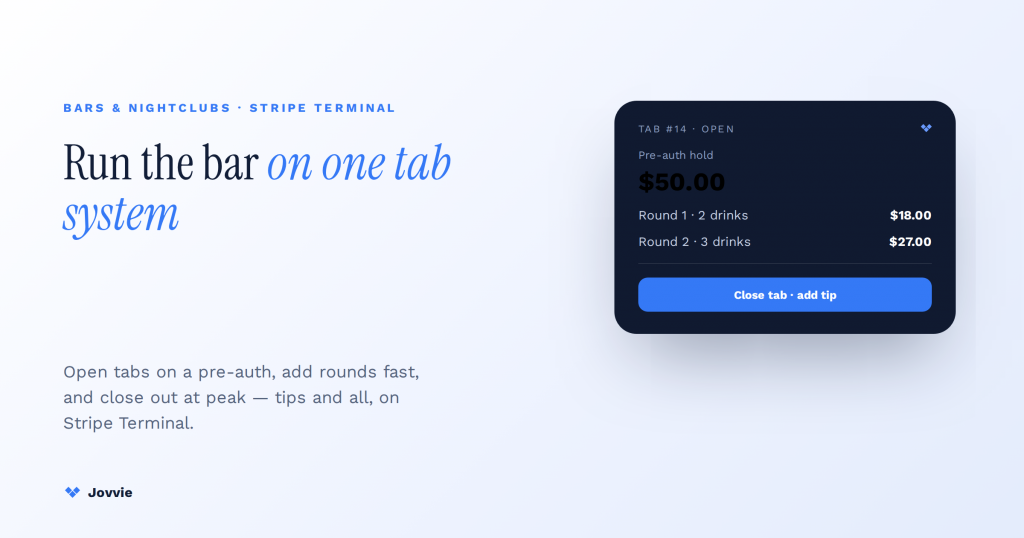
Yes — Stripe Terminal can run a bar’s tab system. A tab is a manual-capture PaymentIntent: you authorize a hold when the tab opens, raise it with incremental authorizations as drinks are added, keep it alive across the night with extended authorizations, then capture the final amount plus tip when the customer closes out. Every mechanic a bar needs for tabs is a documented Stripe Terminal primitive; the one thing Terminal does not ship is the tab interface — the screen that lists open tabs by name and lets a bartender add a round in one tap. That interface is the point-of-sale layer you run on top, and it is exactly what a WooCommerce-native POS like Jovvie adds without a line of code. This guide walks the full tab lifecycle end to end, the way an operator actually stands it up behind the bar.
Key Takeaways
- A bar tab is a manual-capture hold. You authorize when the tab opens, and no money moves until you capture at close.
- Raise the hold as rounds are added. Incremental authorizations grow the same PaymentIntent (up to 10 per payment), so it is one settlement and one statement line.
- Extended authorizations keep it alive. For in-person payments a Stripe Terminal hold is valid at least two days — more headroom than any single night needs.
- Tips land at capture. On-reader tip prompts add to the tab total; keep increments tracking the running total so close-out is frictionless.
- Terminal ships the primitives, not the tab screen. Manual capture, incremental and extended auths, and on-reader tips are native; the named-tab interface is the POS layer on top.
- Reader follows layout, not features. S700 at the well, M2 or Tap to Pay on the floor, WisePad 3 for PIN markets — every reader runs the same tab mechanics.
We build in-person Stripe payment flows for a living. Jovvie has shipped card-present deployments for full-service venues, quick-pour counters, festival bars, and multi-location hospitality groups, and BizSwoop runs its own Stripe Connect platform at payments.bizswoop.app. So when the ranking pages tell you a bar tab needs a dedicated bar-POS and Stripe Terminal is “just a developer tool,” we can tell you from behind the well that a tab is nothing more than a card-present hold you grow over time — and Terminal does holds natively. This is a cluster in our Stripe Terminal industry use-case library; the closest sibling is our Stripe Terminal for restaurants guide, which covers tabs at the table alongside splits and kitchen tickets.
Can Stripe Terminal run a bar’s tab system?
Yes. A bar tab is a pre-authorized hold that grows through the night and settles at close, and each of those steps maps to a documented Stripe Terminal feature.
Here is the whole idea in one line: when a customer opens a tab, you place a manual-capture hold on their card; as they order more, you raise the hold; when they leave it open for hours, you extend the hold; when they close out, you add the tip and capture the final amount. Stripe Terminal supports every one of those operations — manual-capture PaymentIntents, incremental authorizations, extended authorizations, and on-reader tipping. What Terminal does not give you is the bartender-facing screen that ties those API calls to a named tab. You build that yourself, or you run a pre-built POS on top of Terminal and skip the engineering entirely. That is the honest distinction, and it is the whole reason this piece exists: nobody else spells out that a “tab” is just a hold you keep raising.
The Stripe Terminal tab lifecycle: open → increment → extend → tip → capture
This is the sequence no competing guide lays out. Read left to right — it is exactly what happens to the card authorization from the moment a customer hands over their card to the moment they walk out.
| Stage | What happens at the bar | Stripe Terminal mechanic | Card-network effect |
|---|---|---|---|
| 1. Open the tab | Customer hands over a card to start a tab | Create a PaymentIntent with capture_method: manual; collect and confirm on the reader | Initial hold placed (e.g., $25 or first-round amount) |
| 2. Add rounds | Each new drink raises the running total | Incremental authorization increases the authorized amount | Hold grows; up to 10 increment attempts per payment |
| 3. Keep it open | Tab stays open across a long night | Extended authorization keeps the in-person hold valid | Hold valid at least two days for in-person payments |
| 4. Close out | Bartender totals the tab and prompts for a tip | On-reader tip prompt at capture (presets + custom) | Final amount = drinks + tip |
| 5. Capture | Payment settles to your Stripe account | Capture the PaymentIntent for the final amount | Funds captured; hold released for any unused amount |
The pattern is consistent all night: the tab is the authorization, and running a tab is just managing that authorization as it grows. Every stage is a Stripe primitive. The POS layer’s only job is to make each stage a single tap for the bartender instead of an API call.
How a bar tab works on Stripe Terminal: manual capture, holds, and incremental authorizations
A tab starts as a manual-capture hold and grows through incremental authorizations — the same primitives Stripe documents for hotels and car rentals, applied to a drinks tab.
When you take a card to open a tab, you are not charging it — you are authorizing a hold. In Stripe terms that is a PaymentIntent with capture_method: manual: the reader collects the card, the network approves a hold for an initial amount, and no money moves until you capture. Bars usually open the hold at either a fixed floor (say $25 or $50) or the first round’s total. The customer’s card now has an authorization on it, and their tab is, technically, that authorization.
As the night goes on and the customer orders more, the running total climbs past the initial hold. That is where incremental authorizations come in: you raise the authorized amount on the same PaymentIntent so the hold always covers the tab. Stripe allows up to 10 increment attempts per payment across Visa, Mastercard, American Express, and Discover, which comfortably covers a normal night’s rounds (and if a tab is genuinely running past ten increments, that is a signal to close it out and start fresh). This is the PaymentIntent-level primitive documented in Stripe’s incremental authorization guide. Crucially, you are not running the customer’s card again for each round — one authorization grows to match the tab, so there is a single settlement at the end and one line on their statement.
The practical payoff: no walkouts leave you fully exposed, because the hold is always sized to the current tab, and the customer sees one clean charge instead of a drink-by-drink barrage. What you need on top is a screen that knows “this named tab maps to this PaymentIntent” so a bartender adding a round triggers the increment automatically. That mapping is the POS layer — Jovvie holds the tab-to-PaymentIntent relationship so your staff never touch an API.
Keeping a tab open all night: extended authorizations and hold duration
Extended authorizations keep the hold valid long enough to cover a full night — and then some. For in-person payments, a Stripe Terminal authorization is valid for at least two days.
A standard card authorization can expire faster than a busy bar’s night is long, and an expired hold means an uncaptured tab. Extended authorizations solve this: they lengthen the window between authorizing and capturing so the tab stays fully held while it is open. Stripe’s documentation is explicit that for in-person payments, an authorization is valid for at least two days, which is far more headroom than a single evening needs and enough to cover the edge cases bars actually hit — a customer who forgets to close out and comes back the next day, or a weekend event where a tab spans a late close and an early reconciliation.
Extended authorizations are available on Visa, Mastercard, American Express, and Discover, and like incremental authorizations they operate on the same manual-capture PaymentIntent — so “keep the tab open” and “raise the tab” are two features working on one authorization, not two separate charges. For a nightclub running bottle service or a festival bar with tabs that stay open across a set, this is the mechanic that makes the whole model safe: the hold does not evaporate mid-night.
The operational rule of thumb we give venues: size the initial hold sensibly, let incremental authorizations track the real total, rely on the extended-authorization window so nothing expires, and build a “last call” close-out routine so tabs do not sit open into the next day. The POS layer enforces that routine; Terminal provides the two-day safety margin underneath it.
Adding tips at close: on-reader tipping and how it interacts with the authorization
Tips are collected at close using Stripe Terminal’s on-reader tip prompt, and the final capture settles drinks plus tip in one amount.
When a customer closes their tab, the reader can present on-reader tip prompts — preset percentages and a custom-amount option — before the payment settles. The tip is added to the tab total, and you capture the PaymentIntent for the combined figure. Because tipping happens at capture, the customer tips on the full night’s tab (not each round), which is exactly the bar-tab behavior people expect.
There is one interaction worth understanding, and it is a detail no competing page documents: capturing more than the currently authorized amount triggers an automatic incremental authorization attempt for the difference. In plain terms, if the tip pushes the final total above the hold you have on the card, Stripe will attempt to raise the authorization to cover it at capture. On-reader tipping is designed to work within this flow, so for most tabs the tip settles cleanly. The practical guidance: keep incremental authorizations tracking the running total through the night so the hold is already close to the final amount, and the tip-at-capture step has minimal gap to cover. If you run tight increments, close-out is frictionless; if you let the hold lag far behind the tab, you are leaning harder on that final increment attempt.
For the tip mechanics themselves — presets, pre-tax vs post-tax bases, on-reader vs on-receipt — the same rules apply as in our restaurant tipping guide, since it is the same Terminal feature. The bar-specific wrinkle is only that the tip lands at the end of a grown authorization rather than on a single fixed charge.
Want tabs open-to-close in one tap?
Jovvie turns Stripe Terminal’s holds and increments into a searchable list of named tabs — add-a-round grows the authorization, and close-out captures with tip in a single action.
Start your free trial →Speed at peak hours: fast tab open, search-by-name, one-tap close-out
At a slammed bar, speed is a workflow property, not a hardware spec — the tab has to open in one tap, be findable by name, and close in one tap. Terminal handles the card in a couple of seconds; the POS layer decides whether the rest is fast.
The card-present half is quick by default: a contactless tap on a Stripe reader authorizes in seconds, and incremental authorizations to add a round happen against an already-open tab, so there is no re-tap for each drink. The bottleneck at peak hours is never the reader — it is finding the right open tab and adding to it without fumbling. That is where the interface earns its keep. The things that actually make a bar fast on a Friday night are:
- One-tap open. Take the card, name the tab (customer name, card last-four, or a bar-code shorthand), done. The hold is placed; the tab exists.
- Search-by-name / last-four. A bartender should type three letters or the card’s last four and land on the right tab instantly, without scrolling.
- Add-a-round in a tap. Selecting a drink on an open tab fires the incremental authorization behind the scenes — the bartender never sees an API, just a growing total.
- One-tap close-out with tip. Total the tab, prompt the tip on the reader, capture. The hold’s unused headroom releases automatically.
- No re-tapping the card. Because the whole night runs on one authorization, the customer taps once to open and (optionally) once to confirm the tip at close — not once per round.
Jovvie is built for exactly this rhythm: open tabs are a searchable list, adding items grows the authorization, and close-out is a single action. The Terminal reader is fast; the POS layer is what keeps a queue from forming behind it. This is also where reader choice matters — which is the next question.
Which reader for a bar: countertop S700 vs mobile M2 or Tap to Pay
Put a fast countertop reader at the well and a mobile reader (or Tap to Pay) on the floor. The bar’s physical layout, not the payment features, decides the hardware.
Every current Stripe reader runs the same tab mechanics — manual capture, incremental and extended authorizations, on-reader tips are payment features, not device features — so the choice is about form factor and where money changes hands:
- At the well / main bar (fixed station): the Stripe Reader S700 is the natural fit — a self-contained smart reader with its own touchscreen, so it runs the POS on-device and does not tie up a bartender’s phone. Fast taps, on-screen tip prompts, and network independence at a busy station.
- Floor, tables, and bottle service (mobile): the Stripe Reader M2 (a pocketable Bluetooth reader paired to a phone or tablet) or Tap to Pay on iPhone/Android (no hardware at all) let a server open and close tabs tableside. Ideal for bottle service, VIP sections, and roaming festival staff.
- International / PIN markets: the BBPOS WisePad 3 adds a physical PIN pad for venues outside the US or anywhere PIN entry is expected.
Every current Stripe reader runs the same tab mechanics, so the choice is purely form factor. The short version for bars: put the S700 behind the bar, and an M2 or Tap to Pay on the floor for tableside and bottle service.
Frequently asked questions
How does a bar tab pre-authorization work?
A bar tab pre-authorization is a hold placed on the customer’s card when they open the tab, not a charge. On Stripe Terminal you create a manual-capture PaymentIntent, the reader authorizes an initial amount, and no money moves until you capture at close. As the customer orders more, you raise the hold with incremental authorizations; when they leave, you capture the final total plus tip. The customer sees one settled charge, not one per drink.
How long does a pre-authorization hold last?
For in-person payments, a Stripe Terminal authorization is valid for at least two days, and extended authorizations keep it alive across that window. That is more than enough to cover a full night — including a tab a customer forgets to close and returns to the next day. Exact duration can vary by card network, which is why the two-day floor matters: it guarantees the hold survives the night.
Can you add a tip to a pre-authorized card?
Yes. Tips are collected at close using Stripe Terminal’s on-reader tip prompt, and the tip is added to the tab total before you capture. If the tip pushes the total above the current hold, Stripe attempts an automatic incremental authorization to cover the difference — so keeping the hold tracking the running total through the night makes close-out frictionless.
How do you close out a bar tab at the end of the night?
Total the tab, prompt for a tip on the reader, and capture the manual-capture PaymentIntent for drinks plus tip. Capturing settles the money to your Stripe account and releases any unused headroom on the hold. In a POS like Jovvie this is a single “close tab” action per customer; the underlying capture happens automatically.
What happens if a customer leaves without closing their tab?
Because the tab is a live authorization, you can capture it even after the customer has left — the extended-authorization window (valid at least two days for in-person payments) gives you time to close out at last call or the next morning. Best practice is a “sweep open tabs” routine at close so nothing sits authorized-but-uncaptured; the hold you placed at open is what protects you from a full walkout loss.
Does Stripe Terminal support pre-authorizations and incremental charges?
Yes — natively. Stripe Terminal supports manual-capture PaymentIntents (the pre-authorization), incremental authorizations (raising the hold as the tab grows), and extended authorizations (keeping the hold valid). These are the exact primitives a bar tab needs. What Stripe does not provide is the tab interface; that lives in the POS layer you run on Terminal.
Run your bar’s tabs on Stripe Terminal without building it yourself
A bar tab is a Stripe Terminal hold you open, grow, extend, and capture — every mechanic is documented and native. The only missing piece is the bartender-facing screen that turns those API calls into one-tap actions, and that is precisely what Jovvie adds: open tabs searchable by name, add-a-round that grows the authorization automatically, and one-tap close-out with on-reader tipping, all on Stripe hardware you already understand.
If you run a bar, nightclub, or multi-location venue and want to see the full tab lifecycle running on real hardware, Jovvie maps your well-and-floor layout to the right readers and shows you tabs open-to-close on Stripe Terminal. Start free, or book a bar POS consult with our team.
Primary sources: Stripe Terminal overview · Incremental authorizations (Terminal) · Extended authorizations (Terminal) · Incremental authorization (Payments) · On-reader tipping. Authorization durations and increment limits per Stripe documentation as of July 2026; verify current network rules on Stripe’s docs before deployment.
