
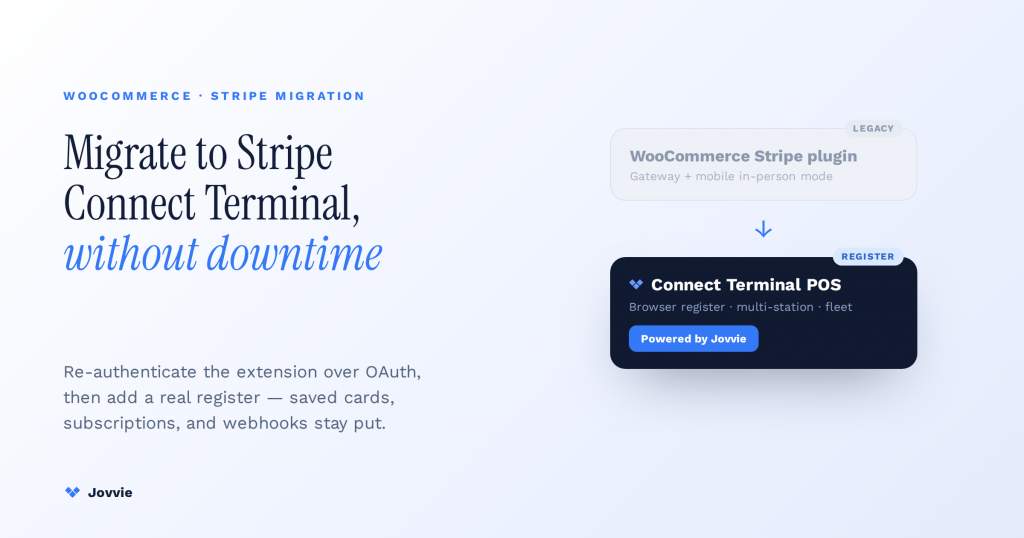
A Stripe Connect Terminal migration is really two separate moves. Re-authenticating the official WooCommerce Stripe extension over OAuth (a compliance step Stripe and WooCommerce forced in 2025) is not the same as moving your in-person, card-present payments onto a Connect-based Stripe Terminal POS. Most stores need both: update and re-authenticate the extension to keep online checkout working, then decide whether the extension’s built-in mobile in-person mode is enough or whether you should run a true browser-based Terminal register through a Connect platform like Jovvie. Sequenced correctly, neither step touches your saved cards, active subscriptions, or webhooks. This guide gives you that disambiguation, the real deadlines that make it urgent, a decision matrix, and a data-safe migration procedure.
Key Takeaways
- Two migrations, not one. OAuth re-authentication of the official WooCommerce Stripe extension — a mandatory 2025 compliance step — is separate from moving card-present payments onto a Connect-based Terminal POS.
- The 2025 deadlines make it urgent. WooCommerce retired the legacy checkout on 8 July 2025 and required OAuth re-authentication by 20 October 2025; extension 9.6.0+ auto-migrates eligible stores.
- Your data does not move. Saved cards, subscriptions, and webhooks live in your Stripe account — re-authenticating the same account preserves them.
- Stay-or-move is about the counter, not store size. Occasional in-person sales? The extension’s mobile mode is enough. A staffed, recurring register? Move to a Connect-based Terminal POS like Jovvie.
- Sequence protects you. Make the extension compliant over OAuth first, verify webhooks and a test renewal, then add the Terminal register as a layer — never delete the old connection until the new one is proven.
- Connect unlocks multi-store economics. Running Terminal across many stores lets a platform take an application fee and manage the whole reader fleet centrally.
We have built WooCommerce point-of-sale on Stripe Terminal for eight years — across boutiques, cafes, pop-ups, and multi-location retailers in more than 30 countries — and BizSwoop operates its own Stripe Connect platform at payments.bizswoop.app, so the OAuth, connection-token, and application-fee mechanics below are ones we run rather than ones we read about. This is the migration-specific companion to our foundational guide, Stripe Terminal + WooCommerce; read that first if you are starting from zero, and read this when you already have a store on the old plugin and need to move without breaking anything.
This is a cluster piece in the WooCommerce pillar. For the full register build, see the complete Stripe Terminal for WooCommerce implementation guide. If HPOS is part of your upgrade, see WooCommerce HPOS and Stripe Terminal compatibility notes. For the platform-economics side when an agency runs Terminal across many client stores, see the Stripe Connect platform economics guide.
Is the legacy WooCommerce Stripe plugin actually deprecated? (What changed in 2025)
The legacy checkout experience inside the official WooCommerce Stripe extension was retired in 2025, and every store was required to re-authenticate its Stripe account over OAuth — the plugin is not gone, but the old way of connecting it and the old checkout are. WooCommerce retired the legacy checkout on 8 July 2025 and required all merchants to re-authenticate their Stripe connection via OAuth by 20 October 2025; version 9.6.0 and later of the extension automatically migrates eligible stores to the new connection and checkout, per WooCommerce’s updated requirements for the Stripe plugin (mid-2025).
What this means in plain terms: if you have not updated the official extension past 9.6.0 and re-authenticated over OAuth, your online card payments are on borrowed time or already degraded. That deadline is the reason this migration is now urgent rather than optional. It is also the moment most merchants realize they should decide their in-person payment strategy at the same time, rather than re-authenticating now and re-architecting the counter later.
Stripe frames the same transition from its side. Its Plugin User Migration Guide and its developer note on how to decide a plugin migration path lay out the connection options — API key, OAuth, and a Connect-based model — and why the restricted-key and OAuth paths replaced the old raw secret-key connection.
Two migrations people confuse: OAuth re-auth vs moving to Connect Terminal
There are two completely different “migrations” hiding under one search query, and conflating them is the single most common mistake — re-authenticating the official extension keeps your online checkout compliant, while moving to a Connect-based Terminal POS is about how you take card-present payments at a counter or in the field. One is a compliance chore; the other is an architecture decision.
Here is the clean split, because every AI answer and most agency posts blur them together:
- OAuth re-authentication of the official WooCommerce Stripe extension. This is the mandatory 2025 step. You update the extension to 9.6.0+, disconnect the old API-key connection, and reconnect your Stripe account through Stripe’s OAuth flow (or let 9.6.0+ auto-migrate you). It affects online checkout, saved cards, and subscriptions. It does not, by itself, give you a modern in-person register.
- Migrating to a Connect-based Stripe Terminal POS. This is the optional-but-strategic step. It moves your card-present transactions off the extension’s built-in mobile in-person mode and onto a true browser-based Terminal register that runs through a Stripe Connect platform. It is what you do when the counter, not the website, is the constraint.
The three ways a WooCommerce store can be connected to Stripe map onto this split, and the difference matters for both security and what you can build on top:
| Connection method | What it is | In-person / Terminal capability | Where it fits |
|---|---|---|---|
| API key (legacy) | Raw secret/publishable keys pasted into the plugin | None natively; deprecated connection style | The old way — being phased out; re-auth required |
| OAuth (official extension) | Stripe-hosted authorization of the official Woo extension | The extension’s mobile in-person mode (M2 / WisePad 3 / Tap to Pay via the Woo mobile app) | The compliant baseline every store now needs |
| Connect (platform model) | Your store is a connected account under a Connect platform | Full browser-based Terminal POS, application-fee economics, multi-store fleet management | A true register and agency/multi-store operations |
If you only re-authenticate over OAuth, you are compliant and you can take the occasional in-person payment through WooCommerce’s in-person payments with Stripe mobile flow. If you want a real point of sale — a browser register, fast tendering, receipt printing, multi-station, and (for agencies) fee economics across client stores — that is the Connect Terminal path, and it is where Jovvie lives.
Should you stay on the official extension or move to a Connect-based Terminal POS? (decision matrix)
Stay on the official extension’s built-in in-person mode if you take in-person payments occasionally and informally; move to a Connect-based Terminal POS if the counter is a real, recurring part of your business or you manage payments across multiple stores. The deciding factor is how central card-present is to your operation, not how big your store is.
Use this matrix to place yourself. It is the framework no top-ranking result offers, and it is deliberately honest — if the official extension is genuinely enough for you, we say so.
| If this describes you… | Best fit | Why |
|---|---|---|
| A handful of in-person sales a month, phone in hand, no register | Official extension, in-person mode | The Woo mobile app + M2/WisePad 3/Tap to Pay covers it; no reason to add a platform |
| A staffed counter, daily card-present volume, need speed and receipts | Connect-based Terminal POS (Jovvie) | Browser register, fast tendering, cash management, multi-station — the mobile app can’t match this |
| Multiple physical locations under one WooCommerce store | Connect-based Terminal POS | Stripe Locations API + multi-station management belong in a real POS layer |
| An agency/ISV running Terminal across many client stores | Connect platform model | Application-fee economics and centralized reader/location management require Connect |
| Regulated or high-tip environment (salons, hospitality) | Connect-based Terminal POS | Tipping config, PIN/refund policy, and audit trails are POS-layer concerns |
| Online-only, no counter, just need compliance | Official extension, OAuth re-auth only | You do not need Terminal at all — finish the OAuth step and stop |
The pattern to notice: the official extension is a payment gateway with a bolt-on in-person mode; a Connect-based Terminal POS is a register. If your business runs on the register, you want the register.
Application fees when you run Terminal across multiple stores on Connect
If you are an agency, franchise, or ISV managing Terminal for several WooCommerce stores, Connect lets you take an application fee on each in-person transaction and manage the whole reader fleet centrally — a model the official extension’s in-person mode cannot express at all. This is the multi-store economics angle no competitor guide covers, and it is often the real reason a business migrates.
Under a Connect platform model, each client store is a connected account, your platform issues the connection tokens and registers the readers, and you can add an application fee to each PaymentIntent that Stripe routes to your platform account. Stripe documents the mechanics in collecting application fees and the platform pricing in Stripe Connect pricing. The practical benefits for a multi-store operator are concrete:
- One place to register readers and manage Locations across every client, instead of logging into each store’s Stripe dashboard.
- A revenue line on in-person volume through application fees, rather than only charging a flat integration retainer.
- Consistent tipping, refund, and reconciliation rules enforced at the platform layer, not re-configured store by store.
- Faster onboarding of a new store — connect the account, register readers, done — versus re-installing and re-authenticating an extension per site.
We built exactly this layer for BizSwoop’s own Connect platform, so if you are weighing a single-store re-auth against a multi-store Connect build, the platform economics guide walks the fee math in full.
Migrating and want the register handled, not hand-built?
Jovvie runs the Connect-based Stripe Terminal register on your existing WooCommerce store — you re-authenticate the extension, we handle the counter.
Start your free trial →Step-by-step: migrating to Stripe Connect Terminal without losing subscriptions or saved cards
You migrate safely by treating it as two sequenced projects — first make the official extension compliant over OAuth (protecting saved cards and subscriptions), then layer the Connect Terminal register on top — and by never disconnecting the old connection until the new one is verified in test mode. The rule that keeps data intact: your subscriptions, saved payment methods, and webhooks live in your Stripe account, not in the plugin, so re-authenticating the same Stripe account preserves them.
Follow this procedure in order. It is written so a store owner can supervise it and a developer can execute it.
- Back up first. Take a full backup of your WordPress database and files, and export your WooCommerce orders and subscriptions. Confirm you can restore before you change anything.
- Record your current Stripe connection. Note whether you are on API keys or already on OAuth, your webhook endpoints (Stripe Dashboard → Developers → Webhooks), and the count of active subscriptions and saved payment methods. This is your reconciliation baseline.
- Stage it, don’t do it live. Clone the store to a staging site. Run the migration there first, especially if you have active WooCommerce Subscriptions.
- Update the official extension to 9.6.0 or later. This version introduces the automatic migration to the new connection and checkout, per the WooCommerce mid-2025 requirements doc. Update on staging, then confirm the site still loads and the payments settings screen renders.
- **Re-authenticate over OAuth to the same Stripe account.** Follow Stripe’s Plugin User Migration Guide. Because it is the same account, your customers, saved cards (payment methods), and subscription schedules are unchanged — the plugin is just re-connecting to data that already lives in Stripe.
- Re-point and re-verify webhooks. Confirm the extension’s webhook endpoint is registered and receiving events after re-auth. Broken webhooks are the number-one cause of “subscriptions stopped renewing” after a migration — verify signature and delivery before going live.
- Test online checkout in test mode. Run a card-present-adjacent test: a new purchase, a saved-card purchase, and a subscription renewal (use Stripe’s test clocks if needed). Only proceed once all three pass.
- Decide the in-person layer. If the official extension’s in-person mode is enough, you are done after promoting staging to production. If you need a real register, continue.
- Connect the store to your Connect Terminal platform. For a Jovvie deployment, connect the store as a connected account, register your readers (S700, WisePad 3, M2, or Tap to Pay), and assign Stripe Locations. Jovvie’s Terminal register runs in the browser alongside your existing OAuth checkout — it does not replace the gateway, it adds the register.
- Run parallel for a shift. Take real in-person transactions on the new register while keeping the old in-person mode available as a fallback for one trading day. Reconcile both against Stripe.
- Cut over and decommission the fallback. Once a full shift reconciles cleanly, make the Connect Terminal register the default and retire the mobile in-person fallback.
- Promote staging to production (if you have not already) during a low-traffic window, and repeat the webhook and subscription-renewal verification on production.
The reason this sequence protects data is structural: steps 4–7 keep your online revenue and recurring billing safe by re-connecting the same Stripe account, and steps 8–11 add the register as a layer rather than a rip-and-replace. At no point do you delete the old connection before the new one is proven.
Data-preservation checklist
Confirm each of these before you call the migration done. This is the concrete risk list competitors leave out.
| Asset | Risk during migration | How you protect it |
|---|---|---|
| Saved cards / payment methods | Appear “lost” if you connect a different Stripe account | Re-authenticate the same account over OAuth; methods live in Stripe, not the plugin |
| Active subscriptions | Renewals fail silently if webhooks break | Re-verify webhook delivery + run a test-clock renewal before go-live |
| Webhooks | Endpoint de-registered on re-auth | Confirm endpoint, signing secret, and event delivery post-migration |
| Order history | Untouched by Stripe re-auth (lives in WooCommerce) | Standard DB backup; verify order lookup still resolves |
| In-person receipts / tips config | Not carried over from mobile mode to a new register | Reconfigure tipping/receipt rules in the Terminal POS layer |
Does the official WooCommerce Stripe plugin support in-person payments?
Yes — the official WooCommerce Stripe extension supports in-person, card-present payments through its mobile in-person mode, using the WooCommerce mobile app with an M2 or WisePad 3 reader or Tap to Pay, but that is a mobile-app experience, not a browser-based register. WooCommerce documents this in in-person payments with Stripe.
The distinction that matters for your decision: the extension’s in-person mode is designed for occasional, mobile card acceptance — a market stall, a delivery, a one-off. It is not built to be a staffed register with fast product lookup, cash management, multi-station support, and receipt printing at a fixed counter. That is the line between “the official extension is enough” and “you want a Connect-based Terminal POS.” The DIY open-source route people compare against — the community wcpos/stripe-terminal-for-woocommerce bridge — proves the Connect-Terminal path is possible to self-build, but you own all the maintenance, PCI scoping, and reconciliation yourself.
What actually changes when you migrate — and what stays the same
The only things that change are the connection method and, if you add Terminal, the register you tender on; your products, orders, customers, subscriptions, and Stripe payout schedule stay exactly where they are. That is worth stating plainly because the word “migration” makes owners fear a data move, when in reality the data does not move at all.
What changes: the extension connects over OAuth instead of raw API keys; the checkout uses the current WooCommerce Stripe checkout rather than the retired legacy one; and — only if you take the Connect Terminal step — in-person tendering happens in a browser register instead of the Woo mobile app. What stays put: every order in your WooCommerce database, every customer and saved payment method in your Stripe account, every active subscription schedule, and your fee and payout arrangement with Stripe. Nothing about your card-not-present pricing or your existing Stripe balance changes.
Pitfalls and rollbacks: what goes wrong and how to back out
The failures that actually happen during this migration are predictable — connecting the wrong Stripe account, leaving webhooks mis-registered, and cutting over in-person tendering with no fallback — and each one has a clean rollback if you staged the work. The single best insurance is the one from the procedure above: never delete the old connection until the new one is verified.
The common pitfalls, and the way out of each:
- Connected the wrong Stripe account. Symptom: saved cards and subscriptions appear “gone.” Cause: OAuth authorized a different account than the one holding your data. Rollback: disconnect, re-authorize the correct account; the data was never lost, only unreferenced.
- Webhooks silently broken. Symptom: subscription renewals stop, or orders stay “pending payment.” Cause: the endpoint was de-registered or the signing secret changed on re-auth. Rollback: re-register the endpoint and re-run a test-clock renewal; no data loss, but reconcile any renewals missed during the gap.
- In-person cutover with no fallback. Symptom: the counter stalls mid-shift. Cause: switching the whole register to a new layer without a parallel-run day. Rollback: revert to the extension’s mobile in-person mode (kept available in step 10) while you diagnose.
- Migrated live instead of on staging. Symptom: customers hit checkout errors during the change. Cause: skipping the staging clone. Rollback: restore the database backup from step 1 — which is exactly why that step is non-negotiable.
Because the OAuth re-auth reconnects the same Stripe account and the Terminal register is added as a layer, a full rollback is almost always “restore the backup and re-point the connection,” not a reconstruction of lost data.
Frequently asked questions
Is the legacy WooCommerce Stripe plugin deprecated?
The plugin itself is not removed, but its legacy checkout was retired on 8 July 2025 and its legacy API-key connection was replaced — every store had to re-authenticate over OAuth by 20 October 2025, and version 9.6.0+ auto-migrates eligible stores. If you have not updated and re-authenticated, do that first.
Do I need to re-authenticate my Stripe account with OAuth?
Yes, if you use the official WooCommerce Stripe extension. Re-authentication over OAuth was mandatory as of the mid-2025 requirements. Re-authenticate the same Stripe account so your saved cards and subscriptions are preserved.
Does the WooCommerce Stripe plugin support in-person payments?
Yes, through its mobile in-person mode (WooCommerce mobile app + M2/WisePad 3/Tap to Pay). For a staffed browser-based register with cash management and multi-station support, you move to a Connect-based Terminal POS such as Jovvie.
What’s the difference between connecting Stripe with an API key vs OAuth vs Connect?
API keys were the legacy raw-credential connection (being phased out). OAuth is Stripe-hosted authorization of the official extension — the compliant baseline. Connect makes your store a connected account under a platform, enabling a full Terminal register and application-fee economics across multiple stores.
Will migrating break my existing subscriptions or saved cards?
Not if you re-authenticate the same Stripe account and verify webhooks before go-live. Subscriptions, payment methods, and customers live in your Stripe account, not in the plugin — re-connecting the same account preserves them. Renewals only break when webhooks are left mis-configured, which the procedure above checks for explicitly.
Do I have to move to Connect Terminal at all?
No. If in-person is occasional, finish the OAuth re-auth and use the extension’s mobile in-person mode. Move to Connect Terminal only when the counter is a recurring, staffed part of your business or you manage multiple stores.
Ready to migrate without downtime?
Jovvie is the WooCommerce-native point of sale built on Stripe Terminal — migrate your counter without a rebuild, keep one system of record, and start free. If you want a second set of eyes on your saved-card, subscription, and webhook risk first, talk to an advisor.
Primary sources: Stripe Plugin User Migration Guide · Stripe: decide a plugin migration path · WooCommerce: updated requirements for the Stripe plugin (mid-2025) · WooCommerce: in-person payments with Stripe · Stripe: collect application fees.
