
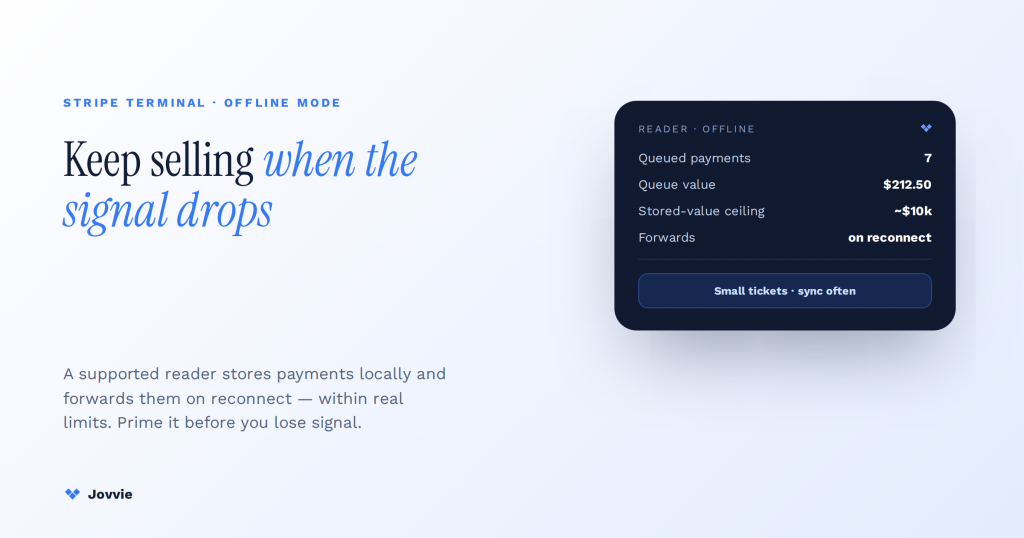
Yes — Stripe Terminal works offline: when the network drops, a supported reader stores card payments locally and forwards them to Stripe automatically once connectivity returns. A checkout line keeps moving even with no WiFi and no cell signal. But offline mode is a bounded feature, not a free pass — it carries real limits (a per-transaction and stored-value ceiling, bypassed real-time fraud checks, decline risk you assume, and delayed settlement), and it only works if you set it up before you lose signal. That last clause is where every other guide on this topic goes quiet. The search results for “Stripe Terminal offline mode” are almost entirely Stripe’s own developer documentation — accurate, but written for engineers, not for the person actually running a food-truck window at a festival with two bars of signal. This guide is the operator’s layer on top of Stripe’s primitives: what offline mode really does, exactly where its limits bite, which readers support it, and a venue-by-venue playbook plus a pre-shift checklist for the places where the network is the enemy.
Key Takeaways
- Yes, Stripe Terminal works offline. A supported reader stores card payments locally when the network drops and forwards them to Stripe on reconnect — the line keeps moving.
- It’s a deferred-settlement bet. The sale completes at the counter; the money moves later — you carry the decline risk if a forwarded card fails.
- Prime it before you lose signal. A reader that never came online can’t go offline gracefully — the #1 cause of “offline didn’t work.”
- Real limits bite. A stored-value ceiling (~$10k), bypassed live fraud checks, decline liability, delayed settlement, and data-loss risk if a device is wiped.
- Small tickets, short windows. Offline is for brief, low-value gaps — not for running a business off-grid; cap per-ticket amounts and sync often.
- WisePad 3 mobile, S700 fixed. The strongest offline performers; Tap to Pay generally needs a live connection and is the weakest offline story.
We have built Stripe Terminal point-of-sale flows for eight years — for retail counters, restaurants, pop-ups, festival stalls, and vessels across more than 30 countries — and offline is the single most misunderstood feature in the platform. Merchants either assume it doesn’t exist (it does) or assume it’s a magic switch that removes all risk (it isn’t). Jovvie is a WooCommerce-native POS built on Stripe Terminal as an official Stripe Partner, with kiosk and offline support, so the guidance below reflects flows we deploy where connectivity is genuinely unreliable — not a spec-sheet paraphrase. This is a cluster piece under the Stripe Terminal as a point-of-sale system pillar, and it pairs with two siblings where the network problem is most acute: taking card payments on vessels, charters, and tour boats and the tap-to-pay-first food truck setup. Throughout, we cite Stripe’s offline-mode documentation as the canonical source for behavior and limits.
Does Stripe Terminal work offline?
Stripe Terminal works offline: supported smart readers and SDK integrations can accept card-present payments with intermittent, limited, or no internet connectivity, storing each authorized payment locally and forwarding it to Stripe for processing the moment the connection is restored. This is a first-class, documented feature — not a workaround — described in Stripe’s operate-offline overview.
Here is the mechanic in plain terms. Normally, when a customer taps or inserts a card, your application talks to Stripe’s servers in real time to authorize the charge. In offline mode, that round trip can’t happen, so the reader does something different: it reads the card, encrypts the payment data, and queues the transaction on the device itself. The customer gets a completed sale at the counter. Then, once the device reconnects — minutes or hours later — the SDK automatically transmits every queued payment to Stripe, which processes them for real and settles the funds. To the person in line, an offline sale looks identical to an online one. Under the hood, the money hasn’t actually moved yet; it moves on reconnect.
That distinction — sale completed at the counter versus payment actually processed later — is the source of every limit and every risk in this guide. You are, in effect, extending a small amount of credit to each customer on Stripe’s behalf during the offline window, and betting their card will clear when the queue flushes. Most of the time it does. The rest of this guide is about the times it doesn’t, and how to run a shift so those times cost you as little as possible.
How offline mode actually works: store locally, forward on reconnect
Offline mode works by moving payment authorization from Stripe’s servers onto the reader itself: the device stores the encrypted transaction locally, keeps a running total of queued payments, and forwards the whole batch to Stripe automatically when it detects a live connection. Nothing about the customer’s experience changes; everything about where and when the charge is verified does.
Walking through the full lifecycle makes the limits obvious later:
- You enable offline mode ahead of time. Offline behavior has to be configured in your integration and, for some setups, in your reader fleet settings before you lose connectivity. A reader that has never been online, or an integration that hasn’t downloaded the offline configuration, cannot go offline gracefully. This is the single most common cause of “offline didn’t work” — the setup wasn’t primed. Stripe documents the configuration in its collect card payments offline and fleet offline-mode references.
- Connectivity drops. The reader detects it has no route to Stripe.
- A customer pays. The reader captures the card (tap or chip), encrypts the data, and stores the payment intent locally. It performs the on-device checks it can — but it cannot ask Stripe or the card network whether the card is actually good.
- The sale completes at the counter. The customer walks away with goods and, usually, a receipt.
- The device reconnects. As soon as the SDK sees a live connection, it forwards each stored payment to Stripe for real processing.
- Stripe processes and settles — or declines. Most forward successfully. Some fail: expired card, insufficient funds, a block. Those declines surface after the customer is gone.
The whole model is a deferred-settlement bet. It is genuinely useful — it is the difference between taking $4,000 at a festival stall and turning customers away when the venue WiFi buckles at peak. But the bet has a size limit and a loss column, which is the next section.
The real limits: fraud, decline risk, settlement delay, and the offline ceiling
Offline mode’s limits fall into five buckets: a stored-value and per-transaction ceiling, bypassed real-time fraud detection, decline liability you carry, delayed settlement, and hard data-loss risk if the device is wiped before it syncs. Understanding each is what separates a merchant who uses offline safely from one who gets burned by it. Here is the honest table competitors skip.
| Limit | What it actually means | How to mitigate it |
|---|---|---|
| Stored-value / offline ceiling | Stripe caps how much value a device can hold in un-forwarded offline payments, and caps individual offline transaction amounts. Independent authorities note Stripe’s offline maximum around $10,000 per the Federal Reserve’s FEDS note on offline payments. Limits are account- and configuration-dependent — confirm yours in the Stripe offline docs. | Sync often so the queue rarely grows large; set an internal per-ticket offline ceiling well below the account limit; don’t run high-value sales offline. |
| No real-time fraud detection | Offline, Stripe Radar and the card networks can’t score the transaction live. A stolen or blocked card that would be declined online can be accepted offline. | Cap offline ticket sizes, refuse offline for high-value items, and reconcile the moment you reconnect so you can act fast on any fraud. |
| Decline liability is yours | If a forwarded payment declines (insufficient funds, expired, blocked), the sale already happened. You generally bear that loss — the customer is gone. | Keep offline windows short, keep tickets small, and treat the decline rate as a cost of doing business offline, not a guarantee. |
| Delayed settlement | Funds don’t move until the device reconnects and Stripe processes the batch. Cash flow and reconciliation lag the sale. | Sync within the same shift (ideally within 24 hours); don’t let a device sit offline for days. |
| Data-loss risk | Queued payments live on the device until they forward. If the device is factory-reset, physically destroyed, or its battery dies for an extended period before syncing, those un-forwarded payments can be lost. | Never wipe or hard-reset a device with a pending queue; carry a backup battery; sync before the device powers down for the day. |
The one number to anchor on: offline is designed for short, small-value windows, not for running a whole business off-grid for a week. The Federal Reserve’s analysis of offline payments frames the reliability-versus-risk tradeoff well and is worth a read if you’re building a serious offline operation — it’s a neutral third-party treatment of exactly the exposure you’re taking on.
What happens if an offline payment is declined once it’s forwarded?
If an offline payment declines when it’s forwarded, the sale has already completed at the counter, so you generally absorb the loss — the goods are gone, the customer has left, and Stripe reports the failed charge to you after the fact rather than reversing a transaction the customer would notice. This is the single most important thing to understand before you rely on offline mode, and it’s the caveat competitors mention in passing without ever telling you what to do about it.
Practically, you find out about the decline when the queue flushes and you review the batch. At that point you have the same options you’d have for any bad debt: eat it (usually the right call for a small ticket), or — if you captured enough customer detail — follow up for payment. Because chasing a $12 declined tap at a festival is not worth anyone’s time, the real mitigation is preventive: keep offline tickets small enough that any single decline is an acceptable loss, refuse offline mode for high-value transactions, and shorten the offline window so declines surface fast. If you’re consistently seeing meaningful decline losses, that’s a signal your venue or product mix isn’t a good fit for offline-first operation, and you should invest in connectivity instead (the workarounds section covers this).
Are offline card payments safe?
Offline card payments are safe in the sense that matters most — card data is encrypted on the reader and never stored in the clear, and Stripe’s certified hardware handles the sensitive data to the same PCI standard offline as online — but “safe” in the fraud and finality sense is more nuanced, because offline bypasses the real-time fraud and authorization checks that catch bad cards online. So the customer’s data is protected; your exposure to a bad card is higher.
Keep the two senses of “safe” separate. Data security: offline payments are captured by the same Stripe-certified, PCI-compliant readers, encrypted at the point of capture, and forwarded securely — there is no additional data-exposure risk from going offline. Financial risk: yes, higher, because a card that Radar or the issuer would decline in real time can be accepted offline and only rejected later. The mitigations are the same ones in the limits table — small tickets, no high-value offline sales, fast reconciliation. Offline mode is safe to use; it is not safe to abuse by running large or high-value transactions through it.
Operating where the network can’t be trusted?
Jovvie is a WooCommerce-native POS with kiosk and offline support, so reader priming, sync state, and batch reconciliation are surfaced to staff — not buried in code.
Start your free trial →Which Stripe readers support offline payments (M2, WisePad 3, S700)?
Offline support depends on the reader and the SDK path, so match your hardware to how much you’ll actually rely on offline before you buy. The smart readers with their own screen and on-device processing — the Stripe Reader S700 and the mobile BBPOS WisePad 3 — are the strongest offline performers, while the BBPOS Chipper 2X / M2 and Tap to Pay paths have more constrained or connection-dependent behavior. Always confirm current capabilities against Stripe’s smart readers documentation and the offline overview, because reader support evolves.
| Reader | Offline posture | Best for |
|---|---|---|
| Stripe Reader S700 | Strong. A smart reader with an on-device screen and app runtime; supports offline collection when configured, and pairs cleanly with fleet offline settings. | Staffed counters and kiosks at venues with flaky WiFi; the default choice if offline matters. |
| BBPOS WisePad 3 | Strong for mobile. A handheld reader driven by the mobile SDK; supports offline collection and is the go-to for roving, no-fixed-power operation. | Food trucks, festival stalls, roving vendors, on-vessel payments. |
| BBPOS Chipper 2X BT / M2 | More limited. Older mobile reader; offline behavior is more constrained and it’s being superseded by the WisePad 3 for new deployments. | Existing fleets; not the reader to choose for offline. |
| Tap to Pay (iPhone/Android) | Connection-dependent. Convenient and $0-hardware, but the tap-to-pay path generally requires live connectivity and is the weakest offline story. | Reliable-signal environments; not your offline insurance. |
The practical read: if offline is a genuine requirement — not a nice-to-have — put a WisePad 3 in the hands of mobile staff and an S700 on any fixed counter. Whichever server-driven or SDK integration you run, the reader is what physically holds the queued payments, so it’s the component to get right. (For the full hardware picture, see the complete 2026 Stripe Terminal reader guide.)
Workarounds for unreliable-network venues: food trucks, events, and vessels
The best offline “workaround” is to reduce how much you depend on offline in the first place — a layered connectivity plan plus offline as the fallback beats treating offline as the primary rail. Every venue has a different connectivity profile, so the playbook changes by setting. Here’s the by-venue field guide no competitor writes.
Food trucks and mobile vendors. Your enemy is congested cellular at busy locations and dead zones on the route. Run a dedicated mobile hotspot or a cellular-connected setup as primary, keep a WisePad 3 with offline enabled as the fallback, and sync every time you hit good signal — between locations, at the commissary, whenever you’re parked with bars. Keep tickets small (most food-truck tickets already are), which makes offline decline risk negligible. Our tap-to-pay-first food truck setup walks the full mobile configuration.
Events, festivals, and pop-up stalls. Your enemy is thousands of phones saturating the same tower and venue WiFi that collapses at peak. Don’t rely on the venue’s network. Bring your own connectivity (a bonded or dedicated hotspot), prime offline mode on every reader before doors open, and station someone to force a sync during any lull. Because event tickets can run higher (merch, multi-item orders), set a hard offline ceiling per ticket and route anything above it to a device you’ve confirmed is online. Assume the network will fail at peak and you’ll be right often enough that offline earns its keep.
Vessels, charters, and tour boats. Your enemy is open water with no signal for hours at a stretch. This is the hardest case: you may be genuinely offline for the entire trip. Use the WisePad 3 with offline enabled, keep the offline queue well under the ceiling by limiting how much you sell per trip, carry a backup battery so the device never dies with a pending queue, and sync the instant you’re back in range at the dock. Never wipe a device between trips without confirming the queue has forwarded. Our guide to card payments on vessels, charters, and tour boats covers the marine specifics in depth.
Rural and pop-up retail. Your enemy is thin fixed broadband and patchy cell. Treat it like a milder festival: primary hotspot, offline fallback on an S700 or WisePad 3, and a habit of syncing whenever the connection is up.
Across all four, the same three habits carry the day: prime offline before you need it, keep the queue small and synced, and never let a device with pending payments power down or get wiped.
The pre-shift offline checklist
Run this checklist before any shift at a venue where the network is unreliable. It takes five minutes and prevents the two failure modes that actually cost money — an unprimed reader that can’t go offline, and a dead device that loses its queue.
- Charge every device to full the night before, and pack a backup battery or power bank for each.
- Bring your own connectivity — a dedicated hotspot or cellular device — as primary, so offline is the fallback, not the plan.
- Bring the device online at least once before the shift so it downloads the current offline configuration. An unprimed reader can’t go offline gracefully.
- Confirm offline mode is enabled in your integration and, for fleets, in your reader settings, before you leave for the venue.
- Set an internal per-ticket offline ceiling appropriate to your product mix, and brief staff on it — and on refusing offline for high-value sales.
- Test at the venue on arrival: check signal, run one small test transaction, and confirm it queues and forwards correctly.
- Sync during every lull and force a final sync before any device powers down.
- Reconcile the batch within 24 hours — ideally same-shift — and review any declines immediately so you can act while the trail is warm.
Print it, tape it inside the truck or the till drawer, and make it muscle memory. The merchants who lose money on offline are almost always the ones who skipped step 3 or step 7.
Where a POS makes offline easier to run
Offline mode is a raw Stripe Terminal capability — you can wire it yourself with the SDK — but the operational layer around it (priming readers, enforcing ticket ceilings, surfacing the sync state to staff, and reconciling the batch cleanly) is exactly the kind of thing a purpose-built POS handles so you don’t have to hand-roll it. This is the honest platform-neutral point: if you’re a developer building a bespoke checkout, Stripe’s collect-offline SDK docs are all you need. If you’re an operator who wants offline that just works, running a POS on top of Terminal removes the sharp edges.
Jovvie is a WooCommerce-native POS built on Stripe Terminal, an official Stripe Partner, with kiosk and offline support — so the reader priming, the offline sync state, and the reconciliation are surfaced in the POS instead of living in code you maintain. For a mobile or unreliable-network operation, that means your staff see whether a device is online, whether payments are queued, and whether the batch has forwarded, without anyone reading a developer console. If your store runs on WooCommerce and you operate at venues where the network is a real risk, that’s the fastest path to safe offline operation.
Frequently asked questions
Does Stripe Terminal work offline?
Yes. Supported readers store card payments locally when there’s no connection and forward them to Stripe automatically when connectivity returns, so checkout keeps moving. It has to be enabled and primed before you lose signal, and it carries limits on amount and fraud exposure. See Stripe’s operate-offline overview.
Which Stripe readers support offline payments?
The Stripe Reader S700 (staffed counters/kiosks) and the BBPOS WisePad 3 (mobile) are the strongest offline performers. The older Chipper 2X/M2 is more limited, and Tap to Pay generally needs a live connection. Confirm current support in Stripe’s smart readers docs.
What happens if an offline payment is declined once it’s forwarded?
The sale already completed at the counter, so you generally absorb the loss — the customer is gone by the time the decline surfaces. Mitigate by keeping offline tickets small, refusing offline for high-value sales, and reconciling fast. Details in the collect-offline docs.
How long can Stripe Terminal stay offline, and what are the limits?
Offline is designed for short windows, not indefinite operation. There’s an account-configurable ceiling on stored offline value (independent sources cite a maximum around $10,000 per the Federal Reserve’s offline-payments note) and caps on individual offline amounts. Sync at least within 24 hours; don’t let a device sit offline for days. Confirm your limits in the Stripe offline docs.
Are offline card payments safe?
The card data is safe — it’s encrypted on Stripe’s certified, PCI-compliant readers offline exactly as online. Your fraud exposure is higher, because real-time fraud and authorization checks are bypassed. Keep tickets small and reconcile quickly to stay safe on both fronts.
Can I run my whole business offline with Stripe Terminal?
No. Offline is a resilience feature for intermittent or short-term connectivity gaps, not a way to operate off-grid indefinitely. If your venue has chronic no-signal conditions (like a vessel on a long trip), plan around the offline ceiling and sync at every opportunity — and consider whether dedicated connectivity is the better fix.
Run offline where the network can’t be trusted
If you operate a food truck, event stall, vessel, or any venue with unreliable connectivity, we can help you design an offline-safe setup — the right reader, the right ceilings, and a sync-and-reconcile workflow that keeps losses near zero. Start free, or book an offline-operations consult and we’ll map your venues to a configuration that keeps the line moving.
