
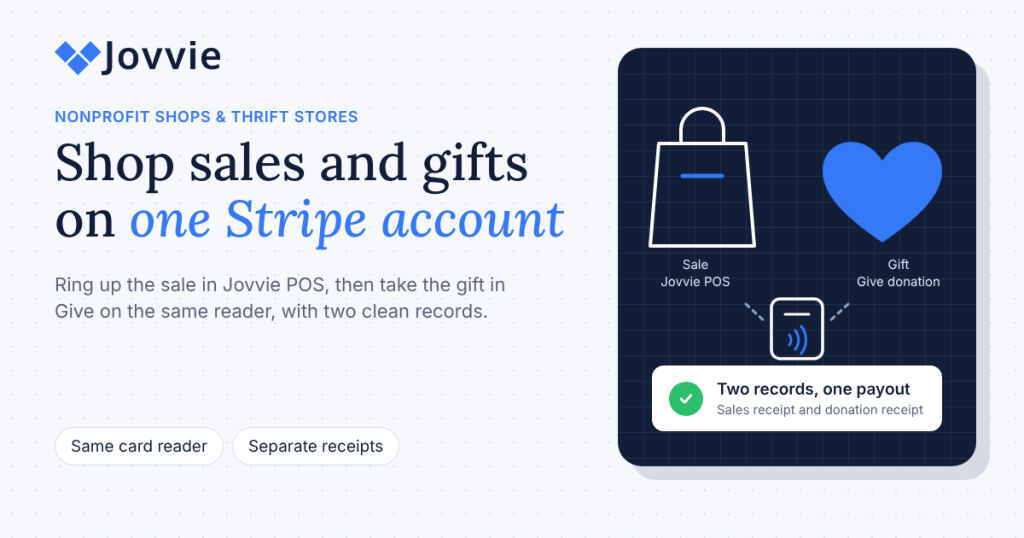
Yes, a nonprofit can run shop sales and donations through one system, as long as the sale and the gift stay separate records. With Jovvie, a nonprofit thrift store POS setup rings up merchandise in Jovvie Point of Sale and takes gifts through Tap To Donate for Give by Jovvie, on the same Stripe account and the same card reader. Shoppers get a sales receipt, donors get a Give donation receipt, and your books stay clean.
Museum shops, animal-shelter boutiques, hospital gift shops, zoo stores and charity thrift stores all face the same question at the counter: someone buys a mug, then says “and I’d like to give $20 to the cause.” If that gift disappears into the shop’s sales total, you lose the donor record, the tax receipt and the chance to ask again. This guide is for organizations that run Give (formerly GiveWP) on WordPress and want the shop and the donation table to share hardware and a Stripe account without mixing the money.
Key Takeaways
- One Stripe account, two clean records. Jovvie POS and Tap To Donate run on one Stripe account, and the same readers take both shop sales and Give donations.
- A sale isn’t a gift. Merchandise gets a sales receipt (and sales tax where it applies); a donation gets a Give donor record and a donation receipt.
- No round-up at checkout, by design. Jovvie POS has no built-in round-up or add-a-donation prompt; a counter gift is a separate Give donation on the same reader, which gives the donor a proper receipt.
- Shared readers save money. A Stripe Reader S700 at the register can take the sale and then the gift, and Tap to Pay on a phone needs no reader at all.
- Two reports, one payout. Shop revenue lives in Jovvie POS (or WooCommerce) and donations live in Give, while Stripe pays both out to the same bank account.
- Fees are separate too. Tap To Donate is free with a 0.5% to 2% fee on in-person donations only, by volume, plus Stripe; Jovvie POS has its own plans and platform fee.
Can a nonprofit run its shop sales and donations through one system?
A nonprofit can run shop sales and donations through one payment system, but it should keep them as two kinds of record: sales in a point of sale, gifts in a donation platform. That’s the honest answer most “all-in-one nonprofit POS” pages skip. One Stripe account and one set of readers is the efficient part; one combined ledger is the part that causes trouble at tax time.
With Jovvie, the two halves look like this:
- Shop sales go through Jovvie Point of Sale. Jovvie POS rings up products by tap, search or scan, takes card, cash and split payments, updates inventory with each sale, and handles receipts, refunds and sales reports. It runs with your WooCommerce store or as a standalone Jovvie platform with no other software needed.
- Gifts go through Give. Tap To Donate for Give by Jovvie adds a “Jovvie Payments” gateway to the Give donation forms you already use, so a volunteer or cashier can take a tapped, inserted or swiped card gift that lands in Give with the donor record intact (WordPress.org listing).
- Both settle into the same Stripe account. The same readers take shop sales and Give donations, and Stripe pays out to your organization’s bank account.
If you’re still choosing a register system for a thrift store, our roundup of the most efficient POS systems for thrift stores compares Jovvie with dedicated thrift tools. This guide picks up where that one ends: what happens when the shop also takes donations.
Why should shop sales and donations stay separate?
Shop sales and donations should stay separate because they are different transactions in the eyes of donors, tax authorities and your auditor. A sale is an exchange of goods for money; a gift is a contribution with nothing (or only a token) in return. Mixing them breaks three things.
| Shop sale | Donation | |
|---|---|---|
| Recorded in | Jovvie POS or WooCommerce orders | Give donations, on the donor’s record |
| Receipt the customer gets | Sales receipt listing items | Give donation receipt (your Give email settings) |
| Sales tax | May apply to merchandise, depending on your state or country | A gift isn’t a sale, so it isn’t taxed as one |
| Donor’s tax deduction | Generally none for buying goods | Deductible as allowed; the IRS requires a written acknowledgment for single gifts of $250 or more |
| Counts toward | Earned revenue | Campaign totals, donor history, GivingTuesday goals |
| Follow-up | Marketing list, if the shopper opts in | Thank-you, recurring ask, year-end appeal |
A few rules are worth knowing, without turning this into tax advice:
- Acknowledgments. IRS Publication 1771 says donors need a contemporaneous written acknowledgment for any single contribution of $250 or more, and charities must give a written disclosure when a donor pays more than $75 partly as a gift and partly for goods or services. A clean Give donation receipt, separate from the sales receipt, makes both easier.
- Unrelated business income. The IRS defines unrelated business income as income from a trade or business, regularly carried on, that isn’t substantially related to your exempt purpose. Federal rules carve out several common shop situations, such as selling donated merchandise and businesses run substantially by volunteers, but how your shop is treated depends on what it sells. Ask your accountant, and keep shop revenue in its own ledger so the question is easy to answer.
- Sales tax. Gifts aren’t sales. Merchandise may be taxable depending on where you operate, and your POS handles tax on the sale, not the gift.
How do Jovvie Point of Sale and Give work side by side on one Stripe account?
Jovvie POS and Give work side by side by sharing the payment layer and nothing else: both connect to your organization’s Stripe account and the same readers, while each keeps its own records. That arrangement is confirmed for Jovvie POS and Tap To Donate running together.
In practice:
- The register runs Jovvie POS. Cashiers ring up items as usual. Inventory, tax and the sales receipt come from the POS.
- The donation runs through a Give form. On the same device (or a second one), the cashier opens a short Give “shop donation” form, enters the amount and chooses “Donate with Swipe, Insert, or Tap.” The donor taps on the same reader.
- Stripe processes both. Each payment is its own Stripe charge, so a refund of the mug never touches the gift, and vice versa.
- Give records the gift. The donation lands in Give with the donor’s name and email from the form, adds to the right campaign, and triggers your Give receipt.
The Give side works on the free Give plugin; Tap To Donate needs no paid Give plan. Give’s own WordPress.org page lists in-person donations with Jovvie as one of its payment options, and the Liquid Web overview of how tap to donate works describes the same form, processor and bridge setup from Give’s side.
How do you ask for a donation at the register?
You ask for a donation at the register by finishing the sale first, then offering a separate gift on the same reader, taken through a Give form. Jovvie POS has no built-in round-up or add-a-donation prompt at checkout, so the gift is always its own transaction. That’s a feature for your fundraising: a round-up buried in a sale rarely creates a donor record, while a Give donation does.
Here’s a counter workflow that takes about 30 seconds:
- Complete the sale in Jovvie POS. The shopper pays and gets the sales receipt.
- Make the ask. “Would you like to add a gift to [cause] today? It goes straight to [program], and you’ll get a donation receipt.”
- Open the shop donation form. Keep a dedicated Give form bookmarked on the counter device, with a few preset amounts ($5, $10, $25) and a custom amount.
- Enter the donor’s name and email. That’s what creates or updates the donor record and sends the receipt. If the donor prefers not to share an email, use the form’s settings and your own policy for anonymous gifts.
- Choose “Donate with Swipe, Insert, or Tap.” The donor taps their card or phone wallet on the same reader.
- Thank them by name. The Give receipt goes out automatically to the email on the form.
- Offer monthly giving to regulars. Tap To Donate supports monthly, quarterly and annual recurring gifts in person; recurring options on the form come from Give’s Recurring Donations add-on.
Make the ask easier with small things:
- Signage at the till. “Every purchase supports [cause]. Want to do more? Ask about a gift today.”
- A tablet in kiosk mode at the exit. Kiosk mode leaves a device unattended and resets the form after each donation, so shoppers can give without queuing. See our GiveWP donation kiosk guide.
- A script for volunteers. One sentence, the same every time, beats an awkward improvisation.
If you also sell online through WooCommerce, Give’s Donation Upsells for WooCommerce add-on is built for the online checkout. Don’t plan on it for in-person POS orders; use the separate Give form at the counter instead.
Be ready for GivingTuesday (December 1). Your shop is one of the easiest places to take part: shoppers are already at the counter. Add in-person giving to the Give forms you already have, free, in about five minutes, and run a “give at the till” day.
Can the shop and the donation table share card readers?
Yes, the shop and the donation table can share card readers, because Jovvie POS and Tap To Donate use the same Stripe account and the same readers. You don’t need a second set of hardware for gifts. Stripe Terminal readers are bought from your organization’s own Stripe account.
| Device | At the register | For donations | Notes |
|---|---|---|---|
| Stripe Reader S700 or BBPOS WisePOS E | Takes sales from Jovvie POS | Takes the gift from the Give form | Wi-Fi or Ethernet; registered with a one-time code |
| Stripe Reader M2 or BBPOS WisePad 3 | Connects through the Jovvie app | Paired in the Jovvie app for gifts | Bluetooth; good for a pop-up or market stall |
| Tap to Pay on iPhone or Android | Works with Jovvie POS | Works with Tap To Donate | No reader needed; good for a second till or a busy day |
| Tablet in kiosk mode | Not used for sales | Self-serve giving station by the door | Resets after each gift |
The donation device needs an internet connection (Wi-Fi or mobile data), because Stripe authorizes each payment live; Tap To Donate doesn’t work offline. For hardware choices in more depth, see our nonprofit card reader guide, and for how Stripe Terminal works as a register, how Stripe Terminal works as a POS.
How do you report shop revenue versus donations?
You report shop revenue from Jovvie POS (or your WooCommerce orders) and donations from Give, then reconcile both against one Stripe payout. Two ledgers, one bank deposit.
- Shop revenue. Jovvie POS sales reports show what sold, tax collected and refunds, ready for your earned-revenue line.
- Donations. Give records each in-person gift on the donor’s record and in the campaign total, next to online gifts, and Give’s reports can break totals out by payment gateway, so you can see what came in at the counter. Our guide to recording in-person donations in GiveWP walks through receipts, campaign reports and exports.
- Stripe payouts. Stripe batches charges into payouts to your bank, so one deposit can include mugs and gifts. Your bookkeeper splits it using the POS and Give exports. Our finance-team guide to reconciling in-person and online donations with Stripe payouts covers the month-end process.
- Refunds. A merchandise refund happens in Jovvie POS. Refunds for in-person donations are issued from your Stripe dashboard, not inside Give, so note them in Give afterwards.
Which setup fits a museum shop, thrift store, shelter or zoo?
The right setup depends on how busy the counter is and whether people come in to shop, to donate goods, or to visit. Use this as a starting point.
| Organization | Shop setup | Donation setup | The ask that works |
|---|---|---|---|
| Charity thrift store | Jovvie POS at the till with an S700 | Shop donation Give form on the same reader | “Add $5 for [program]?” after the sale |
| Museum or gallery gift shop | Jovvie POS with WooCommerce, so online and shop inventory match | Kiosk by the exit; membership or annual fund form at the desk | Gift at the exit, monthly giving for members |
| Animal shelter boutique | Jovvie POS on a tablet with Tap to Pay | Give form for “sponsor a kennel” gifts, with recurring options | Monthly sponsorship at adoption pickups |
| Zoo or aquarium store | Several stations on Jovvie POS | Volunteers with Tap to Pay phones near exhibits; kiosk at the gate | Tap to give near a featured animal |
| Hospital or hospice gift shop | Jovvie POS at the counter | Give form for tribute or memorial gifts | Gift in honor of a patient or staff member |
| Church bookstore or café | Jovvie POS for books and coffee | Separate Give forms per fund; see church tap-to-give with GiveWP | Offering or building-fund gift |
A dedicated thrift POS can still be the better fit. If your store’s biggest problem is processing thousands of one-off donated items (donor intake logs, tag-color markdown rotations, consignment), a purpose-built thrift system covers that inventory workflow more deeply. Jovvie fits best when you already run WordPress, want one Stripe account for the shop and the website, and want counter gifts to land in Give.
What does it cost to run sales and donations with Jovvie?
Shop sales and donations are priced separately, so budget each one on its own line. Don’t add the two fee ranges together; each applies only to its own transactions.
- Donations with Tap To Donate for Give by Jovvie. Free plugin, free Jovvie account, no monthly fees or contracts. Platform fee: a small percentage on in-person donations only, 0.5% to 2% depending on your donation volume, in addition to Stripe’s processing rate (WordPress.org listing). Online Give donations are unaffected.
- Shop sales with Jovvie POS. POS plans start at $29 per month, plus a platform fee on credit card transactions; running standalone instead of with WooCommerce adds a monthly charge. See Jovvie pricing for current plans.
- Stripe processing. Stripe’s standard rates apply to each card payment, sale or gift.
- Hardware. Optional. Tap to Pay needs no reader; readers are bought from your own Stripe account and shared by both.
Frequently asked questions
Does Jovvie POS have round-up donations?
No. Jovvie POS has no built-in round-up or add-a-donation prompt at checkout. To take a gift at the counter, complete the sale, then take the donation as a separate Give donation on the same reader, which gives the donor a Give record and a donation receipt.
Can a 501(c)(3) sell merchandise?
Yes. Charities commonly run gift shops and thrift stores. Income that isn’t substantially related to your exempt purpose can be unrelated business income, though federal rules exclude some common cases such as selling donated goods. Check with your accountant, and keep shop revenue separate from donations.
What is the best POS system for a nonprofit thrift store?
It depends on your biggest job. A dedicated thrift POS is strongest for high-volume donated-goods intake and markdown rotations. Jovvie POS fits stores that run WordPress or WooCommerce and want shop sales and Give donations on one Stripe account and shared readers.
Can shop sales and donations use the same Stripe account?
Yes. Jovvie POS and Tap To Donate for Give by Jovvie run on one Stripe account, and Stripe pays both out to your bank. Each payment is its own charge, recorded in the POS or in Give.
Do I need separate card readers for the shop and for donations?
No. The same Stripe Terminal readers take shop sales and Give donations, and Tap to Pay on a supported phone works for both with no reader at all.
Do donors get a tax receipt for a gift made at the shop counter?
They get your Give donation receipt, sent to the email entered on the Give form, separate from the sales receipt. Make sure the shop donation form collects an email address.
Does a counter donation count toward our GivingTuesday total?
Yes, if you take it on a Give form tied to your GivingTuesday campaign. In-person and online gifts appear together in Give, so the counter gift adds to the same campaign total.
Can the online shop ask for donations too?
Give’s Donation Upsells for WooCommerce add-on is designed for the online WooCommerce checkout. For in-person sales, use a separate Give form at the counter.
Turn your shop counter into a giving point before GivingTuesday
GivingTuesday is December 1, and your shop already has what most campaigns work hard for: people standing at a counter who care about your cause. Ring up the sale in Jovvie POS, take the gift in Give, on one Stripe account and the same reader, and every counter donation lands on a donor record with a proper receipt. Tap To Donate for Give by Jovvie is free, takes about five minutes to set up, and works on the Give forms you already have. The plugin and Jovvie account are free with no monthly fees; a platform fee of 0.5% to 2% applies to in-person donations only, depending on your donation volume, in addition to Stripe’s processing rate.
Build a short shop donation form, run one test gift in Test Mode, and put a sign by the till.
Sources and primary documentation: Tap To Donate for Give by Jovvie on WordPress.org, Jovvie for Give, Jovvie setup documentation, Jovvie Point of Sale, Jovvie pricing, Give on WordPress.org, In-person donations with Jovvie (Give docs, Nexcess), How Tap to Donate Technology Works and What It Costs (Liquid Web), Give: Donation Upsells for WooCommerce, Stripe Terminal documentation, IRS Publication 1771, IRS: Unrelated business income tax.
