
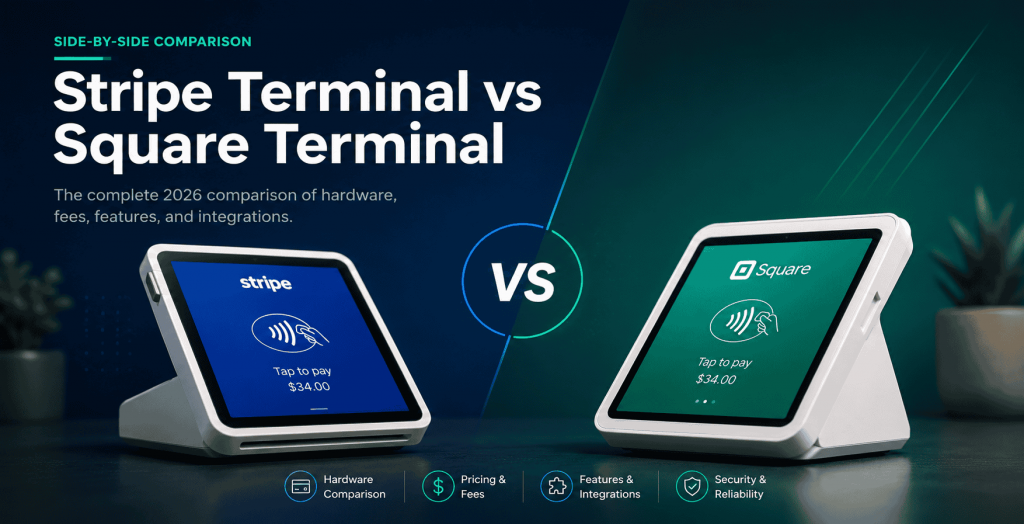
Choose Square Terminal if you want an all-in-one card machine that works out of the box with no developer; choose Stripe Terminal if you are building card-present payments into your own software, website, or platform and want control over the checkout and the data. Square is a finished product you buy; Stripe Terminal is a toolkit you build with. That single distinction decides the right answer for most businesses far more than the near-identical processing rates do.
Key Takeaways
- Square is the finished machine; Stripe Terminal is the building block. Square bundles hardware, software, and a printer; Stripe ships readers plus an SDK you build or integrate on.
- Square wins on speed and simplicity for a non-technical single location that wants to sell today with nothing to build.
- Stripe Terminal wins when payments must live inside your own software, brand, and data — or a platform you run for other merchants.
- Both reduce your PCI scope by keeping card data off your systems; Stripe gives platform operators more explicit control over that scope.
- Switching from Square replaces both layers — the readers and the software are not cross-compatible.
- For a WooCommerce store, Stripe Terminal via Jovvie keeps online and in-person on one catalog, ledger, and customer record.
We build Stripe Terminal point-of-sale deployments for a living — Jovvie has shipped in-person payment flows for retail, restaurants, pop-ups, and multi-location operators in more than 30 countries — so it would be easy to write this comparison as a Stripe sales pitch. We are not going to. For a lot of businesses, Square is the better call, and we will say exactly when. The authority comes from the honesty: if you read this and conclude Square fits you better, we would rather you know that now than discover it three weeks into an integration.
This is a cluster piece in our Stripe Terminal point-of-sale library. If you want to dig into the readers themselves, see the Stripe Terminal hardware guide. And if Square is not your only alternative, our Stripe Terminal vs Clover comparison covers the other major all-in-one contender.
Stripe Terminal vs Square Terminal: the verdict at a glance
Square Terminal wins on speed-to-counter and simplicity; Stripe Terminal wins on customization, software integration, and platform economics. They are close on price.
| Decision factor | Stripe Terminal | Square Terminal |
|---|---|---|
| Best for | Building payments into your own app, website, or platform | Buying a ready-to-use card machine, no developer |
| Setup | Requires development on the Terminal SDK | Unbox, sign in, take payments |
| In-person rate (US) | 2.7% + 5¢ (Stripe) | 2.6% + 10¢ standard in-person (Square) |
| Flagship device | Stripe Reader S700 ($349) | Square Terminal ($299, built-in printer) |
| Entry hardware | M2 reader ($59), or Tap to Pay (free) | Free magstripe reader; $59 contactless reader |
| Built-in POS software | No — you build or buy the POS layer | Yes — Square POS included |
| Receipt printer | External, via SDK | Built into the Square Terminal device |
| Custom checkout / branding | Full control | Limited to Square’s app |
| Platform / marketplace model | Stripe Connect application fees | Not designed for third-party platforms |
| Data ownership | Lives in your Stripe account and systems | Lives in the Square ecosystem |
| Offline payments | Limited, configuration-dependent | Up to 24 hours on Square Terminal |
If you do not have a developer and you want to be taking payments this afternoon, stop reading and buy a Square Terminal. If you are putting card-present payments inside software you already run — a WooCommerce store, a custom app, an ERP, a SaaS platform — keep reading, because Stripe Terminal is almost certainly your answer.
How does Stripe Terminal hardware compare to Square Terminal hardware?
Square sells a single all-in-one device with a built-in printer; Stripe sells a range of readers that you connect to hardware you already own or buy separately.
Square Terminal is one product: a 5.5-inch handheld that swipes, dips, and taps, with a built-in thermal receipt printer, Wi-Fi, and a rechargeable battery, for $299 (Square hardware specs). It is genuinely all-in-one — there is nothing else to buy or connect to start selling. Square also offers a free magstripe reader, a $59 contactless/chip reader, an iPad stand, and the Square Register for fixed counters.
Stripe Terminal is a lineup, not a single device. The Stripe Reader S700 ($349) is the closest analog to Square Terminal — a standalone Android smart reader with a customer-facing screen — but it does not include a printer; receipt printing is handled through the SDK and an external printer. Below it sit the BBPOS WisePad 3 ($59, with an on-device PIN pad) and the Stripe Reader M2 ($59, the simplest Bluetooth reader), plus Tap to Pay on iPhone and Android, which need no hardware at all. Stripe documents the full lineup in its Terminal hardware overview.
The honest read: if “all-in-one device with a printer that just works” is what you want, Square’s hardware story is cleaner and the built-in printer is a real convenience. Stripe’s hardware advantage is flexibility — Tap to Pay means a $0 hardware path, and the SDK lets a single deployment mix S700s at the counter with iPhones in the field, all reconciling to one Stripe account.
How does the software and SDK compare?
Square ships finished point-of-sale software with every device; Stripe ships a software development kit and expects you to build or integrate the point-of-sale layer.
This is the core difference and it cuts both ways. With Square, the POS app, inventory, reporting, and customer directory are included and ready — you sign in and the register works. With Stripe Terminal, there is no included POS; the Terminal SDK (available for iOS, Android, React Native, and JavaScript) gives you the building blocks to discover readers, collect payments, and confirm charges, and you supply the application around it — either by building one or by using a pre-built POS like Jovvie that already wraps the SDK.
For a business that just wants to take payments, Square’s bundled software is a decisive advantage. For a business that already has software — an online store, a booking system, an ERP, a field-service app — Stripe Terminal’s SDK is the advantage, because it embeds card-present payment directly into the system the team already uses, with your branding on the checkout and your data in your own account. You do not bolt a separate Square workflow onto your operation; the payment becomes part of it. This is exactly the gap Jovvie fills for WooCommerce stores — the Terminal SDK power without writing the integration yourself.
How do Stripe Terminal and Square Terminal pricing and fees compare?
The in-person processing rates are close enough to be a rounding error for most businesses: Stripe Terminal is 2.7% + 5¢ and Square is 2.6% + 10¢ for standard in-person transactions in the US.
Run the math on a typical sale and the gap is pennies. On a $40 transaction, Stripe charges about $1.13 and Square about $1.14 — effectively identical. On a $10 transaction, Stripe’s lower fixed fee wins (33¢ vs 36¢); on a $100 transaction, Square’s lower percentage edges ahead ($2.70 vs $2.75). Your average ticket size determines which is fractionally cheaper, and the difference almost never justifies choosing one platform over the other on its own. Always confirm current rates on the source pages — Stripe pricing and Square pricing — since both adjust them and Square’s Terminal device rate and standard in-person rate can differ slightly.
| Sale amount | Stripe Terminal (2.7% + 5¢) | Square (2.6% + 10¢) |
|---|---|---|
| $10 | $0.32 | $0.36 |
| $40 | $1.13 | $1.14 |
| $100 | $2.75 | $2.70 |
| $250 | $6.80 | $6.60 |
Where the real cost difference lives is not the per-transaction rate — it is hardware, software, and platform economics. Square’s free magstripe reader and bundled software lower the up-front and ongoing cost for a simple single-location business. Stripe’s Tap to Pay lowers hardware cost to zero for mobile teams, and its Connect platform lets a software company earn an application fee on every transaction its merchants process — a revenue model Square is not built to offer.
How do the integration ecosystems compare?
Stripe Terminal is built to integrate into custom and third-party software; Square is built to integrate into Square’s own ecosystem and a curated app marketplace.
Stripe Terminal lives inside the broader Stripe platform, which is the most developer-mature payments stack available: well-documented APIs, SDKs for every major platform, webhooks, and the Connect model for marketplaces and SaaS platforms. If your goal is to wire card-present payments into NetSuite, a custom SaaS product, a WooCommerce store, or a multi-tenant platform, Stripe is designed for exactly that. Square has a capable API and an app marketplace too, but its center of gravity is the Square ecosystem — Square POS, Square Online, Square Appointments — and integrations tend to orbit those products rather than disappear into your own software.
For Audience B — the implementer building something — this is usually the deciding factor, and it favors Stripe. For a merchant who wants their payments, online store, and appointments all from one vendor with one login, Square’s self-contained ecosystem is genuinely simpler.
Where does Square Terminal win?
Square wins decisively on time-to-first-payment, bundled software, all-in-one hardware, and simplicity for a non-technical owner.
If you are a single-location shop, a market vendor, a café, or any business where the owner is the operator and there is no developer in the building, Square is very often the right answer. You buy a $299 device, sign in, and you are selling — with a receipt printer, POS software, inventory, and reporting all included and free of monthly software fees. Square Terminal also handles offline payments for up to 24 hours, which matters for environments with shaky connectivity. We have steered plenty of businesses toward Square for exactly these reasons, and we will keep doing it. If “I just want to take cards today without hiring anyone” describes you, Square is the honest recommendation.
Where does Stripe Terminal win?
Stripe Terminal wins whenever payments need to live inside your own software, your own brand, your own data, or a platform you operate for other merchants.
Stripe is the answer when any of these are true: you already run software (a website, app, ERP, or booking system) and want payment embedded in it rather than bolted alongside; you want full control over the checkout experience and the customer data; you operate a platform or marketplace and want to earn application fees on your merchants’ transactions via Stripe Connect; you need to mix capture methods (S700 at the counter, Tap to Pay in the field) under one account; or you are already on Stripe for online payments and want one reconciled ledger for online and in-person. In all of these, Square’s self-contained model becomes a constraint and Stripe’s toolkit becomes the advantage. This is the ground Jovvie is built on — taking Stripe Terminal’s flexibility and making it work as a real register inside WooCommerce without a custom build.
Already on WooCommerce and leaning toward Stripe Terminal?
Jovvie turns Stripe Terminal into a full in-person POS for the WooCommerce store you already run — one catalog, orders, and reporting.
Start your free trial →Which should I choose by business type?
Match the platform to how you operate, not to the headline rate. The recommendations below are the calls we make on real evaluations.
- Single-location shop or café, no developer → Square Terminal. Bundled software and a printer in the box beat everything else for simplicity.
- Market vendor or pop-up, occasional sales → Square (free reader + app) or Stripe Tap to Pay if you already use Stripe online.
- WooCommerce store adding in-person sales → Stripe Terminal (via Jovvie), so online and in-person share one catalog, one ledger, one customer record.
- Custom app or SaaS product taking card-present payments → Stripe Terminal, every time. Square is not built to disappear into your software.
- Multi-location operator wanting unified data → Stripe Terminal, for one account across all locations and capture methods.
- Platform or marketplace putting merchants on hardware → Stripe Terminal + Connect, for the application-fee economics Square does not offer.
- Field-service or mobile team on iPhones → Stripe Tap to Pay on iPhone, for $0 hardware on devices the team already carries.
How do security and PCI compliance compare?
Both Stripe Terminal and Square Terminal keep card data off your systems and reduce your PCI scope, but Stripe gives a platform operator more explicit control over how that scope is managed.
With Square Terminal, security is handled inside Square’s closed ecosystem — the device, the app, and Square’s backend — and you inherit Square’s compliance posture with almost nothing to configure. That is a genuine convenience for a small merchant: you are not thinking about PCI at all. With Stripe Terminal, card data is captured by the certified reader (or the iPhone/Android NFC subsystem for Tap to Pay) and never touches your application servers, which keeps you in the lightest PCI category — but because you own the integration, you are responsible for handling connection tokens, API keys, and your backend securely. For a single shop that is overhead; for a platform putting many merchants on hardware, that explicit control is exactly what you want, and it is why Stripe documents PCI scoping for Terminal as a first-class concern. The honest summary: Square is more hands-off on security, Stripe is more configurable, and neither exposes you to raw card data in normal use.
What does switching from Square to Stripe Terminal involve?
Switching from Square to Stripe Terminal means replacing both the hardware and the software layer, because Square’s readers do not work with Stripe and Square’s bundled POS does not come along.
This is the migration we are asked about most, usually by a business that started on Square for speed and has now outgrown the closed ecosystem — they want their payments inside their own store, app, or platform. The work has three parts. First, hardware: Square devices are tied to Square, so you move to Stripe readers (or Tap to Pay) rather than reusing existing units. Second, software: you replace Square’s bundled POS with either a custom build on the Terminal SDK or a pre-built register like Jovvie. Third, data: customer records, catalog, and reporting live in Square’s ecosystem, so you plan an export and a mapping into your new system. None of this is exotic, but it is a real project, not a settings change — which is precisely why we tell businesses to choose deliberately up front. If you already know you will want payments inside your own software within a year, starting on Stripe Terminal avoids paying the switching cost later. We walk teams through this migration regularly; it is most painless when the destination is a system you already run, like WooCommerce with Jovvie.
Frequently asked questions
Is Stripe Terminal cheaper than Square?
For in-person payments the rates are nearly identical — Stripe Terminal is 2.7% + 5¢ and Square is 2.6% + 10¢ in the US — so neither is meaningfully cheaper on processing. The total-cost difference comes from hardware and software: Square bundles free POS software and a free magstripe reader, while Stripe’s Tap to Pay offers $0 hardware for teams already on iPhones. Verify current rates at Stripe pricing and Square pricing.
Can Stripe Terminal replace Square?
Yes, if you have the software to use it. Stripe Terminal provides the payment hardware and SDK but not a bundled point-of-sale app, so replacing Square means either building a POS on the Stripe Terminal SDK or using a pre-built one like Jovvie. If you rely on Square’s included POS, inventory, and reporting, factor that replacement in.
Does Stripe Terminal have a card machine like the Square Terminal?
Yes — the Stripe Reader S700 ($349) is a standalone smart reader with a customer-facing screen, comparable to the all-in-one Square Terminal. The main difference is that the S700 does not include a built-in receipt printer; printing is handled through the SDK and an external printer.
Why would a developer choose Stripe Terminal over Square?
Because Stripe Terminal is a software development kit designed to embed card-present payments into custom applications, with mature APIs, SDKs for every major platform, and the Connect model for platforms and marketplaces. Square is oriented around its own ecosystem, so building deeply custom or platform payment flows is more natural on Stripe.
Which is better for a WooCommerce store, Stripe Terminal or Square?
Stripe Terminal, in almost every case, because it lets in-person and online sales share one catalog, one ledger, and one customer record inside WooCommerce — using a tool like Jovvie to wrap the SDK. Square keeps in-person sales in the Square ecosystem, separate from your WooCommerce store.
Does Square Terminal work offline and Stripe Terminal not?
Square Terminal supports offline payments for up to 24 hours and syncs when reconnected. Stripe Terminal’s offline capability is more limited and depends on your configuration and reader, so businesses in low-connectivity environments should weigh Square’s offline handling as a real advantage.
Not sure which fits your business?
The Stripe-vs-Square decision usually comes down to one question: do you want a finished card machine, or payments built into software you already run? If it is the former, Square is a fine choice and we will not try to talk you out of it. If it is the latter — especially if you are on WooCommerce — Stripe Terminal is built for exactly that, and Jovvie makes it work as a real register without a custom integration project.
If you want a straight answer for your specific setup, talk to a Jovvie advisor. Tell us how you operate and we will tell you honestly whether Stripe Terminal, Square, or something else is the right call — and if it is Stripe, we will show you the shortest path to a working in-person register.
Primary sources: Stripe pricing, Square pricing, Square Terminal specifications, Stripe Terminal hardware, Stripe Terminal documentation.
Run Stripe Terminal on WooCommerce with Jovvie
Jovvie is the WooCommerce-native point of sale built on Stripe Terminal — take in-person payments, sync every sale to your store, and keep one system of record. Start free, no credit card required.
