
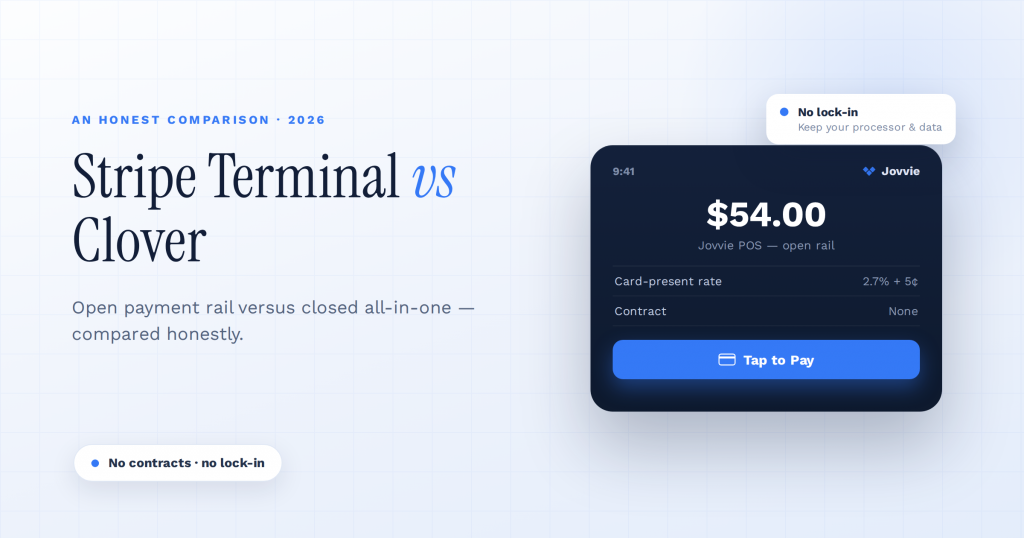
Choose Clover if you want an all-in-one POS bundle — hardware, software, and a built-in printer that works the moment you unbox it — and you are comfortable being tied to one processor; choose Stripe Terminal if you want to build card-present payments into software you already run, keep your processing flexible, and avoid the monthly software fees and multi-year contracts that come with most Clover deals. Clover is a finished POS appliance you buy through a merchant-services reseller; Stripe Terminal is a payment rail you put underneath your own application. That single distinction decides the right answer for most businesses long before the processing rates do — and the rates are closer than either side will admit.
Key Takeaways
- Clover is a closed all-in-one locked to one processor; Stripe Terminal is an open payment rail. The core difference is ownership and flexibility.
- Clover ships turnkey POS software, hospitality features, and built-in printing; Stripe ships an SDK you build on or pair with a POS.
- Clover wins for a complete restaurant or retail register with no software project — if you accept the contract and processor lock-in.
- Stripe Terminal wins when you already run software payments should feed, want processor and data flexibility, and want predictable, contract-free pricing.
- Pricing is contract-free, card-present at 2.7% + 5¢ in the US versus Clover’s device tiers and monthly software plans.
- For WooCommerce, Stripe Terminal via Jovvie keeps one catalog, customer list, and ledger across online and in-person.
We build Stripe Terminal point-of-sale deployments for a living. Jovvie has shipped in-person payment flows for retail, restaurants, pop-ups, and multi-location operators in more than 30 countries, so we could easily write this as a Stripe sales pitch. We are not going to. For some businesses — particularly full-service restaurants that want a turnkey system and have no software team — Clover is genuinely the cleaner choice, and we will say exactly when. The authority comes from the honesty: if you read this and conclude Clover fits you better, we would rather you know that today than discover it after you have signed a 48-month agreement.
This is a cluster piece in our Stripe Terminal point-of-sale library. If Clover is not the only all-in-one you are weighing, see our honest Stripe Terminal vs Square Terminal comparison, and for the e-commerce-native alternative read Stripe Terminal vs Shopify POS: When Each Wins.
Stripe Terminal vs Clover: the verdict at a glance
Clover wins on out-of-the-box completeness and restaurant features; Stripe Terminal wins on software flexibility, processor freedom, transparent pricing, and total cost of ownership.
| Decision factor | Stripe Terminal | Clover |
|---|---|---|
| What it is | A payment rail + SDK you build on or pair with a POS | A bundled POS appliance bought through a reseller |
| Best for | Embedding card-present payments in your own app, store, or platform | Buying a complete, ready-to-run register with software included |
| Setup | Develop on the Terminal SDK, or run a pre-built POS like Jovvie | Unbox, activate, start selling |
| In-person rate (US) | 2.7% + 5¢, flat and public (Stripe) | ~2.3%–2.6% + 10¢, varies by plan and reseller (Clover) |
| Keyed-in rate (US) | 3.4% + 5¢ (Stripe) | ~3.5% + 10¢ (Clover) |
| Monthly software fee | $0 | ~$14–$29/device for retail; $79–$149+ for restaurant plans |
| Flagship device | Stripe Reader S700 ($349) | Clover Station Duo (~$1,899–$2,099) |
| Entry hardware | M2 reader ($59), or Tap to Pay (free) | Clover Go / Flex (~$599–$749) |
| Built-in receipt printer | No — external, via the SDK | Yes, on Flex, Mini, and Station |
| Built-in POS software | No — you build or buy the POS layer | Yes — Clover POS apps included |
| Processor | Your own Stripe account; you keep your data | Locked to Fiserv; hardware cannot be reprogrammed |
| Contract | None; pay-as-you-go | Often 36–48 months via resellers, with early-termination fees |
| App marketplace | Build with the SDK; integrate any system | Clover App Market (paid apps, monthly add-ons) |
If you want a register on the counter this week, you have no developer, and you run a sit-down restaurant that needs coursing, tabs, and a kitchen printer out of the box, Clover is a reasonable buy. If you already run software — a WooCommerce store, a custom app, an ERP, a booking system — and you want in-person payments to feed it directly without a new ecosystem bolted on the side, Stripe Terminal is almost certainly your answer.
What is the real difference between Stripe Terminal and Clover?
The core difference is ownership and architecture: Clover sells you a closed, all-in-one system locked to one processor, while Stripe Terminal gives you an open payment rail that runs inside software you control.
Clover is a hardware-plus-software appliance distributed through Fiserv and a network of merchant-services resellers. You buy (or lease) a Clover device, you run Clover’s own POS apps on it, you process through Fiserv, and you extend it with paid apps from the Clover App Market. It is a complete, self-contained world — which is its strength when you want nothing more than a register, and its weakness when you want the payment data and workflow to live inside systems you already operate.
Stripe Terminal is the opposite shape. It is Stripe’s product for accepting card-present payments — chip, swipe, and contactless — through certified readers like the Stripe Reader S700, the BBPOS WisePad 3, the Stripe Reader M2, and Tap to Pay on iPhone and Android. There is no bundled POS app; the Terminal SDK (iOS, Android, React Native, and JavaScript) gives you the building blocks to discover readers, collect payments, and confirm charges, and you supply the application around it — either by building one or by running a WooCommerce-native POS like Jovvie that already wraps the SDK. Every transaction settles into your own Stripe account, alongside your online payments, with the data in systems you own.
That is why this comparison is rarely a true apples-to-apples contest. Clover competes with the whole stack — Stripe Terminal plus a POS layer. We will treat it that way throughout, because that is the decision you are actually making.
How does Stripe Terminal hardware compare to Clover hardware?
Clover sells a polished lineup of all-in-one devices with built-in printers at appliance prices; Stripe sells a smaller range of readers that attach to hardware you choose, at a fraction of the upfront cost.
Clover’s catalog spans the handheld Clover Flex (roughly $599–$749, with a built-in receipt printer and barcode scanner), the countertop Clover Mini (~$799–$899), the Clover Station Solo (~$1,699–$1,799), and the dual-screen Clover Station Duo (~$1,899–$2,099) with a customer-facing display, plus the pocket Clover Go reader for mobile acceptance. The hardware is genuinely well-made and the built-in printers are a real convenience for restaurants and busy counters. The catch is twofold: the upfront cost is high, and the device is locked to Fiserv’s processing network — you cannot reprogram a Clover to run on another processor, so the hardware has little resale or portability value if you ever leave.
Stripe’s lineup is leaner and cheaper. The Stripe Reader S700 ($349) is the closest analog to a Clover Mini or Station — a standalone Android smart reader with a customer-facing screen — though it has no built-in printer; receipt printing is handled through the SDK and an external printer. Below it sit the BBPOS WisePad 3 ($59, with an on-device PIN pad) and the Stripe Reader M2 ($59, the simplest Bluetooth reader), plus Tap to Pay on iPhone and Android, which need no dedicated hardware at all. Stripe documents the full lineup in its Terminal hardware overview.
The honest read: if “a single device with a printer that just works” is the whole job, Clover’s hardware story is cleaner and the integrated printer matters. Stripe’s hardware advantage is cost and flexibility — a $0 Tap to Pay path, $59 readers, and the ability to mix S700s at the counter with phones in the field, all reconciling to one account. A three-station Clover Station Duo rollout can run $5,000–$6,000 in hardware before software; three S700s run about $1,050.
How do the processing fees and monthly costs compare?
Clover’s headline per-swipe rate is slightly lower than Stripe’s, but Clover layers on monthly software fees, add-on app fees, and often a contract, so the total cost of ownership usually favors Stripe Terminal for most businesses.
This is where the comparison gets misleading if you only look at the sticker rate. Clover’s in-person rate is commonly 2.3%–2.6% + 10¢ depending on plan and reseller, with keyed-in transactions around 3.5% + 10¢ (Clover pricing). Stripe Terminal is a flat, public 2.7% + 5¢ in person and 3.4% + 5¢ keyed (Stripe pricing). On the swipe rate alone, Clover often looks a few basis points cheaper.
The difference is everything around the swipe:
| Cost component | Stripe Terminal | Clover |
|---|---|---|
| In-person processing | 2.7% + 5¢ (flat, published) | ~2.3%–2.6% + 10¢ (varies by reseller) |
| Monthly software | $0 | ~$14–$29/device (retail); $79–$149+ (restaurant) |
| PCI compliance fee | Included | Often ~$9.95–$10/month |
| Statement / service fees | None | Often ~$5–$15/month |
| Platform / access fees | None | Sometimes ~$28/month |
| Setup / activation | $0 | Varies by reseller |
| Contract / early-termination | None | Often 36–48 months; ETF ~$295–$595 |
Stripe’s model is the easy one to reason about: pay-as-you-go, no monthly fee, no setup fee, no contract, and the rate is the rate. Clover’s true cost depends heavily on which reseller sold it to you and which add-on apps you enable; the published per-transaction rate is only the starting point. Independent 2026 pricing analyses repeatedly note that hidden monthly charges — PCI, statement, and platform-access fees — commonly add $100–$200 per location per month on top of the software plan. For a small merchant doing modest in-person volume, those fixed monthly costs can dwarf the basis-point difference in the swipe rate.
A quick way to think about it: Clover tends to win the rate comparison and lose the total-cost comparison the moment your monthly volume is low-to-moderate, because flat monthly fees hit hardest when they are spread over fewer transactions. Run the math on your own volume — and run it including the monthly line items, not just the percentage.
Running WooCommerce and want Stripe Terminal in-store?
Jovvie adds card-present checkout to the WooCommerce store you already run — no re-platforming to a closed system.
Start your free trial →How does the software and extensibility compare?
Clover ships finished POS software and a curated paid app market; Stripe Terminal ships a software development kit and expects you to build the POS layer or pair it with one — which is exactly what makes it flexible.
With Clover, the register, inventory, reporting, employee management, and a directory of customers are included and ready. You sign in and the system works, and you extend it through the Clover App Market — though many of those apps carry their own monthly subscriptions, which is part of why Clover’s monthly costs creep upward. It is a closed but complete environment.
With Stripe Terminal there is no bundled POS. The SDK gives you reader discovery, payment collection, and charge confirmation; you supply the application. For a business with no software, that is a burden. For a business that already has software — an online store, an ERP, a booking system, a field-service app — it is the entire point, because the card-present payment becomes part of the system the team already uses instead of a separate Clover workflow living beside it. This is the gap Jovvie fills for WooCommerce stores: the Terminal SDK’s flexibility, with the register, catalog, tax, and order-sync layer already built, so you do not write the integration yourself.
The strategic difference: Clover extensibility means installing apps inside Clover’s walls. Stripe Terminal extensibility means embedding payments inside your walls — your branding on the checkout, your data in your Stripe account, your systems as the source of truth.
Where does Clover genuinely win?
Clover wins when you want a complete, turnkey restaurant or retail register with no software project, built-in printing, and rich hospitality features out of the box.
We are platform-neutral inside the in-person-payments world, so here is the honest case for Clover:
- Full-service restaurants. Clover’s restaurant plans include coursing, table maps, tabs, tip adjustment, kitchen-printer routing, and online-ordering integrations as first-class features. Replicating all of that on Stripe Terminal means choosing or building a restaurant POS on top of it. If you run a sit-down restaurant and want it working next week, Clover is a defensible buy.
- No software team and no appetite for one. If nobody on staff will ever touch an SDK or a plugin and you want a vendor to hand you a working box, Clover’s all-in-one bundle removes decisions.
- Built-in printing matters to your counter. The integrated thermal printer on the Flex, Mini, and Station is a real ergonomic win versus wiring an external printer to an S700.
- You want a single throat to choke. One reseller relationship covers hardware, software, and support — convenient if you do not want to assemble a stack.
If two or three of those describe you, take Clover seriously. Just go in with eyes open on the contract and the processor lock-in.
Where does Stripe Terminal win?
Stripe Terminal wins when you already run software you want payments to feed, when you want to keep your processing and data flexible, and when you want predictable, contract-free pricing.
- You already have a system of record. WooCommerce, a custom app, an ERP, a CRM, a booking platform — Stripe Terminal embeds card-present payments directly into it, so in-person sales share the same catalog, inventory, customers, and Stripe account as everything else. No double entry, no reconciling two ecosystems.
- You want processor and data freedom. Your payments live in your own Stripe account; nothing is locked to a single processor’s hardware. If you ever change your stack, your data and your readers come with you.
- You want transparent, no-contract pricing. Flat published rates, no monthly software fee, no PCI surcharge, no early-termination fee. Budgeting is trivial.
- You operate across modes or locations. One Stripe account can run an S700 at the counter, Tap to Pay on a phone in the field, and online checkout on the web, all reconciling together — and the Locations API keeps multi-site fleets organized.
- You are a platform or reseller. If you put many merchants on hardware, Stripe Connect lets you layer application fees on each transaction — an economic model Clover is not built for.
This is the lane Jovvie was built for: WooCommerce merchants who want Clover-grade in-person capability without the Clover ecosystem, contract, or monthly fees.
Stripe Terminal vs Clover: recommendations by business type
The right pick tracks your software situation and your tolerance for contracts more than your industry, but here is a quick decision guide.
| If you are… | Lean toward | Why |
|---|---|---|
| A full-service restaurant wanting turnkey coursing, tabs, and kitchen printing | Clover | Hospitality features and built-in printing out of the box |
| A WooCommerce or WordPress store adding in-person sales | Stripe Terminal (Jovvie) | Payments feed your existing store; no new ecosystem |
| A retailer with a developer or a POS partner | Stripe Terminal | Lower hardware cost, no monthly fee, full control |
| A mobile / field business taking occasional cards | Stripe Terminal (Tap to Pay) | $0 hardware path, no contract |
| A platform or ISV reselling payments to merchants | Stripe Terminal + Connect | Application-fee economics Clover can’t match |
| A non-technical owner who wants one vendor for everything | Clover | One reseller for hardware, software, and support |
| A multi-location operator unifying online + in-person data | Stripe Terminal | One Stripe account and the Locations API |
When the honest answer is Clover, we will tell you. But if you already run software and value flexible pricing, the math and the architecture both point to Terminal.
Frequently asked questions
Is Stripe Terminal cheaper than Clover?
Usually, once you count everything. Clover’s per-swipe rate is often a touch lower (around 2.3%–2.6% + 10¢ versus Stripe’s 2.7% + 5¢), but Clover adds monthly software fees, PCI and statement fees, and frequently a multi-year contract, while Stripe Terminal has no monthly fee, no contract, and a flat published rate. For low-to-moderate in-person volume, Stripe Terminal’s total cost of ownership is typically lower; at very high volume, a negotiated Clover rate can close the gap. Run the math on your own volume including the monthly line items, not just the percentage.
Can I use Clover hardware with Stripe?
No. Clover devices are locked to Fiserv’s processing network and cannot be reprogrammed to run on Stripe or any other processor. If you move from Clover to Stripe Terminal, you buy Stripe-certified readers (the S700, WisePad 3, M2, or use Tap to Pay). This processor lock-in is one of the bigger hidden costs of choosing Clover — your hardware has no portability if you leave.
Does Stripe Terminal require a contract like Clover?
No. Stripe Terminal is pay-as-you-go with no monthly fee, no setup fee, and no contract or early-termination fee. Clover, when purchased through a merchant-services reseller, frequently comes with a 36- to 48-month agreement and early-termination fees in the $295–$595 range. Read any Clover agreement carefully before signing.
Is Clover a good Stripe alternative for restaurants?
For full-service restaurants that want turnkey coursing, tabs, tip adjustment, and kitchen printing with no software project, Clover’s restaurant plans are a genuinely strong out-of-the-box option. For quick-service, cafes, food trucks, and retail-leaning operations — especially those already running WooCommerce or wanting flexible pricing — Stripe Terminal paired with a POS like Jovvie is usually the better long-term call.
What’s the difference between Clover and Stripe Terminal in one sentence?
Clover is a closed, all-in-one POS appliance locked to one processor that you buy as a bundle; Stripe Terminal is an open card-present payment rail you run inside your own software and your own Stripe account.
The bottom line
Clover is the right call when you want a finished restaurant or retail register with nothing to build and you accept the contract and processor lock-in that come with it. Stripe Terminal is the right call when you already run software you want payments to feed, when you want flexible processing and clean data ownership, and when you want transparent, contract-free pricing — which describes most growing businesses with any kind of existing system.
If you run WooCommerce and want Clover-grade in-person payments without the Clover ecosystem, monthly fees, or multi-year agreement, that is precisely the deployment we do. Talk to a Jovvie advisor about your counter, your volume, and your stack, and we will tell you honestly whether Terminal or Clover fits you better — including when the answer is Clover.
Run Stripe Terminal on WooCommerce with Jovvie
Jovvie is the WooCommerce-native point of sale built on Stripe Terminal — take in-person payments, sync every sale to your store, and keep one system of record. Start free, no credit card required.
