
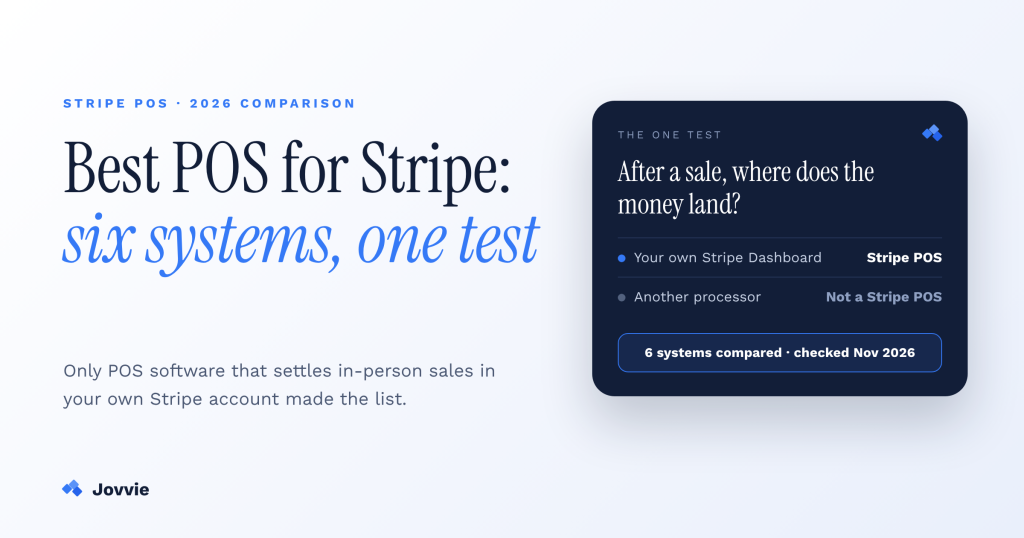
The best POS for Stripe is one that settles in-person payments in your own Stripe account. For WooCommerce stores and shops with no website, that’s Jovvie, which is our product. For Magento stores it’s Magestore POS, for multi-platform chains with many registers it’s ConnectPOS, and if you only need to charge an amount, Stripe’s own standalone mode is free. Hands-on WooCommerce owners who don’t want a percentage fee should look at WCPOS Pro or FooSales.
Updated November 2026. Disclosure: Jovvie is our product. We’ve included it alongside five alternatives and said plainly where another option fits better. Every price and feature below was checked on the vendor’s own site or documentation on November 10, 2026.
Key Takeaways
- A real Stripe POS settles in-person payments in your own Stripe account. It takes cards through Stripe Terminal readers or Tap to Pay, so in-person and online sales, refunds and payouts share one Stripe Dashboard.
- Square, Clover, SumUp and Shopify POS aren’t Stripe POS systems. Each one runs card-present payments through its own payment processing, even though they appear on most “POS for Stripe” lists.
- Pick by the platform you already run. WooCommerce or no website: Jovvie, WCPOS Pro or FooSales. Magento: Magestore. Several sales channels: ConnectPOS. Odoo: Odoo POS. Amount-only checkout: Stripe standalone mode.
- Only Jovvie and Stripe’s standalone mode say they run on the Stripe smart reader itself. That lets you ring up the sale and take the card on one device, with no tablet on the counter.
- Total cost is Stripe processing plus software plus readers. In the US that’s 2.7% + 5¢ per in-person card payment, $0 to $99 a month for software, and $0 (Tap to Pay) to $329 per reader.
- Percentage fees and flat fees reverse at volume. Jovvie adds a 0.5–2.5% platform fee on credit cards; Magestore and the free WCPOS plugin say they take no percentage, but charge more up front or need more setup.
What counts as a Stripe POS?
A Stripe POS is point-of-sale software that takes in-person payments through Stripe Terminal and settles them in your own Stripe account. Stripe supplies the readers, Tap to Pay and the payment processing. The POS supplies everything around the payment: the catalog, cart, tax, discounts, receipts, inventory, staff and stations. Our guide to how Stripe Terminal works as a POS explains that split in detail.
There’s a one-question test for any system you’re considering: after a sale, does the money show up in your Stripe Dashboard? If it does, it’s a Stripe POS. If it lands in a Square, Clover, SumUp or Shopify Payments balance instead, it isn’t. That system may still be a good POS, but your in-person and online money will live in two places with two sets of fees.
Does Stripe have its own POS?
Stripe doesn’t sell a full POS, but it does offer a basic no-code option called standalone mode. Stripe Terminal is Stripe’s in-person payments product: card readers, Tap to Pay on iPhone and Android, and the processing behind them. On its smart readers, standalone mode lets you key in an amount and take a payment without any software. It has no product catalog, so for items, stock and staff you need POS software built on Stripe Terminal, which is what the rest of this comparison covers.
Why aren’t Square, Clover, SumUp and Shopify POS on this list?
They’re left out because none of them settles in-person card payments in your own Stripe account. They’re popular, well-built systems, and they show up on most “best POS for Stripe” lists, including the current top result, Magestore’s round-up. But each one processes card-present payments itself:
- Square processes in-person cards through Square.
- Clover processes through Clover’s own merchant services. Magestore’s round-up warns that pairing Stripe with Clover POS means paying “double transaction fees.”
- SumUp processes card payments on its own readers through SumUp.
- Shopify POS hardware checkouts are “powered by Shopify Payments,” according to Shopify. Magestore’s round-up also notes that Shopify POS doesn’t allow Stripe for in-person payments.
If you already sell online with Stripe, choosing one of these means two processors, two payout streams and two sets of fees to reconcile. Fixing that is the whole point of a Stripe POS. We cover the trade-offs head to head in Stripe Terminal vs Square Terminal, Stripe Terminal vs Clover and Stripe Terminal vs Shopify POS.
Which are the best Stripe POS systems in 2026?
The six best Stripe POS options are Jovvie, Magestore POS, ConnectPOS, WCPOS Pro, FooSales and Stripe’s standalone mode. The table compares them on the points that matter most. “Not stated” means the vendor doesn’t publish that detail; we didn’t guess.
| POS | Best for | Settles in your own Stripe account | Runs on the Stripe reader | Tap to Pay on phones | Software price | Extra fee on top of Stripe |
|---|---|---|---|---|---|---|
| Jovvie | WooCommerce stores, or standalone with no website | Yes | Yes: S700, S710, T600 and Verifone | iPhone and Android | $29 or $49/month (+$40 standalone); Pay plan $0 | 0.5–2.5% platform fee on credit cards (Pay plan: 1%) |
| Magestore POS | Magento stores | Yes (connects your Stripe account) | Not stated | Not stated | POS Simple $89/month (the plan that lists Stripe); one-time license option | None (“doesn’t take a percentage”) |
| ConnectPOS | Multi-platform retail, many registers | Not stated (ConnectPOS says to confirm before rollout) | Not stated | Not stated | $49–$99 per register/month ($39–$89 on yearly) | Not stated |
| WCPOS Pro | Hands-on WooCommerce owners | Yes (your own Stripe secret key) | No | Not yet (“coming” in an app update) | Pro yearly or lifetime license, price at checkout | None stated for the free plugin |
| FooSales | Browser-based WooCommerce tills | Yes (readers ordered in your Stripe Dashboard) | No | Not stated | FooSales Plus US$38/month per store, billed annually (needed for Stripe) | Not stated |
| Stripe standalone mode | Amount-only checkout or a backup till | Yes | Yes: S700, S710, Verifone V660p | No | No software fee (Public Preview) | None |
Sources: each vendor’s website, documentation or marketplace listing, checked November 10, 2026. Stripe’s US in-person rate of 2.7% + 5¢ applies to all six. Prices change, so confirm before you buy.
1. Jovvie: the best Stripe POS for WooCommerce stores and standalone shops?
Jovvie is a point of sale that has run on Stripe since 2020 and works with a WooCommerce store or as a standalone system with no website. It’s a Verified Stripe Partner, and its Stripe Partner Directory listing describes it as “The Stripe POS for In-Person and Online Commerce.” It’s our product, so weigh what follows accordingly.
Why it stands out:
- It runs on the reader itself. The Jovvie app runs natively on the Stripe Reader S700, S710 and T600 and on Verifone readers, so staff ring up the sale and take the card on one device.
- Phones and countertop readers in one system. Tap to Pay works on iPhone and Android, alongside the Stripe Reader M2, BBPOS WisePad 3 and BBPOS WisePOS E.
- One Stripe account for everything. In-person sales, online orders, refunds and payouts sit in one Stripe Dashboard. Multiple locations each run on Stripe Connect, and memberships and subscriptions sold at the counter are billed by Stripe.
- Three ways in. Pay charges an amount ($0/month plus 1% per payment). Checkout adds in-person payments to WooCommerce, Give, Gravity Forms, Event Tickets or your own app. Point of Sale is the full register.
Pricing: Jovvie’s pricing is $29/month for Basic and $49/month for Pro, plus $40/month on either plan if you run standalone without WooCommerce. Basic and Pro carry a 0.5–2.5% platform fee on credit card transactions on top of Stripe’s rate. Self-hosted WooCommerce has no per-order fee; Jovvie Cloud hosting adds $0.05 per order on Basic or $0.025 on Pro. Your first 25 orders are free, with no contract and no credit card to sign up.
Trade-offs: The platform fee comes on top of Stripe’s processing, and Magestore and the free WCPOS plugin don’t charge one. Jovvie isn’t built for Magento.
Choose Jovvie if you sell on WooCommerce or want a POS with no website, want Tap to Pay and countertop readers in one system, and want every sale in your own Stripe account. You can start free with Jovvie as your Stripe POS.
2. Magestore POS: the best Stripe POS for Magento?
Magestore POS is a Magento-native point of sale with a dedicated Stripe POS offering that connects to your Stripe account. Its first setup step is to “establish a connection between Magestore Stripe POS and your Stripe account.”
Why it stands out: Deep Magento integration, settlement that doesn’t need end-of-day card machine balancing, no integration fee, and no percentage taken on transactions: “POS doesn’t take a percentage of transactions.”
Pricing: POS Lite is $69/month, but its plan doesn’t list Stripe. POS Simple, at $89/month plus $25 per additional store, is the plan that adds Stripe and other online payments. POS Commerce (including Adobe Commerce) is a custom quote, and Magestore also sells a one-time license with full source code.
Trade-offs: The Stripe POS page doesn’t name which Stripe readers it supports or mention Tap to Pay, so confirm hardware before you order readers. Monthly software costs more than the WooCommerce options.
Choose Magestore if your store runs on Magento or Adobe Commerce.
3. ConnectPOS: the best for multi-platform retail with many registers?
ConnectPOS is a cloud POS for retailers who sell on several ecommerce platforms, and it lists Stripe among its supported payment gateways and Stripe Terminal among its hardware integrations. That’s from ConnectPOS’s own round-up of POS software for Stripe Terminal, updated October 2026.
Pricing: ConnectPOS pricing is per register: Standard $49, Advanced $79 and Premium $99 a month, or $39, $69 and $89 on the yearly plan. Enterprise is quote-based. The pricing page doesn’t mention Stripe by name, or hardware and transaction fees.
Trade-offs: ConnectPOS’s own guidance tells merchants to “confirm the exact reader model, country, ecommerce platform” and whether the workflow uses your existing Stripe account before rollout. Take that literally and get it in writing. Per-register pricing also adds up quickly in larger stores.
Choose ConnectPOS if you run several registers across multiple sales channels and want one vendor for all of them.
On WooCommerce, or selling with no website?
Jovvie runs on the Stripe reader, on iPhone and Android with Tap to Pay, or both — and every in-person sale settles in your own Stripe account. Your first 25 orders are free.
Start your free trial →4. WCPOS Pro: the best for hands-on WooCommerce owners?
WCPOS is a free, open-source WooCommerce POS plugin, and its Stripe Terminal support needs the paid Pro license plus a separate Stripe Terminal extension. The WCPOS Stripe Terminal docs say it “needs WCPOS Pro 2.0.0 or newer.”
How it uses Stripe: You paste your own Stripe secret key into the gateway settings, so payments settle in your Stripe account. Smart readers (S700, S710 and WisePOS E) work from any till: browser, desktop app, iPhone, iPad or Android. Bluetooth readers (M2 and WisePad 3) work only in the iOS and Android apps.
Pricing: The free plugin has “no transaction fees.” WCPOS Pro is sold as a yearly or lifetime license, and the price is shown at checkout.
Trade-offs: Setup is hands-on: upload the extension, add your API keys and confirm the webhook. Live payments need HTTPS. Tap to Pay on phones is still “coming to the iOS and Android apps in an app update,” and the M2 can’t prompt for tips.
Choose WCPOS Pro if you’re comfortable configuring WordPress plugins and want to avoid a percentage fee.
5. FooSales: the best for browser-based WooCommerce tills?
FooSales is a WooCommerce POS that supports Stripe Terminal readers on its FooSales Plus plan. The WooCommerce.com listing says that “to use Square and Stripe payments, you’ll need to upgrade to a FooSales Plus plan,” and that you order readers directly from Stripe through your own Stripe Dashboard.
Pricing: The WooCommerce.com plugin is $189 for one year ($302.40 for two). On FooSales.com, FooSales Plus is US$38/month per store, billed annually, and it’s the plan that includes Stripe payments. FooSales Core (US$19/month) doesn’t list Stripe.
Trade-offs: The iPad and Android tablet apps aren’t included in the WooCommerce.com plugin, and FooSales says “certain Square and Stripe reader models will only connect to the FooSales POS tablet apps.” It doesn’t name which models, so check before ordering hardware.
Choose FooSales if you want a WooCommerce POS that runs in the browser and you’ll mostly use a smart reader.
6. Stripe standalone mode: the best when you don’t need POS software?
Standalone mode is Stripe’s own no-code option for its smart readers: you key in an amount on the reader and take the payment. It works on the Stripe Reader S700, S710 and Verifone V660p, has no software fee, and is currently in Public Preview.
What it does: amount entry with a calculator for adding up several amounts, email receipts, refunds from the reader, the Dashboard or the API (with an optional refund PIN), and internal notes on each charge for reconciliation.
What it doesn’t do: Stripe says it “doesn’t support setting a fixed charge price or a product catalog,” needs an internet connection with no offline payments, and “is not a substitute for a certified fiscal or POS system.” Stripe also describes it as a backup for when your main POS connection is lost.
Choose standalone mode if you only need to charge an amount, for example a service business, or you want a backup till. Add a POS when you need items, stock or staff.
How do you choose the right Stripe POS?
Choose by your existing platform first, then by hardware, then by fee model. These five questions settle it for most businesses:
- Where does the rest of your business run? WooCommerce: Jovvie, WCPOS Pro or FooSales (our WooCommerce and Stripe Terminal guide covers setup). Magento: Magestore. Several platforms: ConnectPOS. Odoo: Odoo POS, which supports Stripe terminals registered by serial number (Odoo’s Stripe terminal docs). No website: Jovvie Standalone or Stripe standalone mode.
- Phone, countertop reader or both? If you want Tap to Pay on iPhone and Android and countertop readers in one system, check phone support first. It varies more between vendors than anything else in this comparison.
- Do you want the POS on the reader itself? Of these six, only Jovvie and Stripe’s standalone mode say they run directly on Stripe smart readers. The others don’t state it, so plan for a tablet or computer at the counter.
- Percentage fee or flat software fee? At low volume a percentage fee is often cheaper than a per-register subscription; at high volume it reverses. Run your own monthly card volume through each model before you decide.
- Does it really use your Stripe account? Ask every vendor directly: “Will in-person payments appear in my existing Stripe Dashboard?” ConnectPOS tells its own customers to confirm exactly this.
What does a Stripe POS cost in total?
A Stripe POS costs Stripe’s processing fee on every payment, plus the POS software, plus any readers you buy. Here are Stripe’s US prices from stripe.com/terminal and the T600 page:
| Cost | US price (November 2026) |
|---|---|
| Stripe in-person processing | 2.7% + 5¢ per card payment; +1.5% for international cards; +10¢ per Tap to Pay authorization; optional point-to-point encryption +5¢ per authorization |
| Stripe Reader M2 (mobile, Bluetooth) | $59 |
| Stripe Reader S700 or S710 (smart reader) | $299 |
| Stripe Reader T600 (countertop) | $329; the $39 Stripe Reader Hub is only needed for a wired Ethernet connection |
| Tap to Pay on iPhone or Android | $0 hardware |
| POS software | $0 (Stripe standalone mode) to $99 per register per month, depending on vendor |
Stripe doesn’t list US prices for the BBPOS WisePad 3, WisePOS E or Verifone readers on its Terminal page. For every reader side by side, see the Stripe Terminal hardware guide. If your volume is mostly WooCommerce, our Stripe Terminal pricing for WooCommerce breakdown works through real monthly totals.
Frequently asked questions
Does Stripe have a POS?
Stripe has Stripe Terminal (card readers, Tap to Pay and in-person processing) and a basic standalone mode for keying in amounts on its smart readers. For a full POS with products, inventory and staff, you use POS software built on Stripe Terminal, such as Jovvie or Magestore.
What is the best POS for Stripe?
For WooCommerce stores and shops with no website, Jovvie: it runs on Stripe readers and phones and keeps every sale in your own Stripe account. For Magento, Magestore. For amount-only payments, Stripe’s free standalone mode.
Can I use Square or Clover with Stripe?
Not for in-person card payments. Square and Clover process card-present payments themselves, so those sales won’t settle in your Stripe account.
Does Shopify POS work with Stripe Terminal?
No. Shopify POS hardware checkouts are powered by Shopify Payments, so in-person card sales don’t settle in your Stripe account.
Which Stripe readers work with a Stripe POS?
It depends on the POS. Smart readers (S700, S710, WisePOS E) are the most widely supported. Bluetooth readers (M2, WisePad 3) and Tap to Pay usually need the POS’s iOS or Android app. Check each vendor’s reader list before you order hardware.
Do I need a developer to use Stripe Terminal?
No, if you use a ready-made Stripe POS or Stripe’s standalone mode. You only need developers if you’re building your own POS on the Stripe Terminal SDK.
Is there a free Stripe POS?
Stripe’s standalone mode has no software fee, and the free WCPOS plugin has no transaction fees, though Stripe Terminal support needs WCPOS Pro. You always pay Stripe’s processing fee on each payment.
How we compared these Stripe POS systems
We included only POS systems that take in-person payments through Stripe Terminal into the merchant’s own Stripe account, and left out systems that use their own payment processing. Every price and feature comes from the vendor’s own website, documentation or marketplace listing, checked on November 10, 2026. Where a vendor doesn’t publish a detail, we wrote “not stated” rather than guessing. Jovvie is our product, and we’ve tried to be just as specific about its platform fee and its trade-offs as about everyone else’s.
Ready to run your Stripe POS?
If you sell on WooCommerce or want a POS with no website, Jovvie keeps every in-person sale in your own Stripe account and runs on the reader, the phone or both. Your first 25 orders are free, with no card and no contract.
