
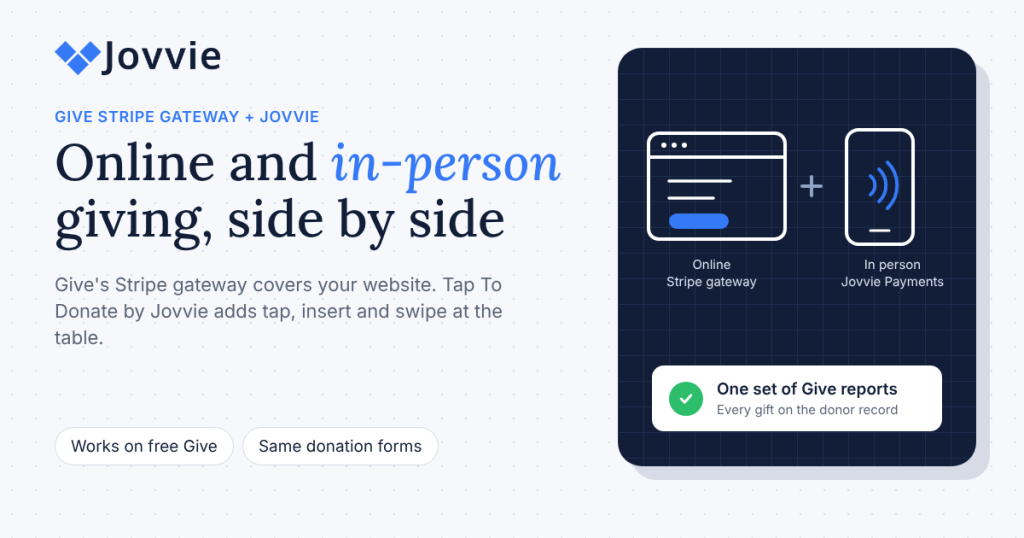
No, Give’s Stripe gateway doesn’t take in-person donations; it’s built for online gifts. For GiveWP Stripe in-person giving, you add Tap To Donate for Give by Jovvie, which puts a second gateway, “Jovvie Payments,” on the same Give forms and connects them to Stripe Terminal readers and Tap to Pay. Most organizations need both, and they don’t overlap: one takes gifts on your website, the other takes gifts at the table.
This is a short comparison page for Give (formerly GiveWP) admins who already use Give’s Stripe gateway and want to know what changes when they add card-present giving. If you want the full walkthrough of how in-person giving works, start with our complete guide to accepting in-person donations with GiveWP; for the install, see the step-by-step GiveWP Tap to Donate setup guide.
Key Takeaways
- Give’s Stripe gateway is for online giving. It takes card, wallet and bank-debit gifts on your website; it doesn’t talk to card readers or Tap to Pay.
- Jovvie adds the in-person half. Tap To Donate for Give by Jovvie adds a “Jovvie Payments” gateway that takes tapped, inserted and swiped card gifts on a phone, reader or kiosk.
- Online giving doesn’t change. Installing Jovvie adds an in-person option; your online gateways, forms and receipts keep working as before.
- Two separate fee lines. Give’s documentation describes an extra 2% on one-time online gifts through its free Stripe gateway; Jovvie’s 0.5% to 2% applies to in-person donations only, by volume, plus Stripe.
- One set of reports. In-person and online gifts appear together in Give and in Stripe, and Give’s gateway breakdown shows which came in where.
- No paid Give plan needed for Jovvie. Tap To Donate works on the free Give plugin; paid Give add-ons matter only for features like Recurring Donations or Fee Recovery.
Does the GiveWP Stripe gateway support in-person donations?
The GiveWP Stripe gateway doesn’t support in-person, card-present donations. Give’s free Stripe gateway collects credit card, SEPA direct debit and BECS direct debit gifts on your donation forms, and Apple Pay and Google Pay are configured through your Stripe dashboard (Give docs: Using Stripe (Free) with Give). Every one of those is a payment the donor makes on their own device, on your website.
Card-present giving is different. The donor taps a card or phone wallet on a reader or on a volunteer’s phone, and Stripe Terminal authorizes it. That needs a Stripe Terminal integration, which is what Tap To Donate for Give by Jovvie provides. Give’s own WordPress.org page lists it as an option: in-person donations with Jovvie, taking “swipe, insert, or Tap to Pay card donations” from a mobile device or Stripe reader.
So if you’ve been searching for a “GiveWP Stripe add-on” for in-person giving or a “GiveWP Stripe Terminal” setting, there isn’t one inside Give’s Stripe gateway. The in-person piece is a separate, free plugin.
What does Give’s Stripe gateway do, and what does Jovvie add?
Give’s Stripe gateway handles online gifts; Jovvie adds card-present gifts to the same forms and Stripe account. Here’s the side-by-side.
| Give’s Stripe gateway | Tap To Donate for Give by Jovvie | |
|---|---|---|
| Where the donor gives | On your website, on their own device | In person: a volunteer’s phone, a card reader or a kiosk |
| Payment methods | Cards, SEPA and BECS direct debit; Apple Pay and Google Pay via your Stripe settings | Tapped, inserted or swiped cards; Apple Pay and Google Pay by tap |
| Hardware | None | None with Tap to Pay; optional Stripe Reader M2, BBPOS WisePad 3, Stripe Reader S700, BBPOS WisePOS E |
| Gateway name in Give | Stripe | Jovvie Payments (“Donate with Swipe, Insert, or Tap”) |
| Kiosk mode | No | Yes; the form resets after each donation |
| Recurring gifts | Yes, with Give’s Recurring Donations add-on | Monthly, quarterly and annual gifts in person, using the recurring options on your Give form |
| Works offline | Needs the donor’s internet | Needs Wi-Fi or mobile data on the donation device; no offline mode |
| Where refunds happen | As usual for your online gateway | Your Stripe dashboard (Give doesn’t process in-person refunds) |
| Give plan needed | Free Give | Free Give |
Product facts for Jovvie come from the WordPress.org listing and Give’s own in-person donations with Jovvie documentation, which confirms Jovvie appears under Give › Settings › Payment Gateways as “Jovvie Payments” and works with both Give’s Visual Form Builder and the Option-Based Form Editor. For how the form, Stripe and the bridge software fit together, Liquid Web, which owns Give, explains how tap to donate technology works.
What does each one cost?
Each gateway has its own fee line, and neither changes the other. Keep them on separate budget lines.
| Cost | Give’s free Stripe gateway (online) | Tap To Donate for Give by Jovvie (in person) |
|---|---|---|
| Plugin | Free (part of Give) | Free plugin and free Jovvie account |
| Monthly fee | None for the gateway | None; no contracts |
| Platform fee | Give’s docs describe an additional 2% on one-time donations; it doesn’t apply to recurring donations | 0.5% to 2% on in-person donations only, depending on your donation volume |
| Stripe processing | Stripe’s online card rate | Stripe’s in-person rate |
| Hardware | None | Optional; readers bought from your own Stripe account |
Two notes on the online column. Give’s Stripe (Free) documentation says the gateway “charges an additional 2% for processing one-time donations,” and its FAQ says that fee isn’t applied to recurring gifts. The page doesn’t say whether a paid Give plan changes it, and Give’s WordPress.org page notes only that “additional fees may apply for free users,” so check your own Give plan rather than assuming.
The Jovvie column is the official wording: free plugin, free Jovvie account, no monthly fees or contracts, and a small percentage on in-person donations only, 0.5% to 2% depending on your donation volume, in addition to Stripe’s processing rate (WordPress.org listing). Installing Jovvie doesn’t add any fee to your online gifts. For a broader breakdown of processor, platform and hardware costs, see BizSwoop’s nonprofit payment processing fees explained.
Be ready for GivingTuesday (December 1). You don’t have to touch your online setup to take gifts at the table. Add in-person giving to the Give forms you already have, free, in about five minutes, then run a test gift this week.
Can you use both gateways on the same donation form?
Yes, Give lets you enable more than one gateway, and Jovvie Payments is added alongside your existing ones rather than replacing them. A common pattern is to keep your public website form as it is and enable Jovvie on the forms your team opens on event devices, such as a GivingTuesday event form or a kiosk form, so online donors and in-person donors each see the option that fits.
To run both:
- Keep Give’s Stripe gateway as is. Nothing about your online forms or receipts needs to change.
- Install Tap To Donate and connect Stripe. Go to Give › Settings › Payment Gateways › Jovvie Payments, create your free Jovvie account and choose the Stripe account for donations. Most organizations pick the one they already use for online Give gifts, so everything reaches one balance and bank account.
- Add a location and a device. Register a Wi-Fi reader with a one-time code from the Jovvie dashboard, or pair Tap to Pay or a Bluetooth reader in the Jovvie app (Jovvie setup documentation).
- Choose which forms show Jovvie. Enable the gateway on the forms you’ll use in person, and check in Test Mode how each form looks to an online visitor before enabling it on your public form.
- Test both paths. Make one online test gift and one in-person test gift with Stripe test cards, and confirm both land in the same campaign.
How do online and in-person gifts show up in Give and Stripe?
Online and in-person gifts show up together, on the same donor records and campaign totals in Give and as charges in the same Stripe dashboard. The difference is the gateway on each donation: online gifts show your Stripe gateway, in-person gifts show Jovvie Payments.
- In Give. Both kinds of gift add to the donor’s history and the campaign goal. Give’s reports can break totals out by payment gateway, a quick way to see what came in at the table versus the website. Our guide to recording in-person donations in GiveWP covers receipts, campaign reports and exports.
- In Stripe. Each gift is a Stripe charge, and Stripe batches charges into payouts to your bank. The finance-team walkthrough of reconciling in-person and online donations with Stripe payouts shows how to match them at month end.
- Refunds. Online refunds work as they always have. Refunds for in-person donations are issued from your Stripe dashboard, so update the donation in Give afterwards for your records.
When do you need a paid Give plan?
You need a paid Give plan only for Give’s premium add-ons, not for in-person giving. Tap To Donate for Give by Jovvie works on the free Give plugin. Paid add-ons matter if you want features such as:
- Recurring Donations. Adds monthly and other recurring options to your Give forms, which Jovvie can then take in person.
- Fee Recovery. Lets donors cover processing fees; when you have it, in-person gifts can include donor-covered fees too.
- Annual Receipts. Year-end giving statements that include in-person gifts alongside online ones.
Give’s add-ons and plans are sold by Liquid Web, so check its current packaging before you buy.
Which do you need?
Most Give organizations need both, because most raise money online and in person. Use this to decide.
| Your situation | Give’s Stripe gateway | Tap To Donate by Jovvie |
|---|---|---|
| Online giving only | Yes | Not yet |
| Online plus events, services or a lobby kiosk | Yes | Yes |
| GivingTuesday with an open house or watch party | Yes | Yes, with Tap to Pay on volunteer phones |
| Card gifts at the door, at a shop counter or in the field | Optional | Yes |
| No website at all | Not applicable | Not a fit; a hosted giving tool such as Zeffy or Givebutter may suit you better |
Frequently asked questions
Can you take Stripe payments in person with GiveWP?
Yes, with Tap To Donate for Give by Jovvie. It connects your Give forms to Stripe Terminal readers and Tap to Pay on iPhone and Android, so donors can tap, insert or swipe a card or phone wallet at your event.
Is there a GiveWP Stripe add-on for in-person donations?
Not inside Give’s Stripe gateway. The in-person option is the free Tap To Donate for Give by Jovvie plugin, which Give’s WordPress.org page lists as its in-person donations option.
Will adding Jovvie change how my online donations work?
No. Jovvie adds an in-person payment option to the forms you choose. Your online gateways, forms and receipts work as before.
How much does Stripe take from donations?
Stripe charges its processing rate on each card payment, which differs for online and in-person cards and by country; see Stripe’s pricing page. Platform fees are separate: Give’s docs describe 2% on one-time gifts through its free Stripe gateway, and Jovvie charges 0.5% to 2% on in-person donations only, by volume.
Does Stripe support donations from nonprofits?
Yes. Stripe processes donations for many nonprofits, and Give and Jovvie both use your organization’s own Stripe account, so funds settle there and pay out to your bank.
Do I need Give Pro or a paid plan to use Jovvie?
No. Tap To Donate for Give by Jovvie works with the free Give plugin. Paid Give add-ons are needed only for features like Recurring Donations or Fee Recovery.
How much does the GiveWP plugin cost?
The core Give plugin is free on WordPress.org. Premium add-ons are sold separately by Liquid Web. Tap To Donate for Give by Jovvie is a separate free plugin with no monthly fees.
What is the best donation platform for WordPress?
For organizations already on WordPress, Give is a common choice for online forms, and adding Jovvie covers in-person giving without a second platform. If you have no website, a hosted platform may be simpler.
Add the in-person half before GivingTuesday
GivingTuesday is December 1. Your online giving already runs through Give’s Stripe gateway; the gifts at your open house, service or community table don’t have to go into a cash jar or a separate app. Tap To Donate for Give by Jovvie adds Tap to Pay, card readers and kiosk mode to the Give forms you already have, free and in about five minutes, without changing your online setup. The plugin and Jovvie account are free with no monthly fees; a platform fee of 0.5% to 2% applies to in-person donations only, depending on your donation volume, in addition to Stripe’s processing rate.
Keep your online form exactly as it is, and run one in-person test gift this week.
Sources and primary documentation: Tap To Donate for Give by Jovvie on WordPress.org, Jovvie for Give, Jovvie setup documentation, In-person donations with Jovvie (Give docs, Nexcess), Give docs: Using Stripe (Free) with Give, Give on WordPress.org, How Tap to Donate Technology Works and What It Costs (Liquid Web), Stripe Terminal documentation, Stripe pricing.
